
Make rights, privacy and attribution clear before anyone submits.
Choose a task below. Each section includes an illustration and links to the detailed instructions where available.
Set the legal owner separately from the team name · Add your privacy policy and legal disclosure · Add project-specific declarations · Keep the reference, receipt and private record together · Credit the contributor visibly and in file metadata
Set the legal owner separately from the team name
In Legal & Compliance, choose workspace legal defaults or project-specific legal details. Enter the actual legal entity that receives the content rights, for example Everyday Stories, Inc., even when the public team name is Everyday Stories. Preview the uploader to check the displayed owner.
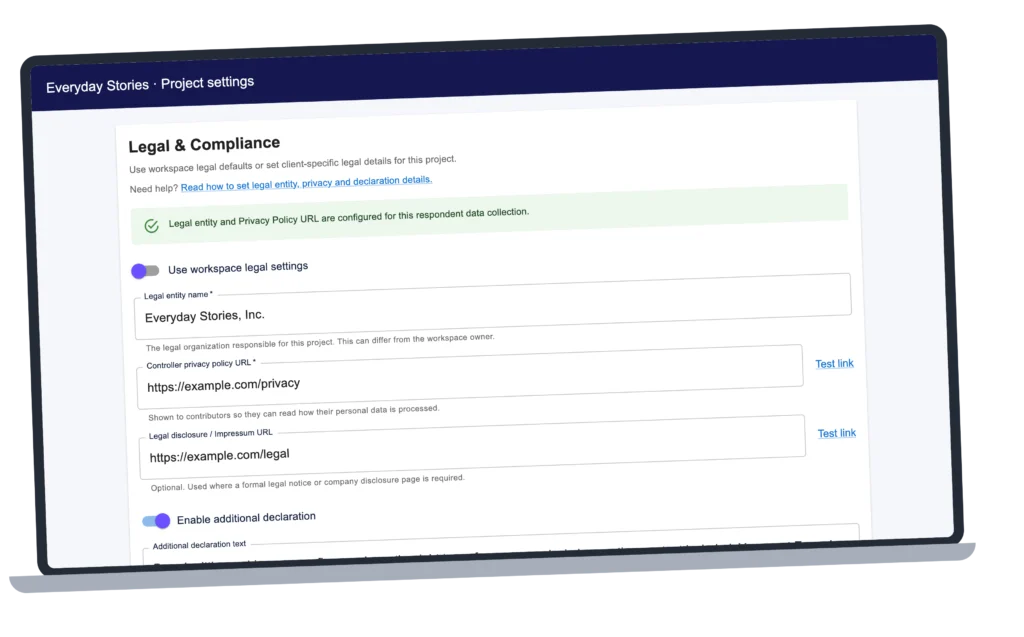
Detailed instructions: How to Set Legal Entity, Privacy and Declaration Details in Vloggi · How to gain re-use permission and copyright on video submissions
Add your privacy policy and legal disclosure
Add your organisation’s privacy policy URL so contributors can understand how you control and use their data. Add an Impressum or other legal disclosure URL where applicable. Check the footer links in the contributor page; the platform privacy notice does not replace your own policy.
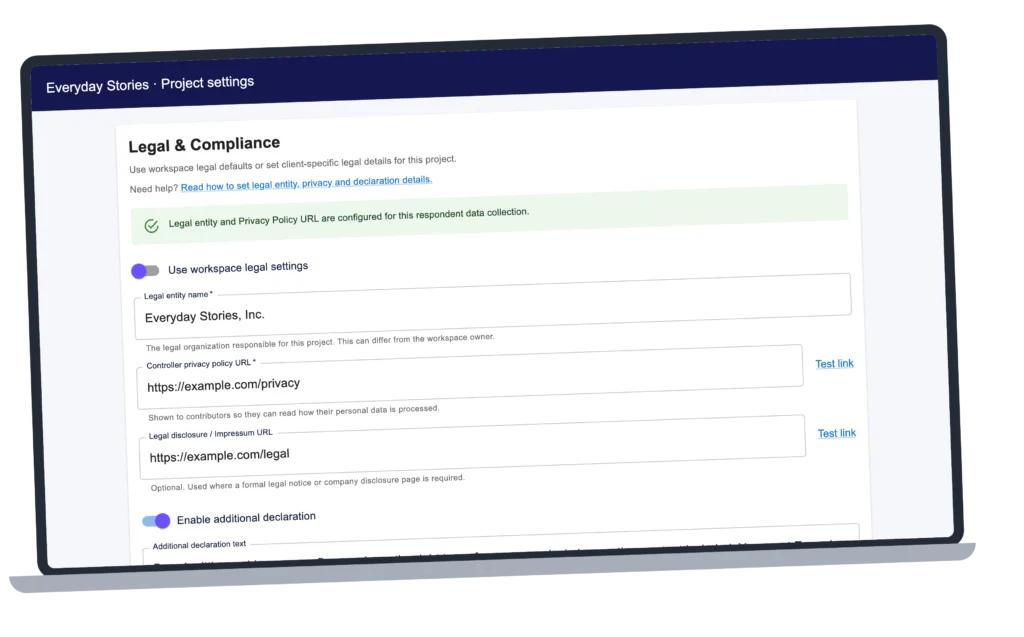
Detailed instructions: How to Set Legal Entity, Privacy and Declaration Details in Vloggi · Understanding IP Address Collection in Vloggi
Add project-specific declarations
Open Additional legal settings and include the declarations needed for your project. Make intended uses clear before submission, including AI training if relevant, and state any incentive accurately. Review the wording with the person responsible for your organisation’s legal requirements. A declaration is not a substitute for having the necessary rights.

Detailed instructions: How to Set Legal Entity, Privacy and Declaration Details in Vloggi · How to gain re-use permission and copyright on video submissions
Keep the reference, receipt and private record together
Every submission has a unique reference. Where a contributor requests an email receipt, it links to their private submission record. Use that reference when handling a query about the content or information held. Treat the private link as confidential and do not publish it in a gallery.

Detailed instructions: How to gain re-use permission and copyright on video submissions
Credit the contributor visibly and in file metadata
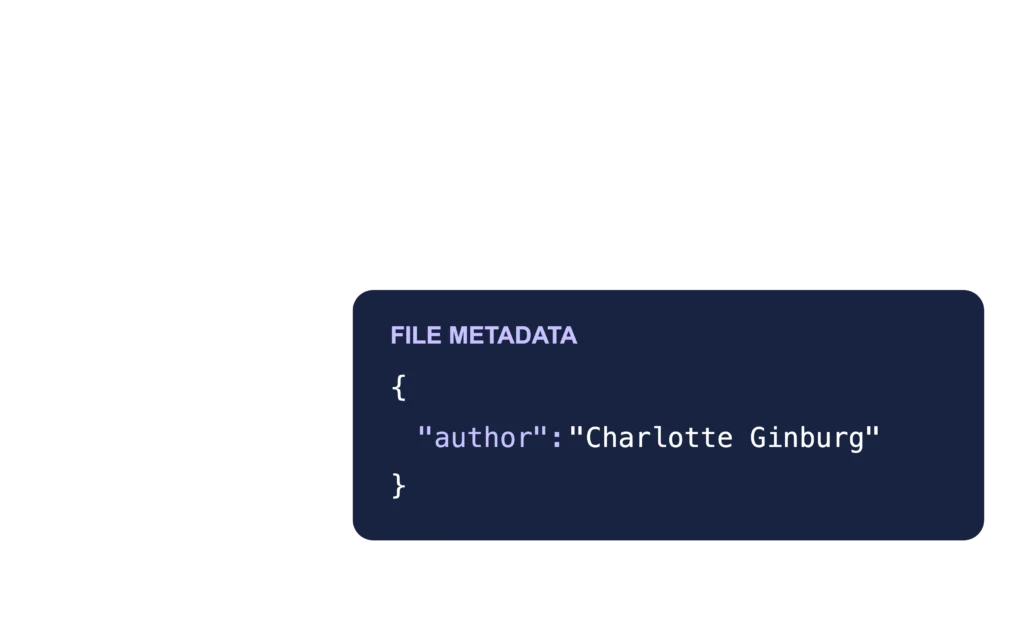
During project setup, enable the owner’s watermark and contributor credit where appropriate. Use the visual template for on-screen attribution. Vloggi also embeds author attribution in file metadata, so retain that provenance when distributing or transforming the video. Metadata can be edited by later tools; keep the original submission and consent record as well.
Detailed instructions: How to use the Vloggi Video Template Builder · Creating a master template in Vloggi to automate video creation from UGC