Make attendee voices part of the event.
Collect event video submissions before, during and after your conference, exhibition or hybrid event. Vloggi brings attendee questions, reactions and footage into one library, with contributor details and permission connected to each submission.
Give people a clear brief and a browser-based submission link. Your production team can review contributions before deciding what belongs on screen or in a follow-up campaign.

On this page: Use cases · Feature spotlight · Example · Tips · Case studies · FAQs
Working with artists, record labels or fan communities? Explore music and fan video campaigns →
Organizations using Vloggi for events and audience participation
 Australia Awards used Vloggi for event and audience-participation videos.
 beon.Worldwide collected questions and video selfies from Avon representatives for its hybrid convention.
 emCo collected fan videos for Tim McGraw’s 2022 tour.
 Jamaica at 60 used Vloggi to gather audience contributions for its anniversary celebrations.
 Workshop Creative used Vloggi for event and audience-participation videos.
THE PROBLEM
The stage gets heard. The audience gets lost.
Scattered clips. Missed questions. Remote attendees left out. Your event deserves more than a one-way broadcast.
THE SOLUTION
Bring every voice into the program.
Vloggi turns attendee video submissions into an organized, verified collection—with contributor details and rights assignment connected. Collect before, during and after the event.
USE CASES
Six ways to put attendee-generated video to work

Questions before the event
Invite attendees to submit questions for speakers and panels. Moderators can review themes, prepare a running order and include contributions from people who cannot attend in person.

Reactions during the event
Ask participants to share a takeaway, record a greeting or show a moment from the exhibition floor. A focused prompt helps your production team find footage that fits the event story.

Perspectives after the event
Collect feedback and reflections while the experience is fresh. Use structured questions to understand what attendees found useful and what they would change next time.

Remote participation
Bring people who cannot attend into the room. Invite teams to contribute welcomes, questions and short messages that can become part of the program.

Speaker introductions
Collect a short introduction from each speaker before the event. Give contributors the same brief so the team can build a coherent set of preview clips.
Product demonstrations
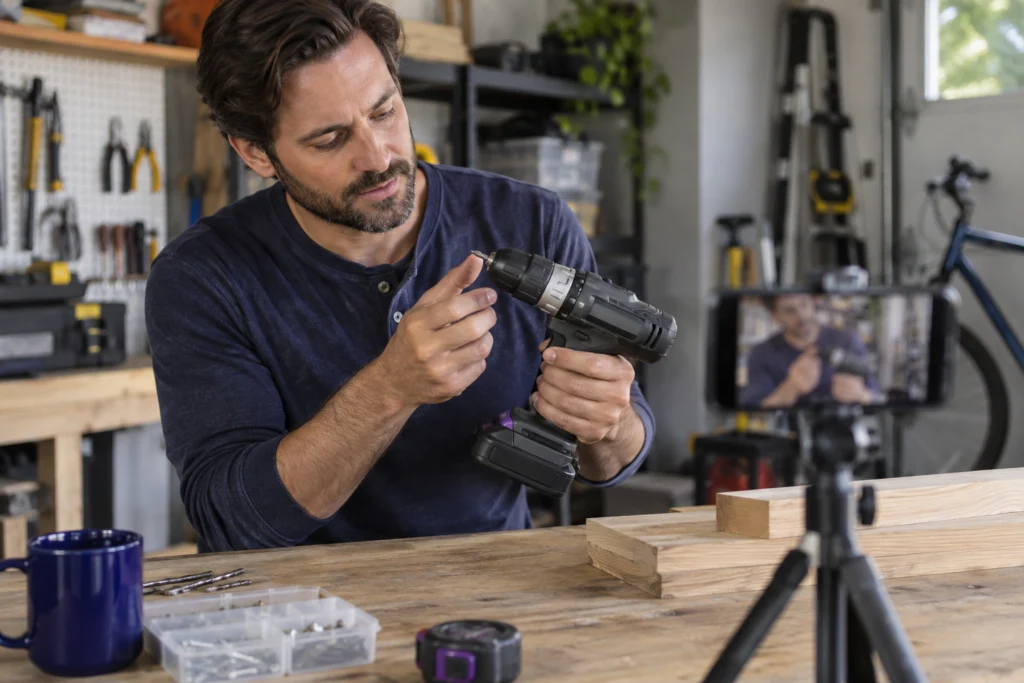
Ask exhibitors to show one useful product detail. Collect the demonstration and supporting information while the event team is already speaking with them.
FEATURE SPOTLIGHT · DELEGATE Q&A
From a question on a phone to a voice on the big screen.
Give every delegate a way into the conversation. Vloggi’s branded video forms let attendees record questions on their phones, ready for your production team to select and bring into the session.
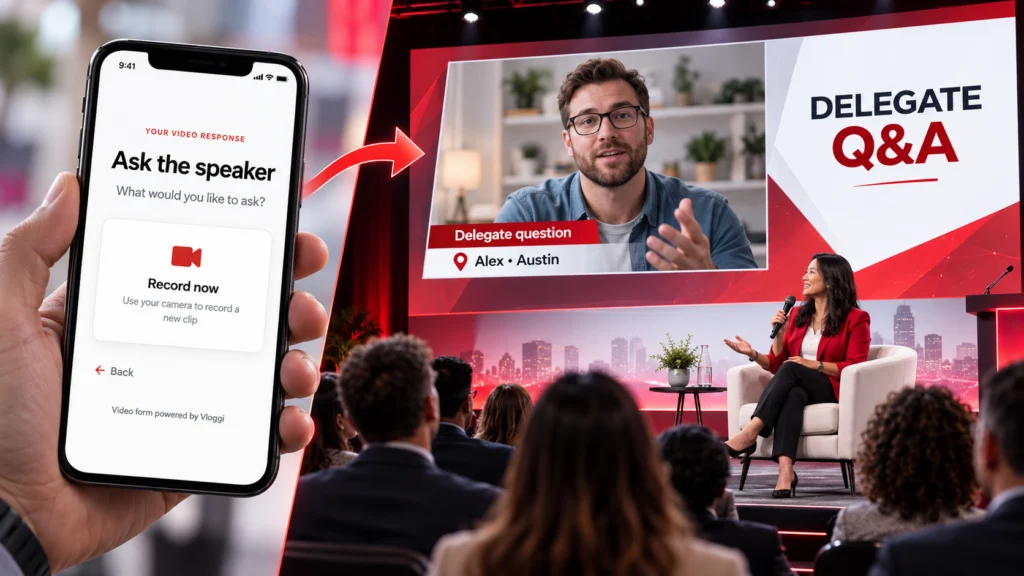
- Ask before or during the event. Share a speaker-specific call-out by QR code, email or event link, with prompts to guide each question.
- Prepare the questions for the stage. Collect delegate details and content-assignment consent with each submission, then review and select clips before playback.
- Let the audience see who is asking. Add event branding and delegate captions, then cue the selected video through your event production setup as the speaker responds.
EXAMPLE IN PRACTICE
Example: put delegates at the heart of the Q&A
Imagine a business forum where the conversation starts before delegates reach the venue. A speaker invitation asks attendees and remote participants to record the question they most want answered. Their faces and voices become part of the program—not just a line of text for the moderator to read.
This workflow draws on the delegate Q&A concept proposed to a Californian economic forum. The images below are proposal mockups illustrating how it could work, rather than a record of a full event rollout.
1. Call-out

Place the call-out in pre-event emails, on the event website and around the venue. A quick scan takes the delegate straight to a branded video form.
2. Curate

Gather the questions in one collection. The moderator and production team can review the clips, choose a balanced mix of topics and prepare the running order.
3. Collaborate

Cue the chosen question on the main screen, then let the speaker respond. In-room and remote delegates can both contribute, while the production team stays in control of what appears onstage.
INDUSTRY TIPS
Tips for event producers
Give every question a purpose
Use a speaker-specific prompt and a clear deadline. Collect delegate names, session details and permission with each clip, so moderators can prepare a focused running order.
Meet delegates where they are
Share your branded video form through registration emails, event apps and venue QR codes. Include remote attendees and offer another way to contribute for people who prefer not to record video.
Plan the on-screen moment
Start with the output you need, then set the brief, fields and review stages. Your production team selects and cues the clips, with contributor context and consent records connected. For kiosks or connected production workflows, we can scope the setup around your event.
See how Fishburners brought audience videos into hybrid events →
CASE STUDIES
How events bring their audiences into the story

AVON
For Avon Italia’s 2021 convention, event producer beon.Worldwide collected video questions, tutorials and guided video selfies with Vloggi. More than 2,000 video selfies from over 250 locations across Italy brought remote representatives into the shared convention experience.
Fishburners
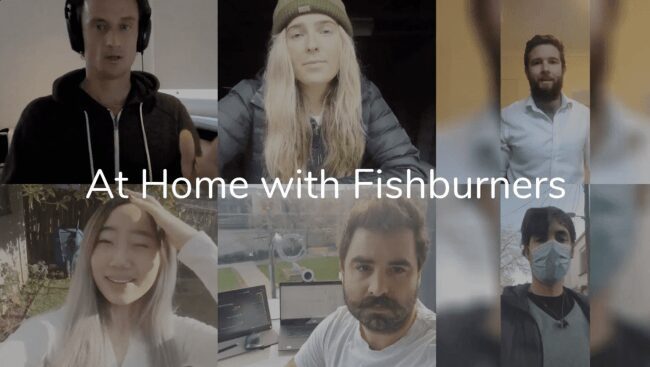
Fishburners brought in-room and remote attendees into its hybrid pitch nights with audience video questions and messages. Selected contributions were compiled and shown on stage, making the wider community part of the live event.

Silk Road 4.0
Ahead of its virtual conference, Silk Road 4.0 used Vloggi to gather video questions from delegates, bringing their faces and voices into the Q&A.
OUR PARTNER
Vloggi + EventChain
We partner with EventChain to bring complex event workflows to life—connecting Vloggi’s video collection with event delegate tracking and the systems that power your event.
Together, we can build custom integrations that connect delegate records, video submissions and on-screen participation, so your team can deliver a joined-up experience from the first invitation to the live session.
YOUR QUESTIONS
Your event video questions, answered
Can attendees record from their browser?
Yes. A browser-based collection page lets contributors record or upload without installing an app.
Can we collect questions before a panel or conference?
Yes. Invite attendees to respond to a focused prompt before the event. Your team can review the clips, select suitable questions and coordinate playback with the moderator and production team.
Can a QR code link to the submission page?
Yes. Add your collection QR code to venue signage, event screens or printed programs. Attendees scan it to open your branded video form and record or upload their contribution.
Can submitted clips appear instantly on a public screen?
Yes, absolutely. Using an API and a custom workflow developed with our team, you can display submitted videos instantly through Vloggi’s contest galleries or another custom integration, including your event screens.
Can we download footage for our event editor?
Yes. Download footage for your editor or turn selected contributions into a branded compilation. Keep contributor context and consent records alongside the source clips.
Does Vloggi integrate with our event platform?
You can share a Vloggi collection link through your existing event platform. For registration data, kiosks or a connected production workflow, talk to us about the integration you need.
Bring your next event’s audience into the story
Tell us the event format, expected contribution volume and where the finished footage needs to go. We will help you map a practical collection and review workflow.