
Build a trusted video knowledge base from your workforce.
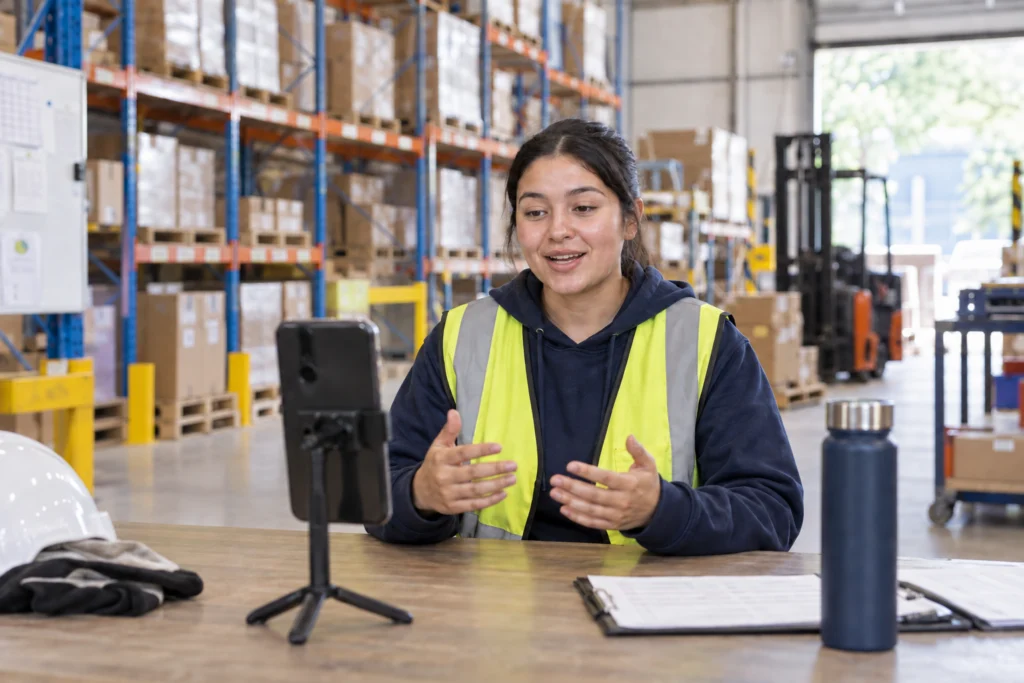
Turn employee experience into a company-wide knowledge base through guided video conversations. HR and learning teams set up to eight questions in Vloggi Studio; employees answer the prompts on their phones, in their own words, wherever they work.
Bring thousands of responses across worksites, locations and teams into an organized video repository. Preserve practical know-how, listen to frontline experience and connect each submission with its context, permissions and review history.
Use cases · Feature spotlight · Example in practice · Case studies · OneCard partnership · FAQs
Organizations using Vloggi for employee stories, collaboration and video surveys
 Avon has used Vloggi to include remote employees in a hybrid event through video selfies.
 MYOB has used Vloggi for remote-team strategy and idea-sharing videos.
 Vodafone Australia uses Vloggi to gather employee-created TikTok-style reels for reuse in external marketing.
 Qantas has used Vloggi for employee surveys at remote airports, including Darwin.
 Amazon has used Vloggi to gather staff feedback on training courses and support employee retention.
THE PROBLEM
Phone-first people.
Paper-first processes.
Your people can show it.
Your forms can’t capture it.
Knowledge gets lost between shifts and sites. Unverified video is not proof.
THE SOLUTION
Show it. Say it.
Keep it. Trust it.
Up to eight responses. Thousands of perspectives.
One verified video knowledge base.
Vloggi turns video submissions and video surveys into reviewable evidence—with verification, permissions and chain of custody connected.
Digital context: 62% of US adults aged 18–29 report being online almost constantly. Pew Research Center, 2023 survey. Internet use—not a measure of workplace video preference.
USE CASES
Six ways to put employee-generated video to work

Practical onboarding
Build a personalized onboarding video from a reusable recipe. Automatically compile the right training clips, then add the manager’s welcome for Cindy—or your next new starter.

Team welcomes and handovers
At home or on site, record a clear handover without another meeting. Share progress, explain the next steps and keep the context ready for the next person.
Video site reports
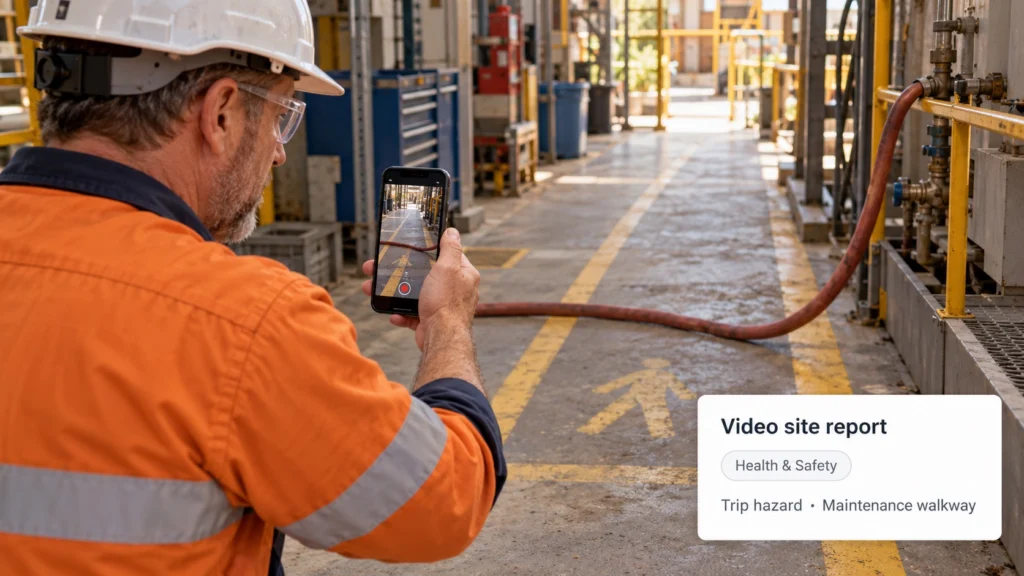
Give frontline teams a simple way to show potential hazards. Workers film and narrate what they see, tag the report Health & Safety and add the site details, so reviewers can understand the issue and coordinate follow-up.

On-site training videos
Capture employees narrating real procedures on site. Link demonstrations and reviewed competency evidence to the relevant procedure or learning record, preserving practical knowledge beyond a written checklist.

Listen to employee experience
Hear what employees really think after onboarding or training. Transcribe their responses and add on-demand sentiment analysis to surface themes for human review.

Recognize contributions
Invite teams to share achievements, peer appreciation and project milestones. Gather material for internal events or approved employer-brand stories without chasing email attachments.
FEATURE SPOTLIGHT · VIDEO CONVERSATIONS
Ask in video. Answer in video. Keep the full picture.
Vloggi’s Video Conversations feature lets organizations ask employees, customers or communities questions in video form. Participants respond on their phones, with up to eight video responses in one guided conversation. Every answer stays connected to its prompt.
Ask with context: record video prompts that show people what you want to know.
Let people answer anywhere: collect responses across locations and time zones, without scheduling interviews.
Keep the whole conversation: review linked answers by participant, project or topic.

EXAMPLE IN PRACTICE
Example Vloggi enterprise customer workflow
Screen recording works for desk-based jobs. On a brewery floor, the work happens away from a screen. Workers use their phone cameras to show and narrate every step: the pre-start check, the equipment setup, the test and the final inspection.

Every step. Every shift. Linked to the learning record.
A busy site might capture 100 short clips a day—not one polished training video. Each clip is linked to a specific procedure and step in the training model, so supervisors can review the demonstration alongside the right competency record.
Trainers record the reference procedure. Employees then film themselves performing each step, explaining what they are doing as they work. The result is a growing library of practical instruction and reviewable evidence, not a folder of disconnected videos.
The phone is the camera—not the filing cabinet.
When employees record directly through Vloggi’s uploader, no video copy is saved to their phone’s camera roll. Submitted recordings are stored in encrypted cloud storage with company-controlled access. Uploading an existing file is different: it does not remove the original from the device.
Example enterprise workflow; daily volume is illustrative.
INDUSTRY TIPS
Tips for meaningful employee video
Ask for something specific
Give employees one clear task, an example response and a short brief. Ask them to demonstrate a procedure or explain an experience in their own words, with a contact for questions and an alternative response route where appropriate.
Connect each clip to its context
Capture the question, worksite, procedure and submission tracking ID alongside the video. Consistent references make practical knowledge easier to find across shifts, locations and teams.
Plan access and reuse
Explain who will see the footage and how it will be used. Agree permissions, retention and review responsibilities with your team, then reuse approved demonstrations in your knowledge base or learning workflow.
Explore video questionnaires → · Video metadata and context → · Consent tools →
CASE STUDIES
Employee video in practice

Dale Carnegie
Employee success stories collected across the US, Canada and Mexico.


Qantas
Employee surveys reached staff at remote airports, including Darwin, bringing frontline perspectives into the conversation.
OUR PARTNER
Connect workforce video with learning records

Vloggi provides the mobile video capture and ingestion pipeline. OneCard provides the learning, course-content and competency framework. Together, we connect narrated workplace video with the relevant training records and skills matrices.
YOUR QUESTIONS
Your employee video questions, answered
Do employees need an app?
No. Contributors follow a submission link and use their browser to record or upload a video. Include a short brief, an example response and a contact for questions.
Can we ask the same questions across several teams?
Yes. Create a video conversation with up to eight questions and share it across teams and worksites. Employees respond on their phones, and your reviewers can compare answers to the same prompts while retaining each person’s full conversation.
Can we use the footage for training?
Yes. Turn employee demonstrations and explanations into learning resources, with your team reviewing accuracy and approving reuse. Vloggi connects collection and organization with your existing learning and training-review workflow.
Can we download files instead of creating a compilation?
Yes. Your team can download selected footage for an existing editing or communications workflow. We will help you choose the source-file and export options that fit your plan.
Can you add sentiment analysis or specialist AI review?
Yes. We can configure on-demand analysis of spoken feedback, including sentiment, or develop specialist workflows such as visual-defect triage. We scope the models, outputs and human review with you. This is an optional configured service, not a default score of an employee’s ability or performance.
Which plan fits a people development program?
Choose a plan around your monthly video volume, contributors, review access and output needs. Compare current plans or tell us about your program in a demo and we will help you find the right fit.
Can the collection fit our internal privacy process?
Yes. Your organization controls the intended audience and approved uses. We can adapt the call-out, consent wording, requested fields, access, retention and review workflow to your internal privacy process, keeping submission tracking IDs connected to each record.
Start with one team. Build a repeatable process.
Tell us who you want to hear from, what they will share and how your team plans to use the results. We will help you map the collection and review workflow.