Home / Solutions / Video auditions & casting calls
Vloggi: collect human-generated video auditions and find your next standout performer.
VIDEO AUDITIONS & CASTING CALLS
More performance. Less file handling.
Give performers one branded place to submit their videos. Keep applicant details, permissions and performance clips together so casting teams and adjudicators can review, compare and shortlist talent in a private project library.

THE PROBLEM
Talent gets buried in the inbox.
Auditions arrive as attachments, cloud links and social messages. Applicant details sit in another spreadsheet. Your panel spends time matching files, chasing permission and finding the right performance instead of evaluating talent.
THE SOLUTION
One call. An organized pool of talent.
Gather human-generated performances through a clear invitation, connect the information your panel needs and organize review in one library. This is a collection and selection workflow—not another video-editing tool.
THE WORKFLOW
From casting call to considered shortlist.
01
Set the brief.
Explain the role, category or performance requirements. Use Contribution for one video or Collection for several existing performance files, with the details and declarations your project requires.
02
Keep every application together.
Collect applicant and performance information, including relevant school, discipline or role selections. Connect clips with their contributor and submission context.
03
Review and build your shortlist.
Filter by tags, favorite relevant clips and apply owner-added shortlist labels in bulk. Keep selection decisions with your team, then export the chosen footage for the next stage.
PRIVATE REVIEW
Illustrative example
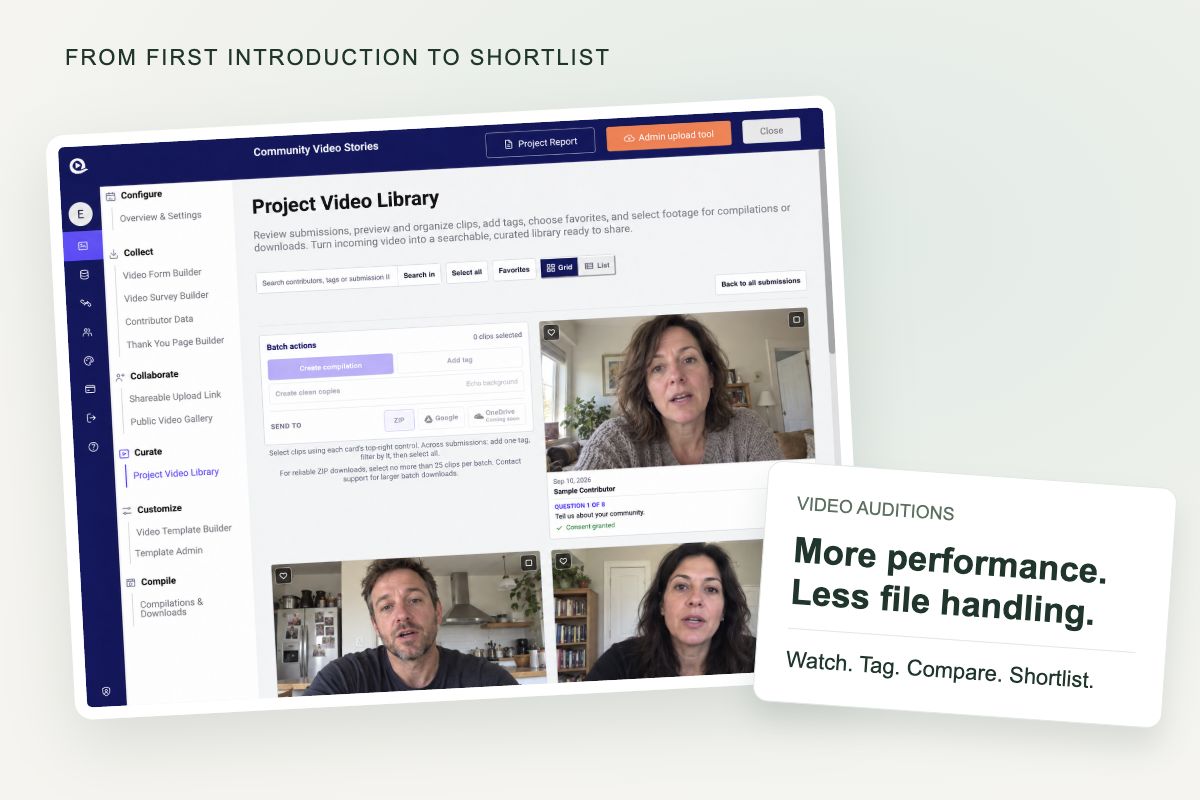
Find the performance, not just the filename.
Use grid or list views to compare entries. Contributor details and tags make the library searchable, while grouped submissions keep multiple clips connected. Add internal favorites and labels such as “First review” or “Callbacks” without asking performers to resubmit.
CONTEXT FOR YOUR PANEL
Make the submission useful before review begins.
Ask for the information that matters to your selection process and collect the relevant permissions alongside the video. A linked dataset can turn a school or category selection into consistent labels, helping adjudicators find the right group of performances.
NESA’s published workflow shows performance submissions organized with tagging and adjudicator review.

PUT IT TO WORK
Different performances. One organized process.
Performing arts selection
Collect music, dance and drama performances for showcases and programs, with the context needed for selection.
Casting and callbacks
Gather self-tapes against a clear role brief, then label shortlisted applications for the next review round.
Talent programs
Organize applications by category, location or program and keep multiple performance clips connected.
CUSTOMER WORKFLOWS
Real performance-collection workflows.
NESA
NESA uses Vloggi to collect student performance videos for its HSC Showcase selection workflow, organizing submissions for adjudicator review and the selection of outstanding performers.
Hamilton
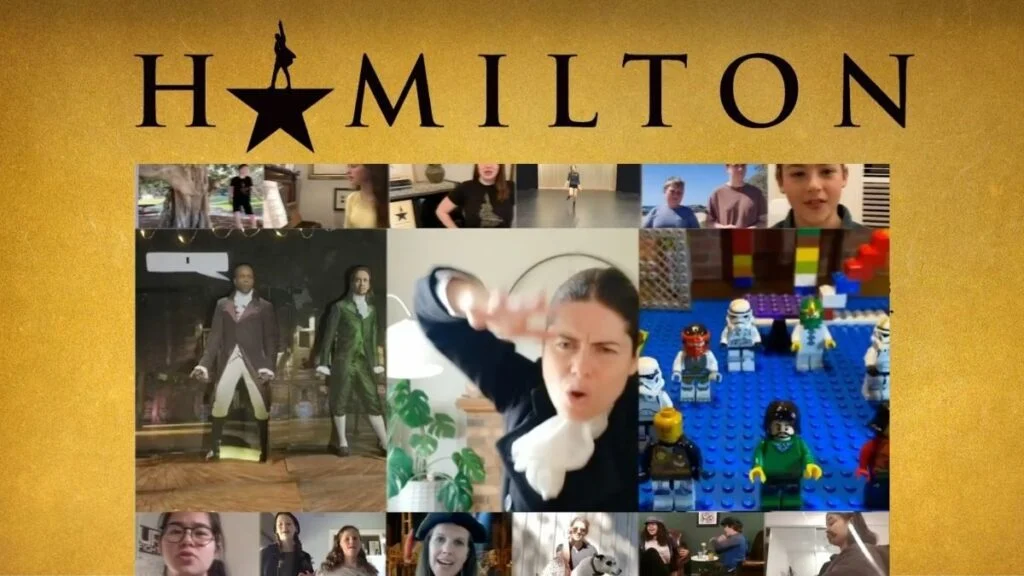
Workshop Creative collected fan performance videos for Hamilton, bringing different video formats and permissions into a usable collection for its editing team. This is a related performance-collection example, rather than a casting project.
Collection, context and permissions—connected.
Bring human-generated performances into a usable business library. Review and select in Vloggi, then hand the chosen footage to your team or existing editing workflow.
Explore Vloggi Collect →Explore Vloggi Context →Explore Vloggi Consent →Explore Vloggi Confirm →Explore Vloggi Connect →
RELATED INDUSTRIES
Built for your selection process.

Video audition FAQs
Can performers submit existing self-tapes?
Yes. Use a Contribution or Collection workflow to accept existing files. This is different from Conversations, which requires new device-camera recordings for its two to eight prompts.
Does an audition need a public gallery or public vote?
No. Collect and review applications in a private project library. Public galleries are a separate choice for campaigns where public participation is appropriate.
Can applicants submit more than one performance?
Yes. A Collection workflow can gather several clips with shared contributor details and file-specific information. Configure the submission limits for your project.
Can we collect additional declarations?
Yes. Explain the intended use, identify the rights recipient and add the declarations needed for your project alongside the consent workflow.
How can we build trust in the origin of a performance?
For stronger capture evidence, ask for a new device-camera response and retain its linked device information, timestamps and declarations. Existing self-tape uploads do not provide the same capture assurance. Origin evidence does not independently verify every claim about a performer.
Does Vloggi judge or edit the auditions for us?
Your panel makes the selection decisions. Vloggi organizes collection, context, permissions and review; it is not a timeline editor or a substitute for your casting team.
Make your next casting call easier to review.
Start with a clear brief. End with an organized library of performances your team can use.