
Vloggi Contests: the easiest way to build a library of authentic footage of your product
Video contest software
Unlock the great videos already on their phones.
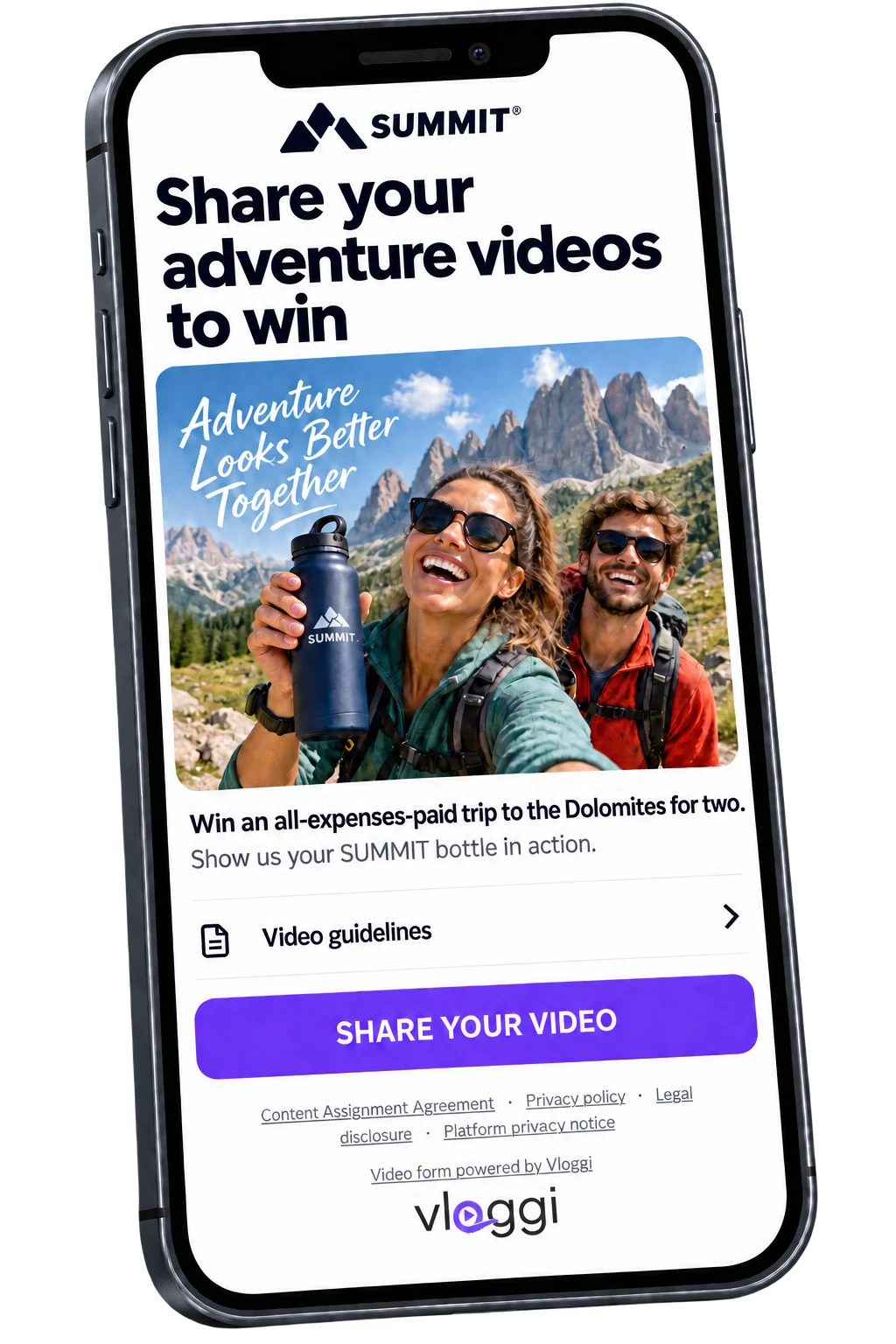
Your customers already have great footage of your product in action. Give them a reason to share it, collect the files and reuse permissions together, then discover the best entries through private judging or a public gallery.

The problem
Your best product footage is trapped on their phones.
Across destinations, fashion, food and consumer products, people capture millions of moments worth sharing. But reaching those files—and securing permission to use them—means chasing cloud folders, forms and emailed clearance rights.
The solution
Bring the footage and the rights together.
Vloggi makes the upload, contributor details and legal permissions one simple journey. Give people a compelling incentive, collect authentic footage directly, then use private judging or public galleries to find the best. A public showcase can encourage even more people to enter.
Feature spotlight
Turn approved entries into a public showcase.
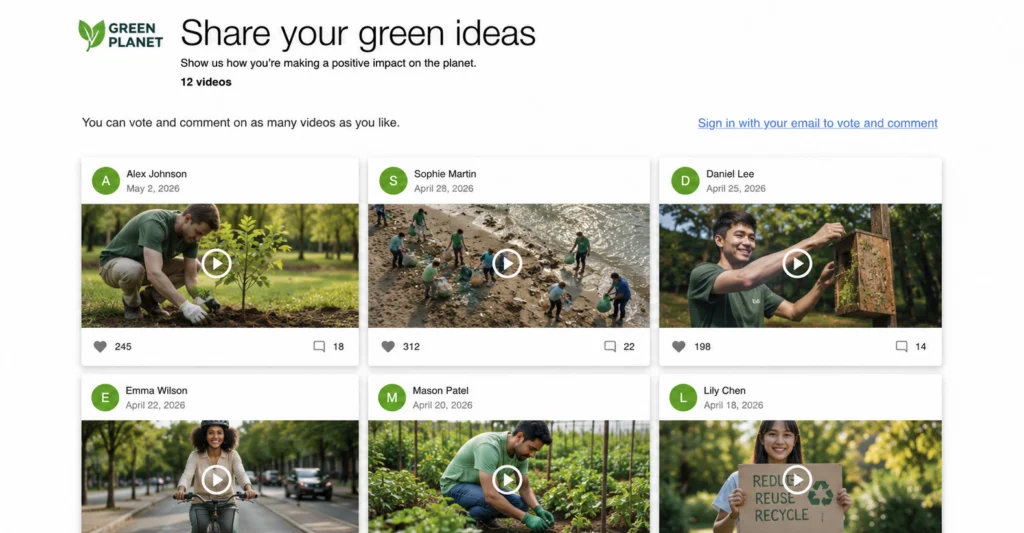
Give your audience somewhere to watch, vote and join the conversation. Your public gallery is separate from your entry form: one link collects videos; the other showcases the entries you approve.
You choose what goes public.
Keep the contest private for invited reviewers, or publish selected videos and enable the viewer participation you want. Collecting an entry does not automatically publish it.
Built for participation
From a compelling prize to a well-run contest.
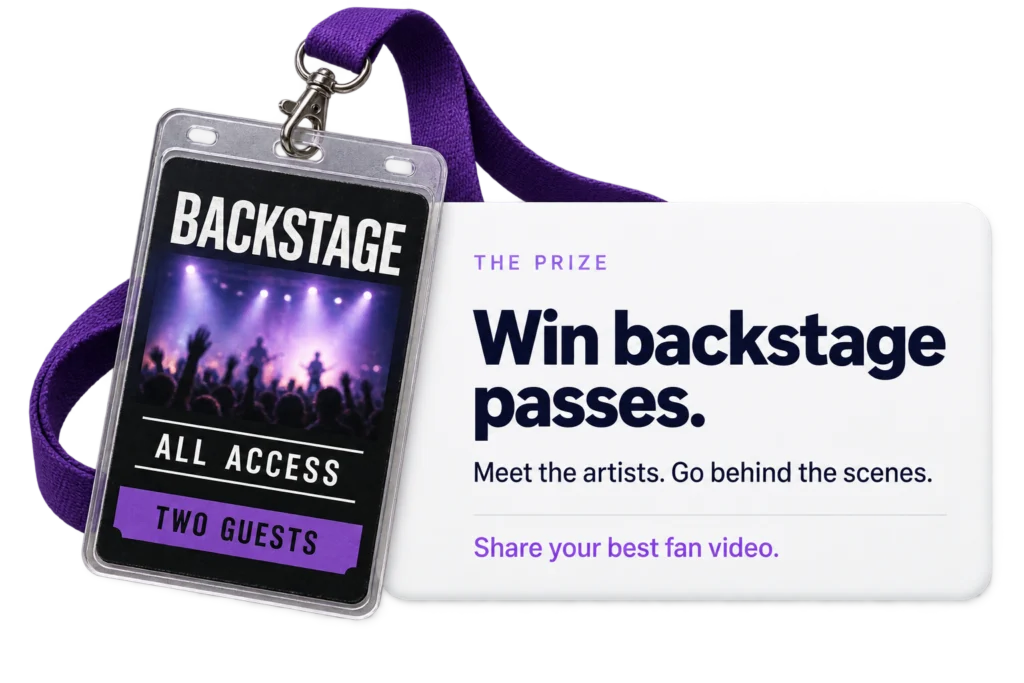
Lead with an incentive worth entering for.
Make the prize and deadline clear in your welcome video and brief. Offer exclusive access, a substantial prize or a chance to be featured. Suppliers can co-sponsor rewards and help promote the campaign.
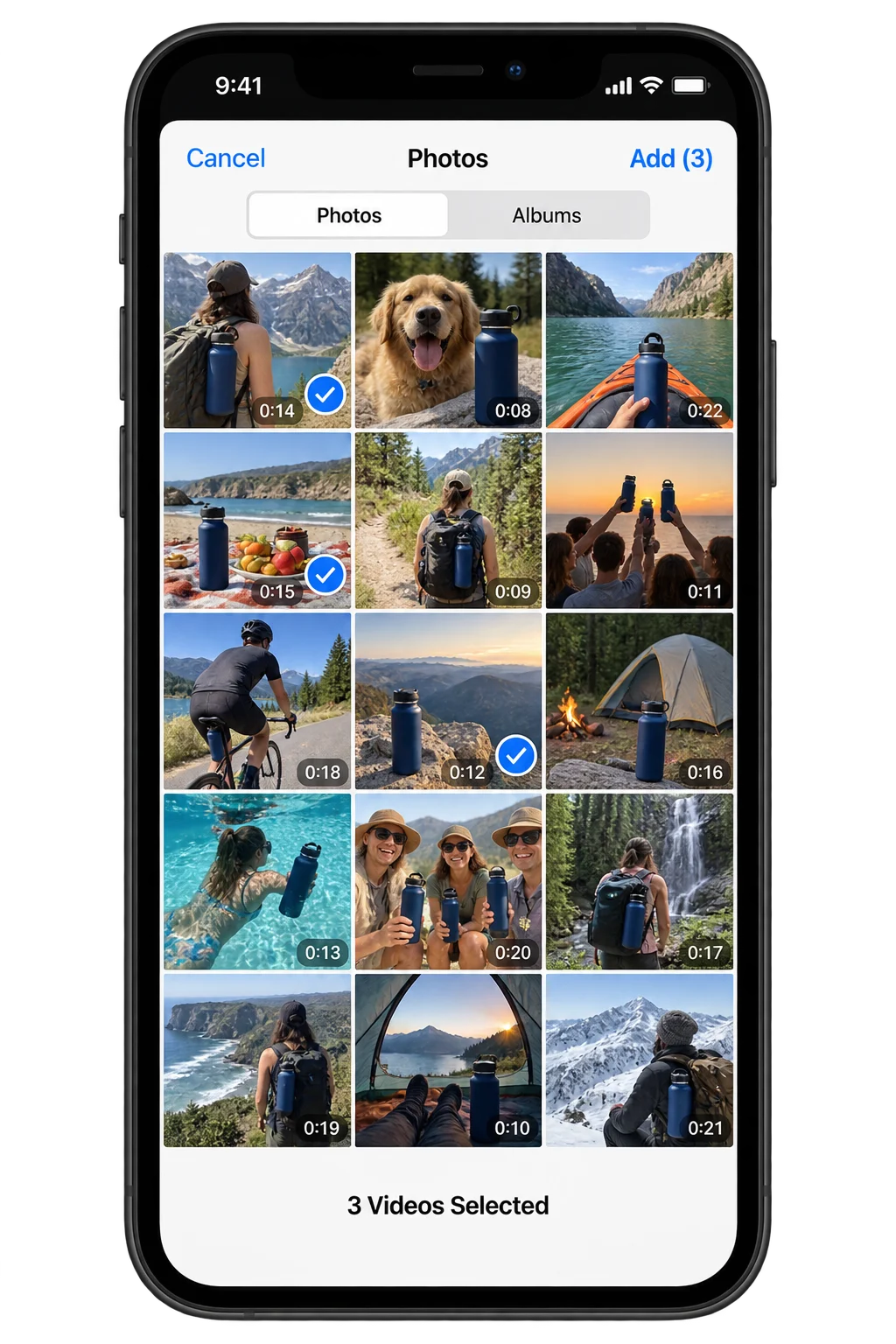
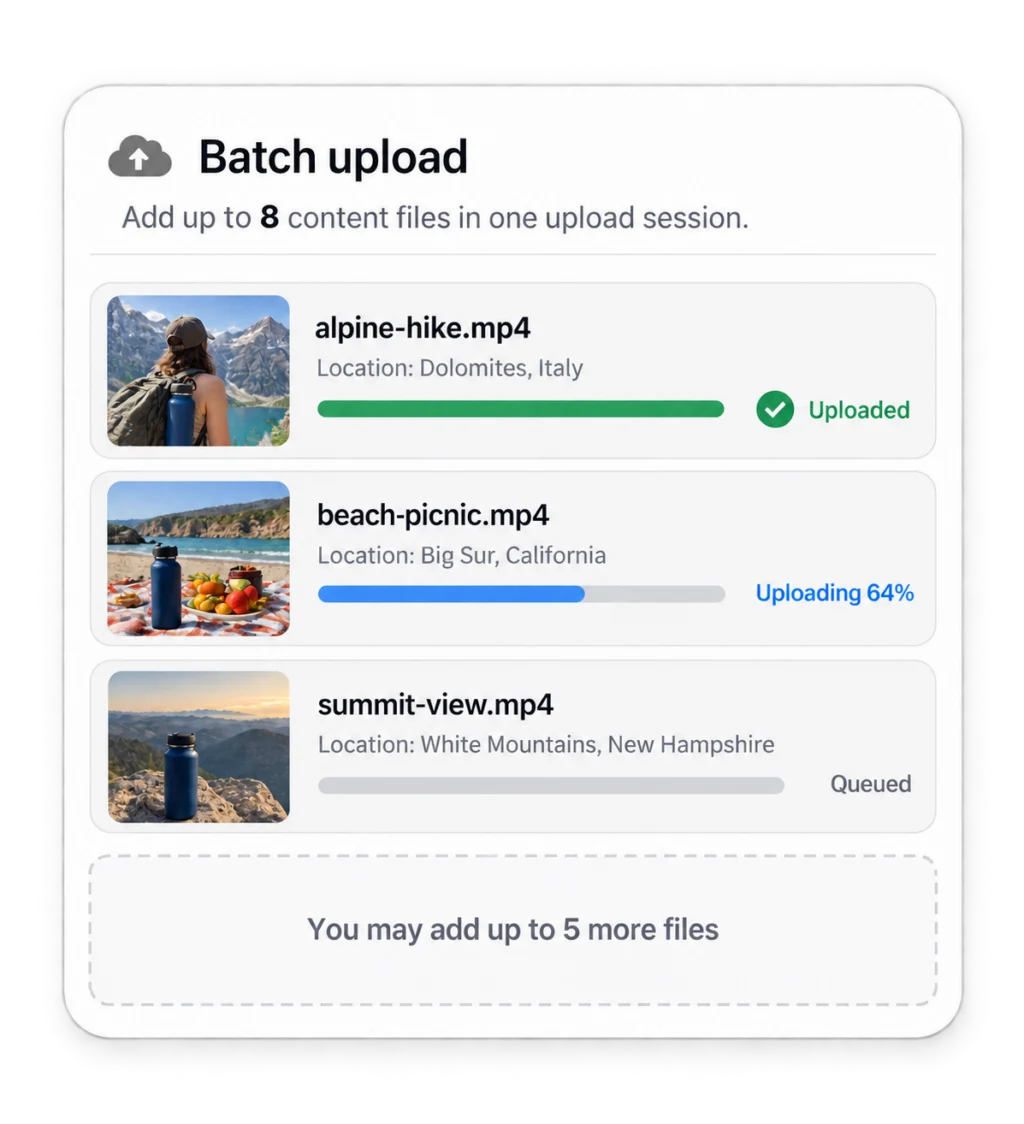
Upload the video already on their phone.
Let entrants select existing videos from their camera roll and submit them through the browser. Accept up to eight entries, depending on your project settings, with location details collected for each video. No need to recreate a great moment on camera or send a file-transfer link.
Keep the contest private—or open it up.
Collect entries into your private project library. Use invited reviewers for closed selection, or publish approved entries to an optional public gallery.
Choose private judging or public voting.
Use invited team voting and favorites to build a shortlist. Or enable public-gallery voting and explain whether audience votes decide the result or inform your judging panel.
Build participation around the gallery.
Give viewers a place to browse approved entries, vote and comment. Share the gallery link separately from the submission link so people reach the right experience.
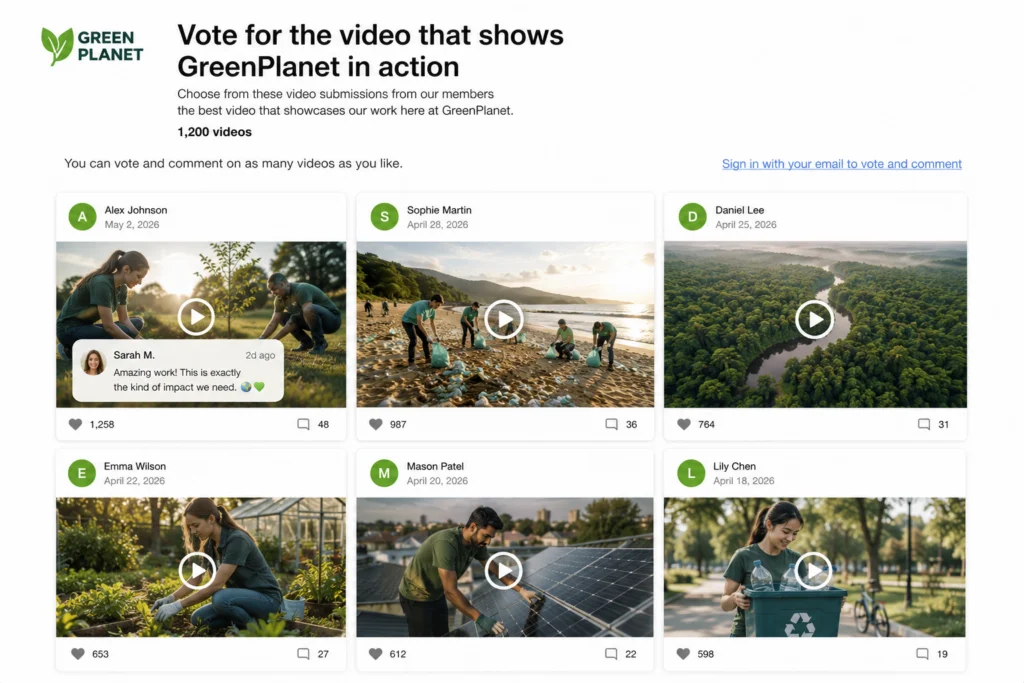
Moderate entries and respond to reports.
Review videos before publication. Set voting, commenting and moderation rules, provide a report/takedown contact, and review reports of unsuitable, abusive or malicious content.
How it works
Invite. Collect. Choose.
1. Set the prize and rules
Introduce the challenge, incentive, deadline and sponsor details. Explain eligibility, permissions and how winners will be selected.
2. Collect existing videos
Share your branded entry link. Entrants upload from their phone or computer and supply their details and declarations.
3. Review, showcase and select
Moderate submissions, shortlist privately or publish approved entries for public participation. Apply the judging rules you announced.
Use cases
Turn an invitation into participation.

Marketing
Invite customer creativity and keep permission connected to campaign entries.

Music
Collect fan challenges and performance entries in one branded workflow.

Events
Run a participant showcase or video challenge around your event.
Customer proof
JAX gave its community a reason to share.
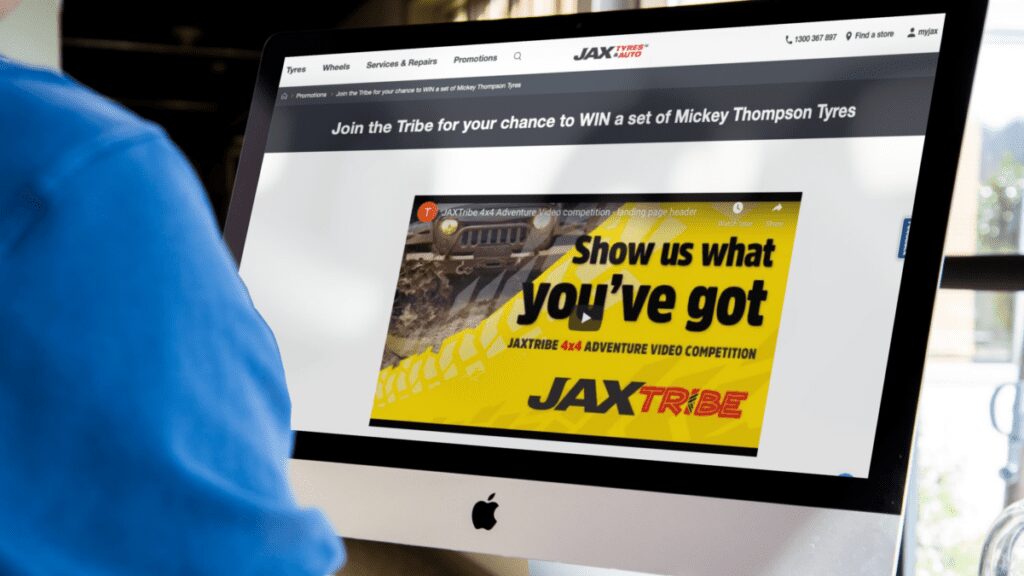
JAX Tyres & Auto invited its community of 4×4 enthusiasts to upload footage already stored on their devices. Weekly prizes and an overall prize gave customers a reason to participate.
The team compiled selected clips into its JAX Tribe video series—turning customer enthusiasm into reusable campaign content.
Related reading
See contests in action.
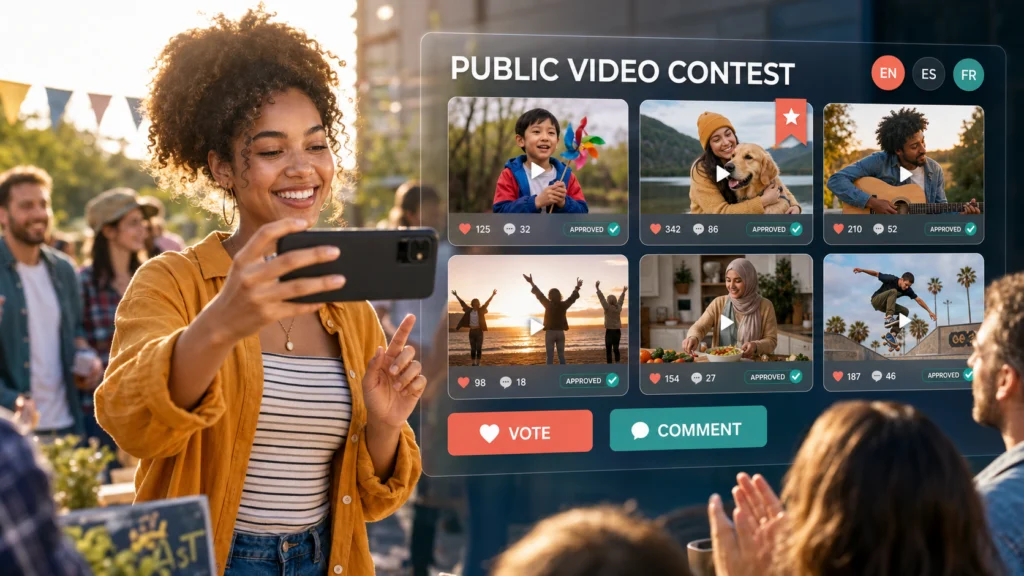
Public galleries, participation and control
Explore the gallery, voting, comments, reporting and consent capabilities behind a public campaign.

Dude Perfect: recurring fan contests
Fans upload their trick shots; the team reviews, votes and shortlists. The case study documents regular contests typically attracting 2,000–3,000 entries.
Run auditions and casting calls as private contests.
Give applicants a clear performance brief, deadline and submission requirements. Collect applicant details and permissions with their recordings, then use private review, tags and favorites to build a shortlist. Explain who may view the footage and whether selected performances will be published, including the appropriate parent or guardian process for children. NESA selected 22 performers from 2,119 video auditions for a Sydney Opera House concert. Read the NESA case study · Set up the contest workflow.
Common questions
Plan a contest people want to enter.
What incentives work best?
Two especially strong approaches are money-can’t-buy experiences and substantial prizes. Think exclusive backstage access—such as Hamilton backstage passes—or a major cash or product prize that makes entering worthwhile. The documented November 2023 Dude Perfect Trick Shot contest offered $10,000. Match the incentive to your audience and the effort you ask of them; prize size alone does not guarantee participation.
Can suppliers co-sponsor the contest?
Yes. Work with suppliers or partners to contribute prizes, exclusive experiences and promotion. Identify the sponsors in your campaign brief and rules, and explain who supplies and fulfills each reward. The project owner and sponsors arrange the incentives.
Can people upload videos they have already recorded?
Yes. Configure your entry workflow to accept existing files. Entrants choose a video from their phone or computer and submit it with the requested details and permissions through their browser.
Can we run a private contest or use private judges?
Yes. Keep entries in the private project library and invite the appropriate team members to review and vote. A public gallery is optional. If you enable public voting, explain whether those votes select the winner or support a judging-panel decision. Read the voting guide →
How do moderation and abuse reports work?
Review entries before publishing them. Add your moderation and commenting policies and a report/takedown contact to the gallery. Viewers can report unsuitable content; your team reviews reports and can hide or remove content as appropriate. Monitor reported abuse and apply your published rules consistently. Configure the gallery →
Can we reuse entries after the contest?
Use selected footage within the permissions and declarations collected from contributors. Explain intended publication and reuse before submission, and keep the consent record with each entry. Explore Consent →
Get started
Give your next video challenge a clear home.
Build the entry flow, share your invitation and organize the response.