
Home / How it works
How Vloggi works: turn human-generated video into business-ready content.
One connected video workflow
Their footage. Your next business asset.
Gather video from your customers, employees and community. Keep the context and permissions with every submission, then turn the footage into branded stories, useful reports and connected business workflows.
Set up the experience once. Give people a simple way to contribute. Reuse the results with your team.
01 · Configure
Start with what you want to achieve.
Choose a single contribution, a collection of files, a camera response, a video conversation or a structured evidence workflow. Add your branding, welcome video, questions and contributor permissions.
For repeatable reports, define the required content and conditional rules, then set up a smart video template that turns supplied data into on-screen graphics.

02 · Call-out
Share one branded destination.
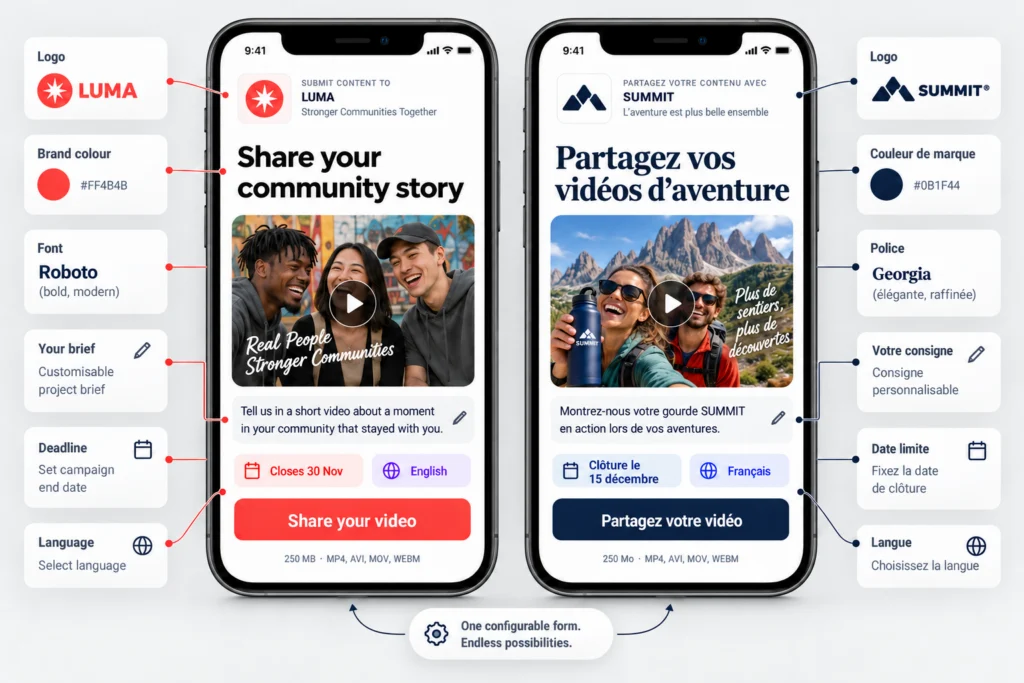
Make the call-out yours: choose your logo, brand colour and font, customize the brief and welcome video, and set the deadline and contributor language. Send your project link by email, messaging or social channels. Embed the video form on your website, or display a QR code where people can scan it. Your brief and welcome video explain what to share and why.
Running a contest? Add a compelling incentive, clear entry rules and an optional public gallery. The invitation leads back to your collection workflow—not a scattered collection of direct messages.
03 · Collect
Make contributing easy. Keep the important details.
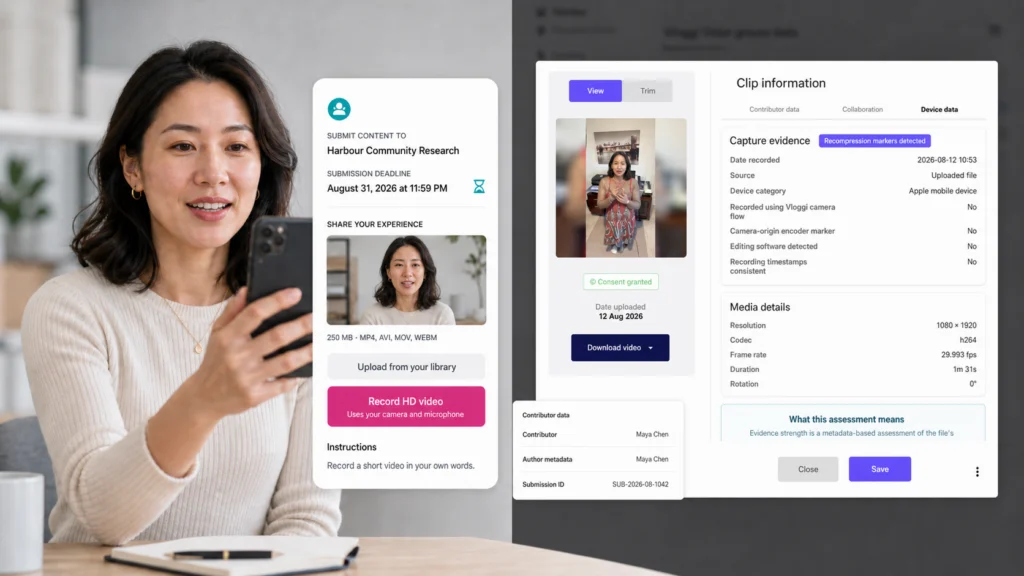
People record on their device or upload existing footage, depending on your chosen workflow. Conversations asks two to eight questions and collects a fresh camera response to each; it does not accept prerecorded uploads.
Collect names, ratings, categories and other useful answers alongside the video. Explain the rights recipient and intended reuse, add project-specific declarations, and give contributors a submission receipt.
Conversations · Consent · Help: permissions and declarations
04 · Confirm
Know where your video came from.
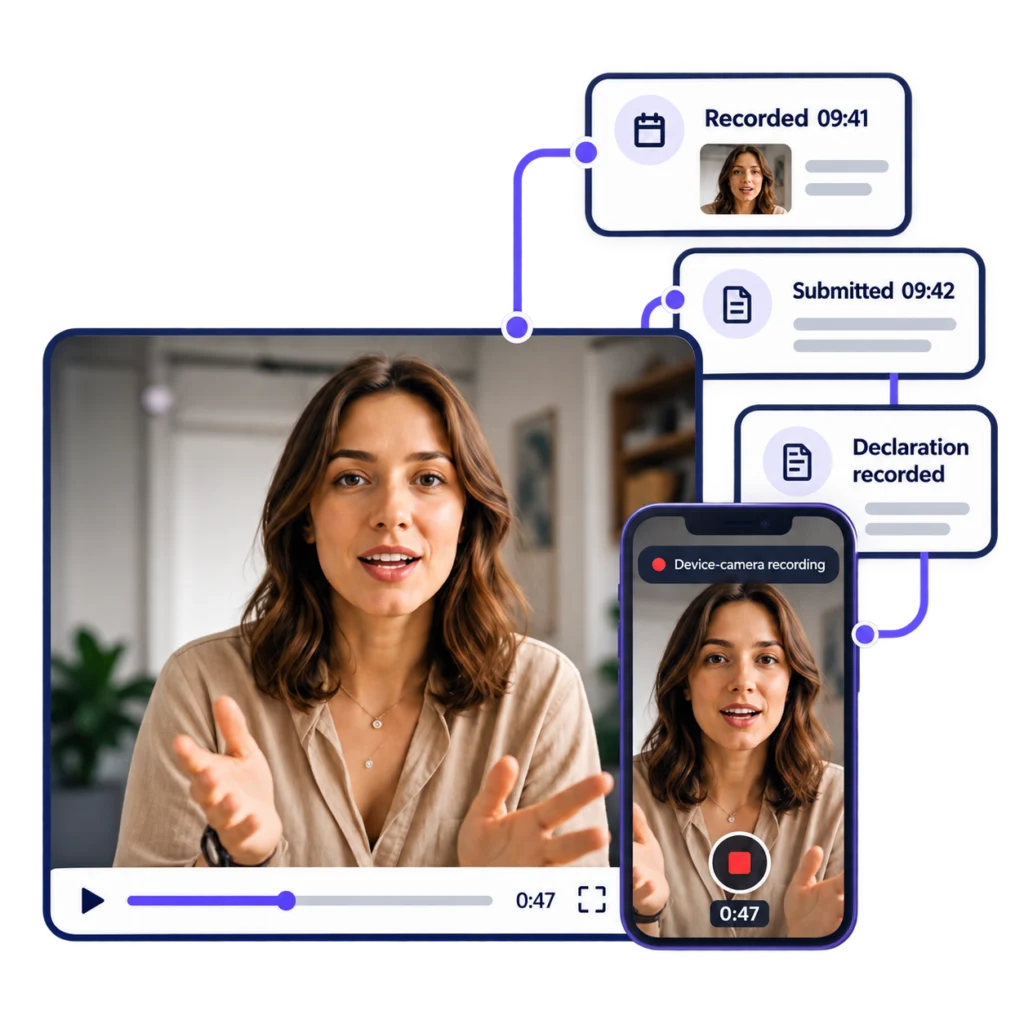
Build trust with transparent information about every submission. Fresh recordings through the Vloggi device-camera flow provide stronger human-origin evidence than uploaded files. Review the available capture method, device information, recording and submission timestamps, and contributor declarations together.
Keep the video connected to its submission reference, consent record and supporting assessment. Your team can see what supports human-origin confidence—and where information is missing—rather than relying on a badge alone.
05 · Curate
Find the footage that matters.
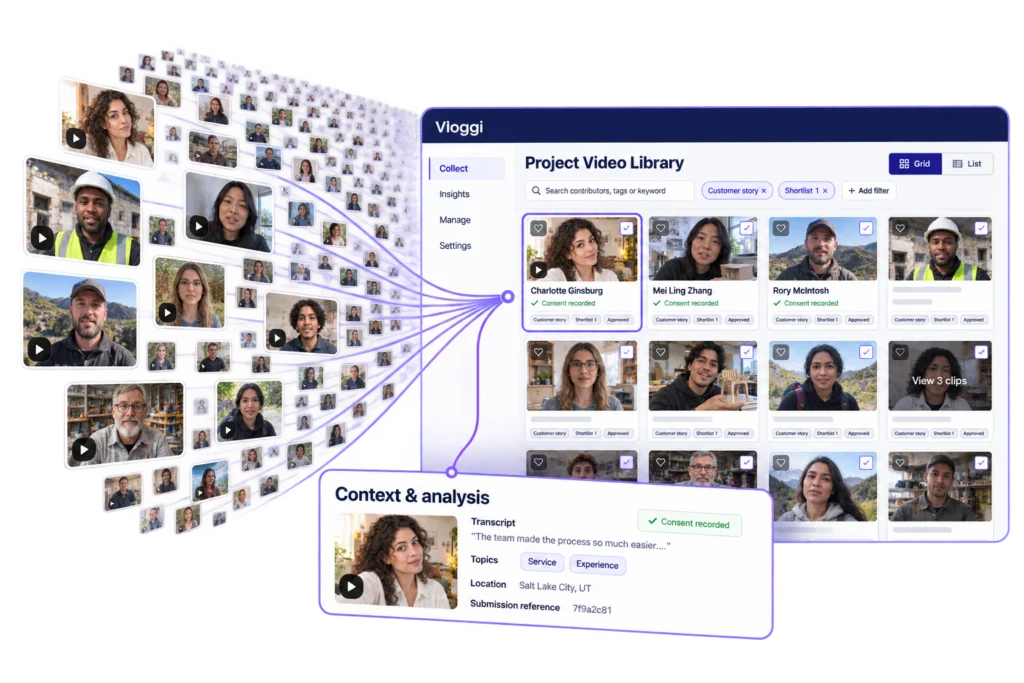
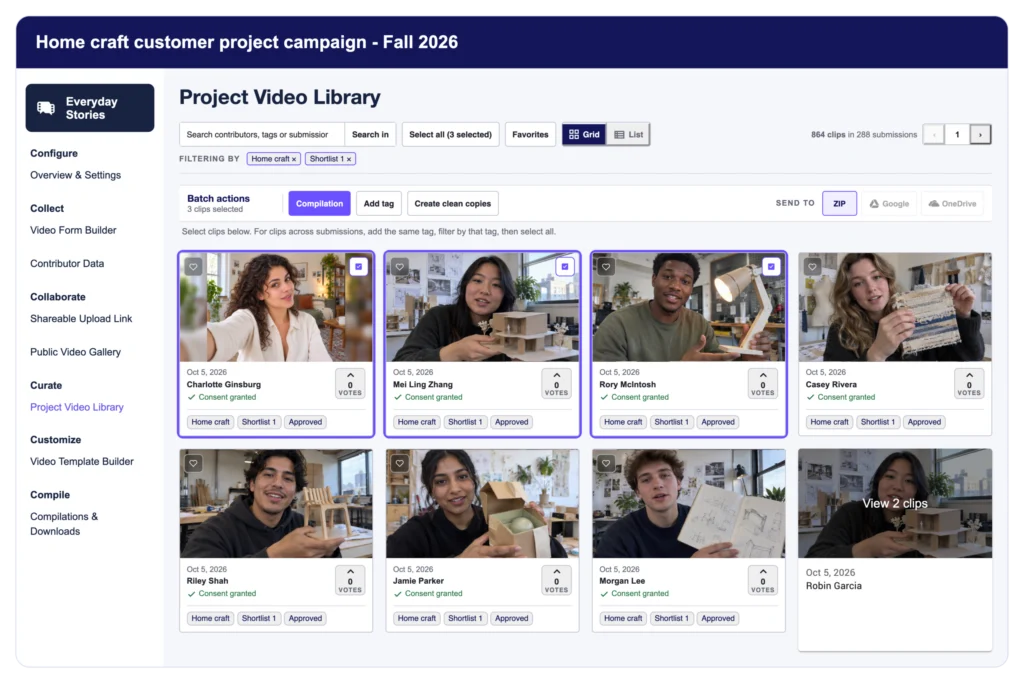
Submissions arrive in your private project library. Switch between grid and list views, search and sort, filter contributor and owner-added tags, mark favorites and build shortlists. Multi-clip submissions stay grouped.
Apply tags in bulk, review contributor details and available device evidence, and select the clips your team needs. Your library becomes a usable content repository—not another unstructured cloud folder.
06 · Compile
Turn contributions into consistent outputs.
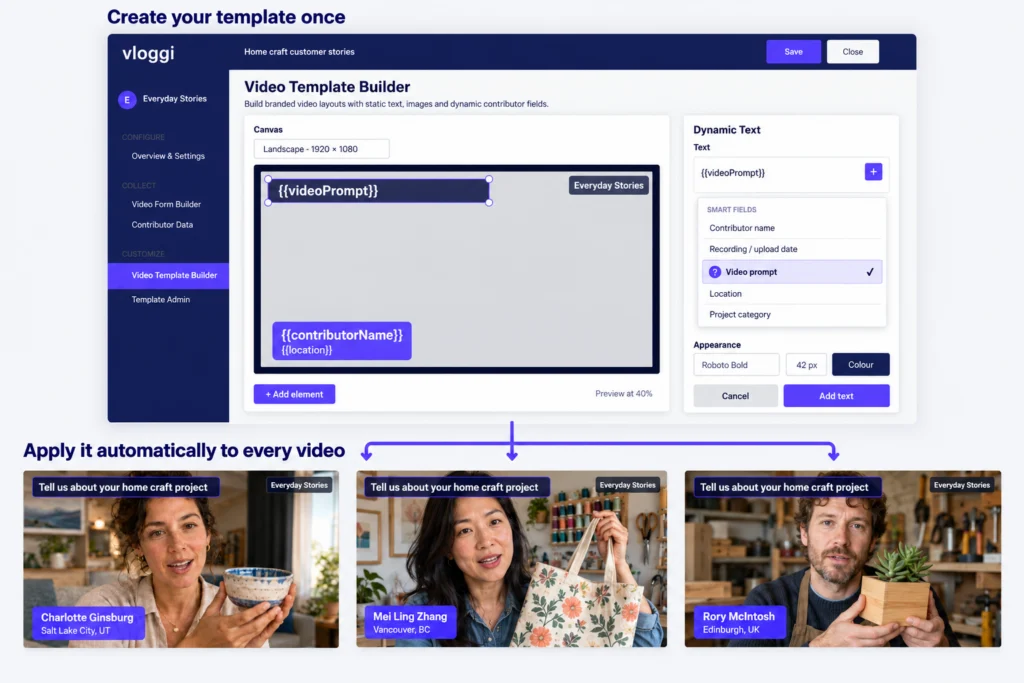
Your smart video template applies branding and dynamic information to the footage. Create a Q&A video, numbered listicle, team montage or automatic business video report, in portrait, square or landscape.
Configured workflows can automatically compile a report—or enable manual creation—when their conditions are met. Download raw originals, processed clean videos or branded outputs, bulk-export a ZIP, or hand a submission reference to the next system through supported integrations.
Built for the work before editing.
Before your team starts editing, Vloggi brings the footage together. Collect video from customers, employees and communities, capture the context and permissions, then organize and shortlist the clips. Hand the right footage to your editor—or use smart templates and automatic compilations to create branded videos and business reports when editing isn’t needed.
Your questions, answered.
Do contributors need to install an app?
No. Contributors open your project link in their browser on a phone or computer. Camera-response workflows request camera and microphone access.
Can people upload videos they already have?
Yes, when you choose Contribution or Collection and enable file uploads. Capture and Conversation use new camera recordings. Choose the workflow to match your brief and the origin evidence you need.
Does every video get compiled automatically?
No. You can select clips and create a compilation yourself. For configured report workflows, conditional rules determine when a report can be created and whether creation is automatic or manually triggered.
How do permissions and human-origin evidence stay connected?
Contributor permissions and available capture evidence remain linked to the submission record. Fresh in-form camera capture provides a stronger pathway to human-origin footage than an existing-file upload. Origin evidence does not independently establish the truth of everything shown or said.
How does Vloggi protect our videos and contributor information?
Vloggi uses managed Amazon Web Services infrastructure, encrypted HTTPS connections, access controls, and platform logging and monitoring to protect videos and contributor information. Access to production systems is controlled, and your organization determines what contributor information to collect, how it is used and how long it is retained. Read our security and data compliance overview for the safeguards and responsibilities in more detail.
Can I keep using my existing business tools?
Yes. Use prefilled links and submission webhooks to connect a contribution to an external record, or download footage for your existing production workflow. Custom-plan cloud-storage connections require configuration with Vloggi.
Start with one clear request.
Choose the people you want to hear from and the video you want to create. Vloggi connects the steps in between.