
Home / Industries / Celebration videos
FRIENDS & FAMILY
One invitation. Everyone’s memories.
Collect video messages and candid clips from friends and family for a birthday, wedding, anniversary, reunion or farewell. Share one link so everyone can contribute, wherever they are.
Bring the videos together in a private collection, then choose the moments for your keepsake or share the originals with your videographer. These are personal celebrations—not corporate customer campaigns.
HOW TO COLLECT CELEBRATION VIDEOS
Invite, collect and bring the memories together
1. Give everyone a simple prompt
Tell people what you are celebrating, what to record and when to send it. Try: “Share one favorite memory and a birthday wish in a short video.” For a surprise, say who is organizing it and when it will be revealed.
2. Share your link or QR code
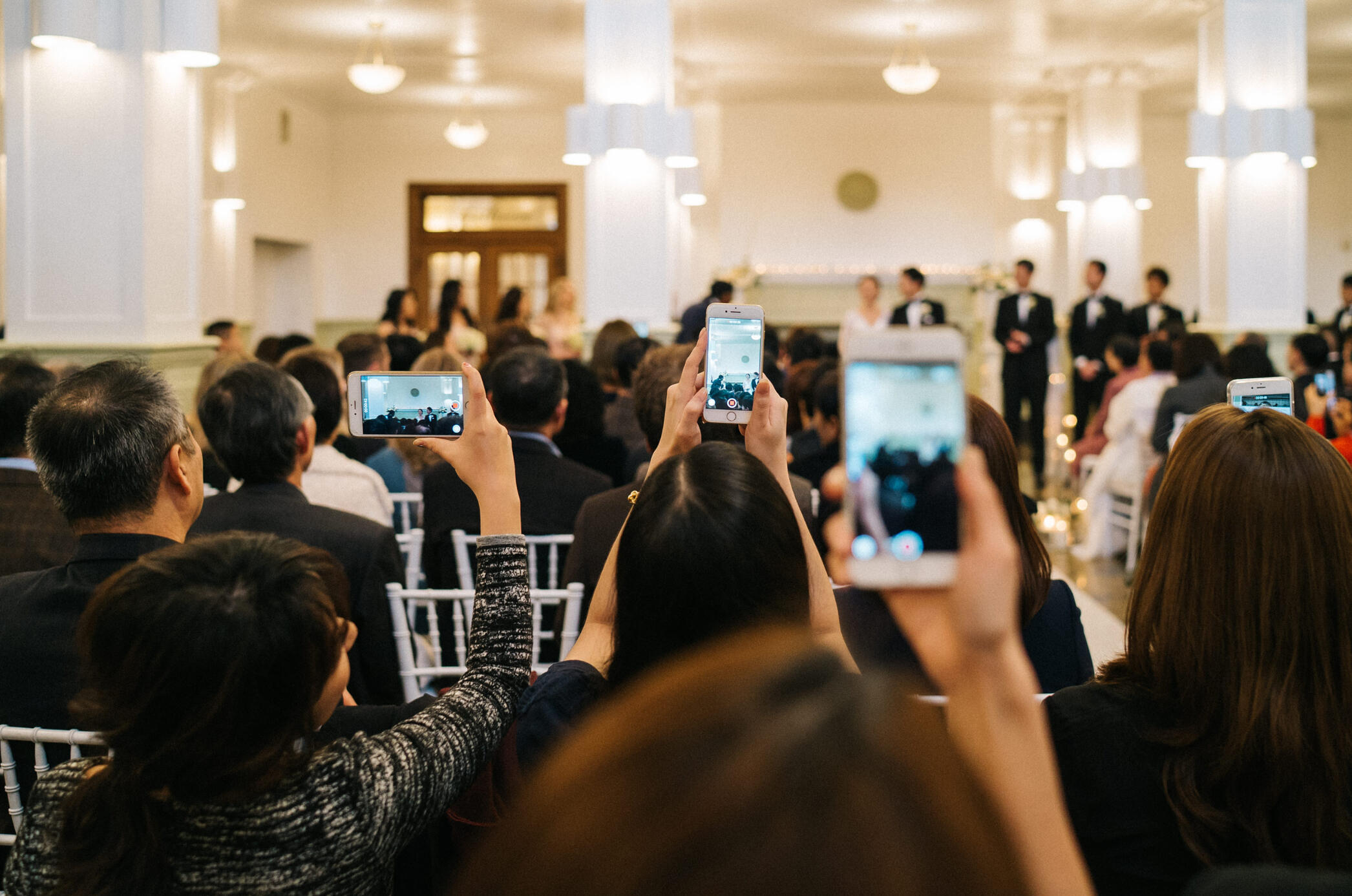
Send the collection link in your family chat, email or invitation. At a wedding or party, add its QR code to table cards so guests can record a message or upload clips from their phones. No app download is needed.
3. Create your keepsake
Review everyone’s contributions in one place. Choose your favorites, download originals for editing, or use Vloggi’s compilation tools with a suitable plan. Your videographer can combine guest perspectives with professionally filmed moments.
A VLOGGI-OWNED WEDDING SERVICE

Wedding Vignettes: your day, through your guests’ eyes
Wedding Vignettes is our wedding-focused service, powered by Vloggi. It brings guests’ video messages, different angles of the ceremony and candid reception moments into one collection—available for couples and for wedding videographers.
Before the day
Invite messages from friends and relatives who cannot attend.
During the celebration
Share the QR code and collect the moments guests see from their own tables and viewpoints.
After the party
Gather the remaining clips and choose the highlights for your wedding keepsake.
USE CASES
Six ways you can collect videos from your loved ones

Birthday wishes from afar
Ask friends and relatives for a short greeting or a favorite story. Give them a deadline before the birthday so you have time to review the messages and prepare the reveal.

A wedding guestbook in video
Invite guests to share a message or a moment from the reception. Tell them who will see the collection and ask them to respect anyone who does not want to be recorded.

Family trips and reunions
Bring footage from several phones into one collection. Ask contributors to identify the people, place or moment so you can make sense of the clips when the trip is over.

Anniversary messages
Invite friends and family to share a favorite memory, a piece of advice or a simple congratulations. Bring the messages together into a keepsake the couple can return to.

Farewells and retirements
Collect the stories that never fit in a leaving card. Colleagues can add their message from anywhere, giving the farewell a voice from every team.

Messages from the next generation
Ask adult children and grandchildren to record their own stories and wishes. A shared link lets everyone contribute on their own schedule.
FOR VENUES & CELEBRATION PROFESSIONALS
Let’s make guest video part of your service
We would like to work with wedding venues, wedding videographers, planners, event organizers and other businesses serving celebrations. Help your customers collect the moments beyond the professional camera—and add a personal video collection to the experience you already provide.
Talk to us about branded invitations and QR codes, guest-video collection and workflows that deliver footage to your production team. Wedding Vignettes is one example of how Vloggi can support a focused celebration service.
YOUR QUESTIONS
A few practical answers
Do friends and family need an app?
No. They open your collection link or scan its QR code and record or upload through their browser.
Can people contribute before or after the celebration?
Yes. Share the link ahead of time for absent guests’ messages, then keep collecting candid clips after the event within your project’s collection period.
Are our videos public?
No. Your videos are private by default. You can choose to enable a public gallery, like a video guestbook, so friends and family can watch the messages and memories together. The gallery is optional and only people with its link can view it. You decide whether to enable it and who to share the link with.
Can a wedding videographer use the footage?
Yes. Collect original guest footage for your videographer to use alongside their own filming. Talk to us about the right project access and collection setup.
Which option should I choose?
For a personal occasion, start with the current personal-use options. For a venue, videography business or repeatable customer service, speak with our team.