
Home / Solutions / Video evidence & job reports
Vloggi: protect your workforce with video evidence and automatic job reports.
SOLUTION · Video evidence & job reports
Show the work. Keep the record.
Give employees and contractors a simple way to document the work and protect their account of what happened. Capture human-origin video against a job, asset or location, upload it directly to cloud storage, and keep timestamps and supporting capture records connected. Turn the evidence into consistent client reports without asking workers to write another long update.
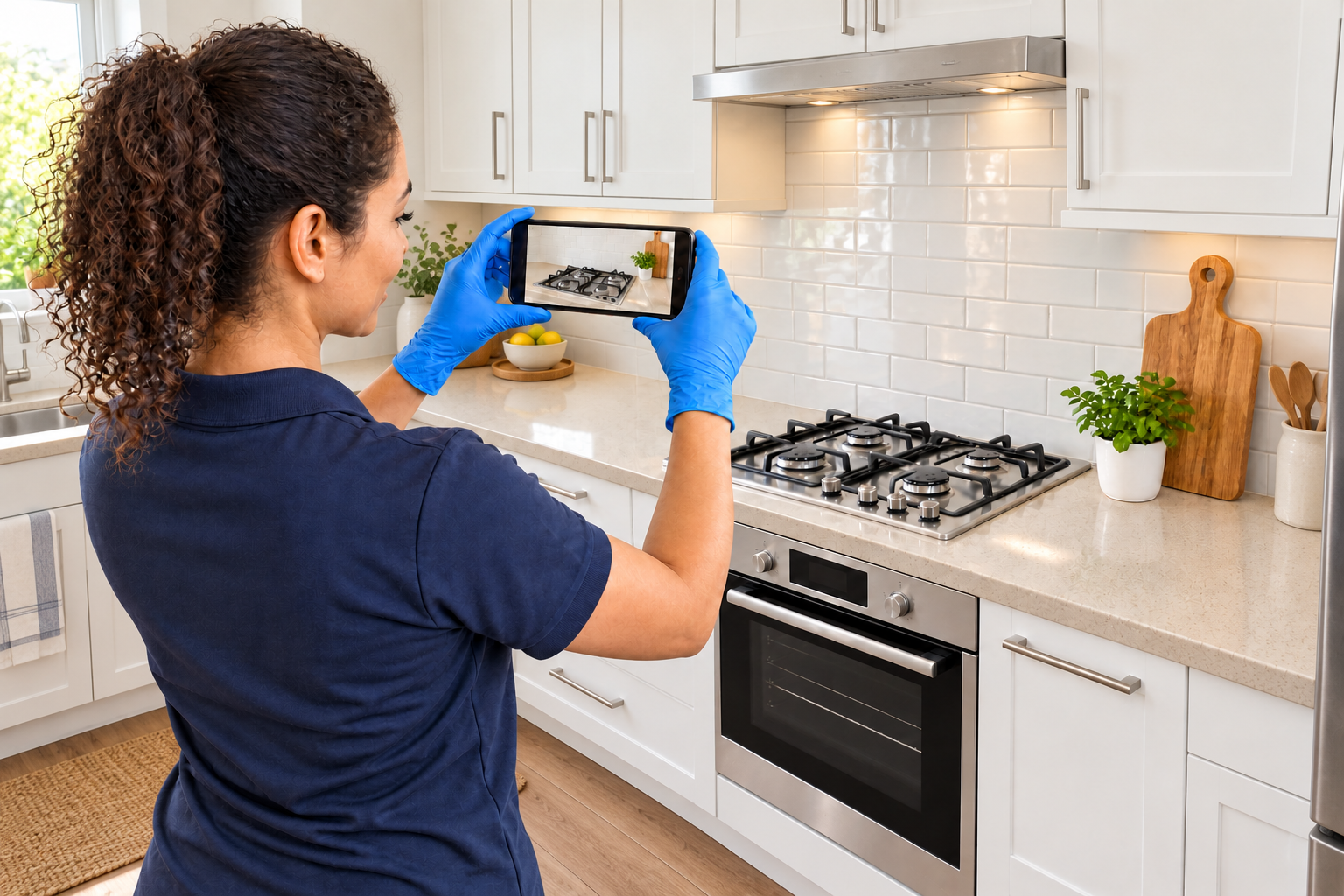
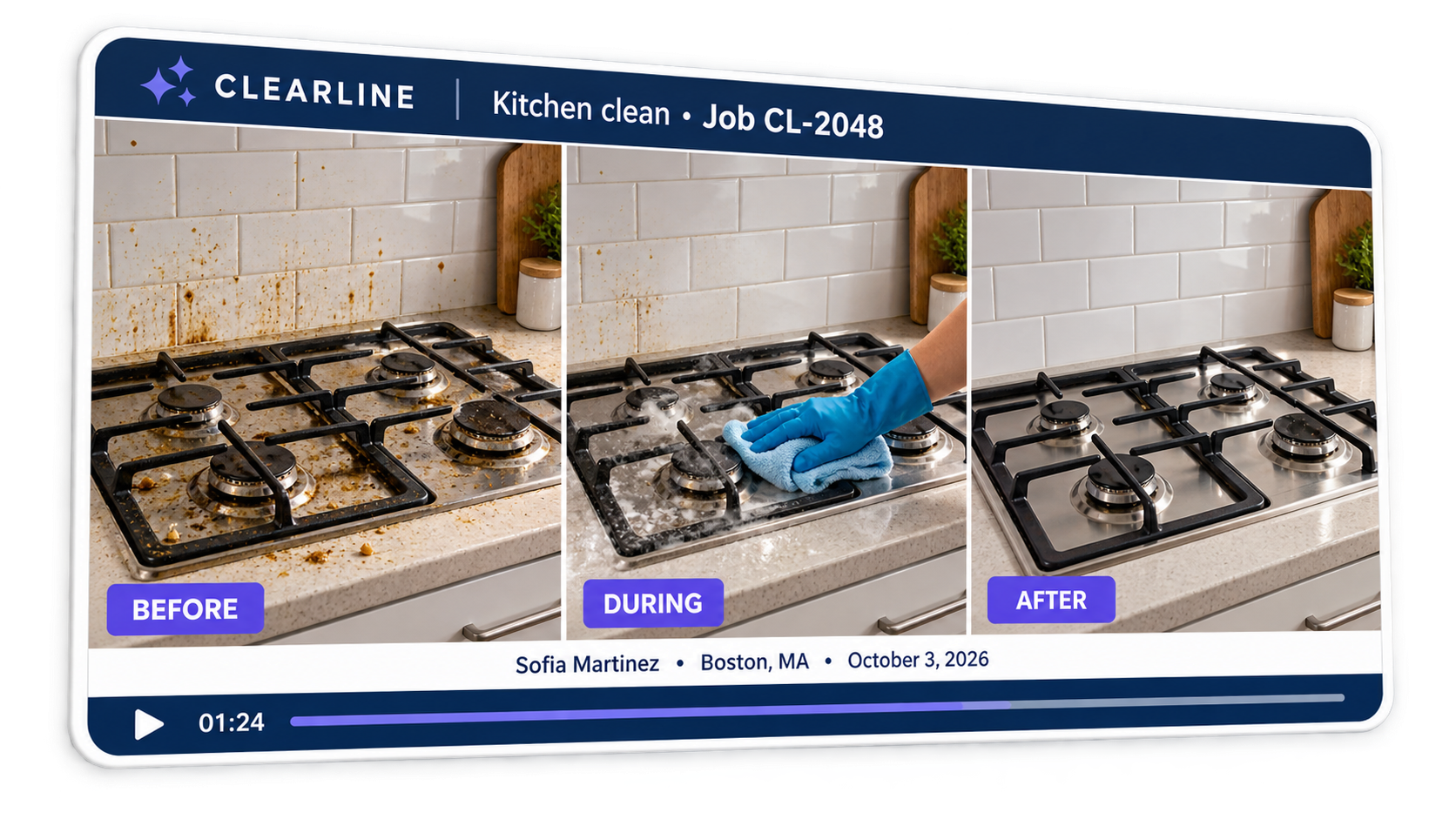
Illustrative example
THE PROBLEM
When the work is disputed, memory is not enough.
A cleaner is blamed for damage that was already there. A contractor is challenged over work completed days ago. Without a dated record of the condition before and after, workers are left defending their word against someone else’s. Evidence scattered across personal phones, messages and handwritten notes is too easy to lose when it matters most.
THE SOLUTION
Give workers a record that backs them up.
Set the required views and stages before work begins. Workers record what they see, describe it aloud and submit directly to cloud storage. Timestamped records, source-file checksums and version IDs help preserve a traceable account of the job. Your workflow turns the right footage into an automatic video report or presents it for review—ready to support a client handover or resolve a dispute.
THE WORKFLOW
From invitation to useful output.
01
Define the conditions.
Choose the job reference, required stages and ordering rules. In Before / During / After, Before and After are mandatory; During is optional and stage order is fixed.
02
Capture and label the work.
Workers record each stage and describe the condition in their own words. Capture timestamps and IP records, with GPS location where device permission is granted. Link the footage to the job and stage; transcription is available so spoken observations can become searchable notes.
03
Generate and hand over.
A smart template adds branding and supplied details. Keep timestamped video versions, the contributor report and linked chain-of-custody records together for your review process.
AUTOMATIC REPORT WORKFLOW
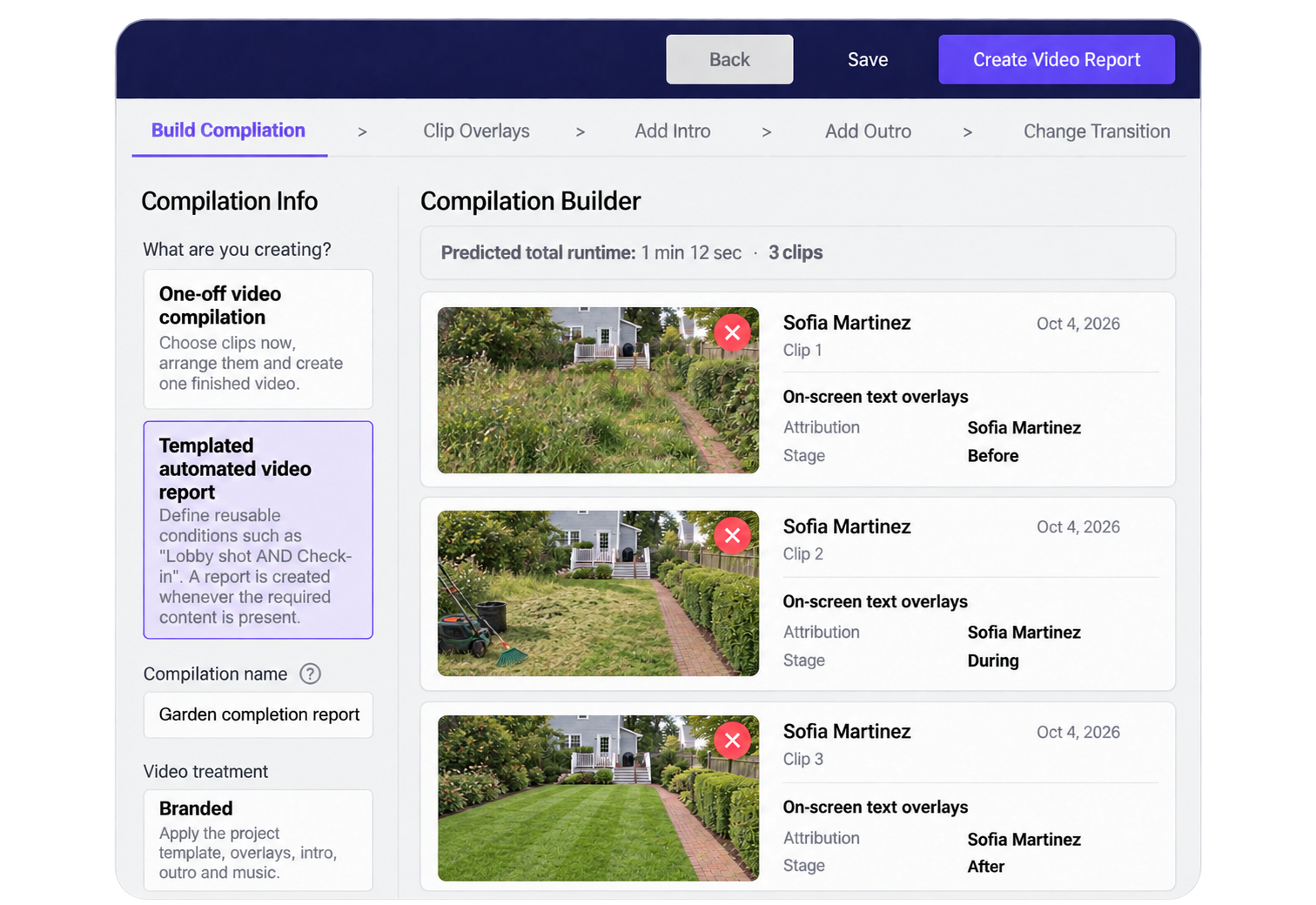
Conditions met. Ready to make the video report.
The project workflow checks that the required content is present. Your configured rules determine whether compilation runs automatically or the owner uses the Make video report action. Branding and dynamic overlays come from the reusable template.
CAPTURE TO CLOUD
Direct to cloud storage. Not left on a worker’s phone.
Record through Vloggi and upload the footage directly to secure cloud storage. There is no need to save a camera-roll copy and send it later. Once the upload completes, the organization holds the record independently of the worker’s handset—losing or clearing the phone does not remove the stored evidence.
Encrypted source storage, checksums and version IDs support integrity checks and a traceable chain of custody. Capture timestamps and IP records, and GPS location where permission is granted, provide additional context for reviewing inconsistencies and possible fraud.
Talk through the job instead of writing a report. Transcription is available for spoken observations, making it easier to find and review what the worker reported alongside the original footage.
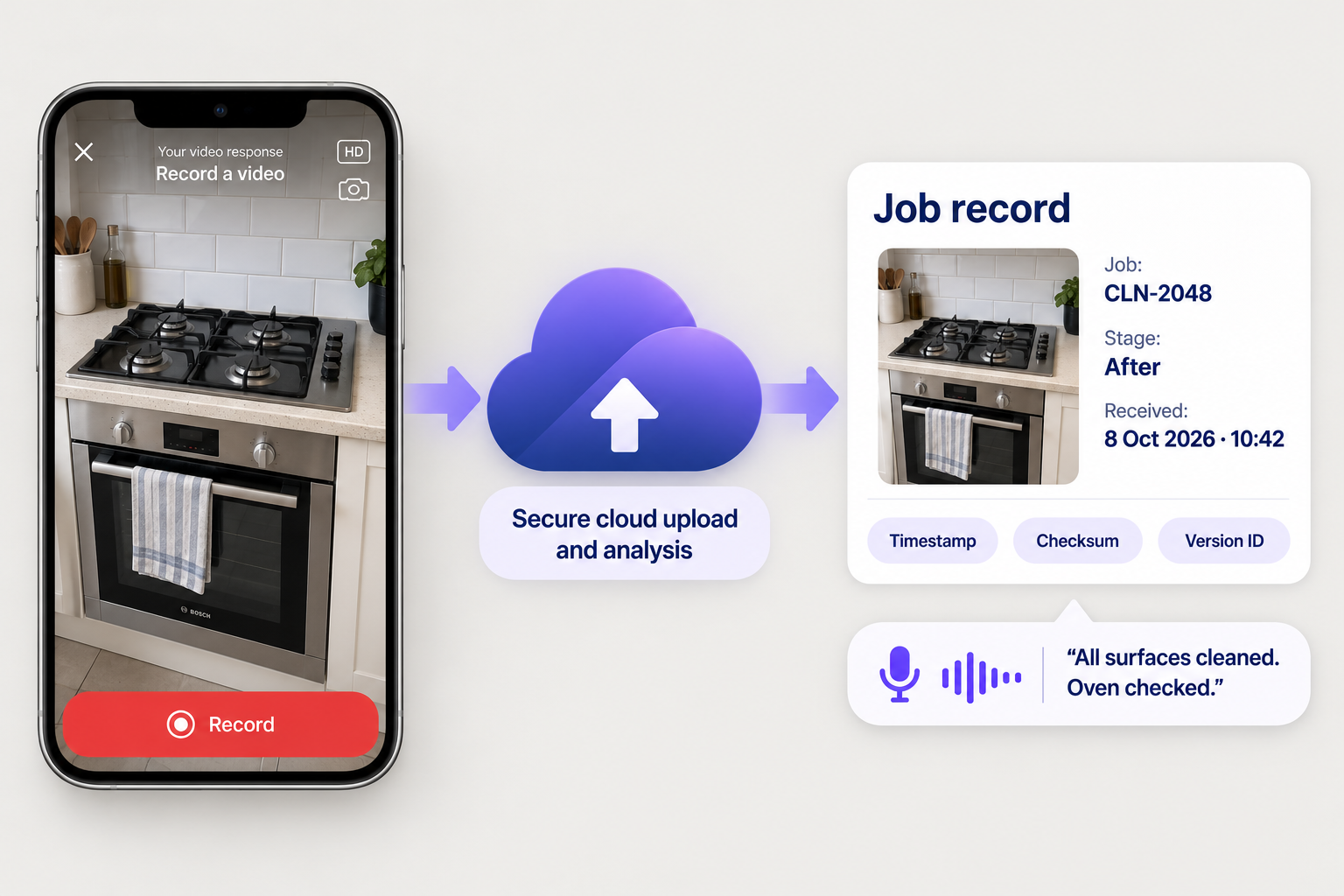
Illustrative example
PUT IT TO WORK
One workflow. More useful outcomes.
Cleaning and maintenance
Record pre-existing damage and the completed result, with optional progress footage. Give workers and clients a shared record to consult if a concern arises.
Inspections and handovers
Collect defined views against an asset or location, then assemble a report for the next team or client.
Training evidence
Group demonstrations by course or step and turn consistent instructor footage into reusable learning material.
CUSTOMER WORKFLOWS
See how the approach works in practice.
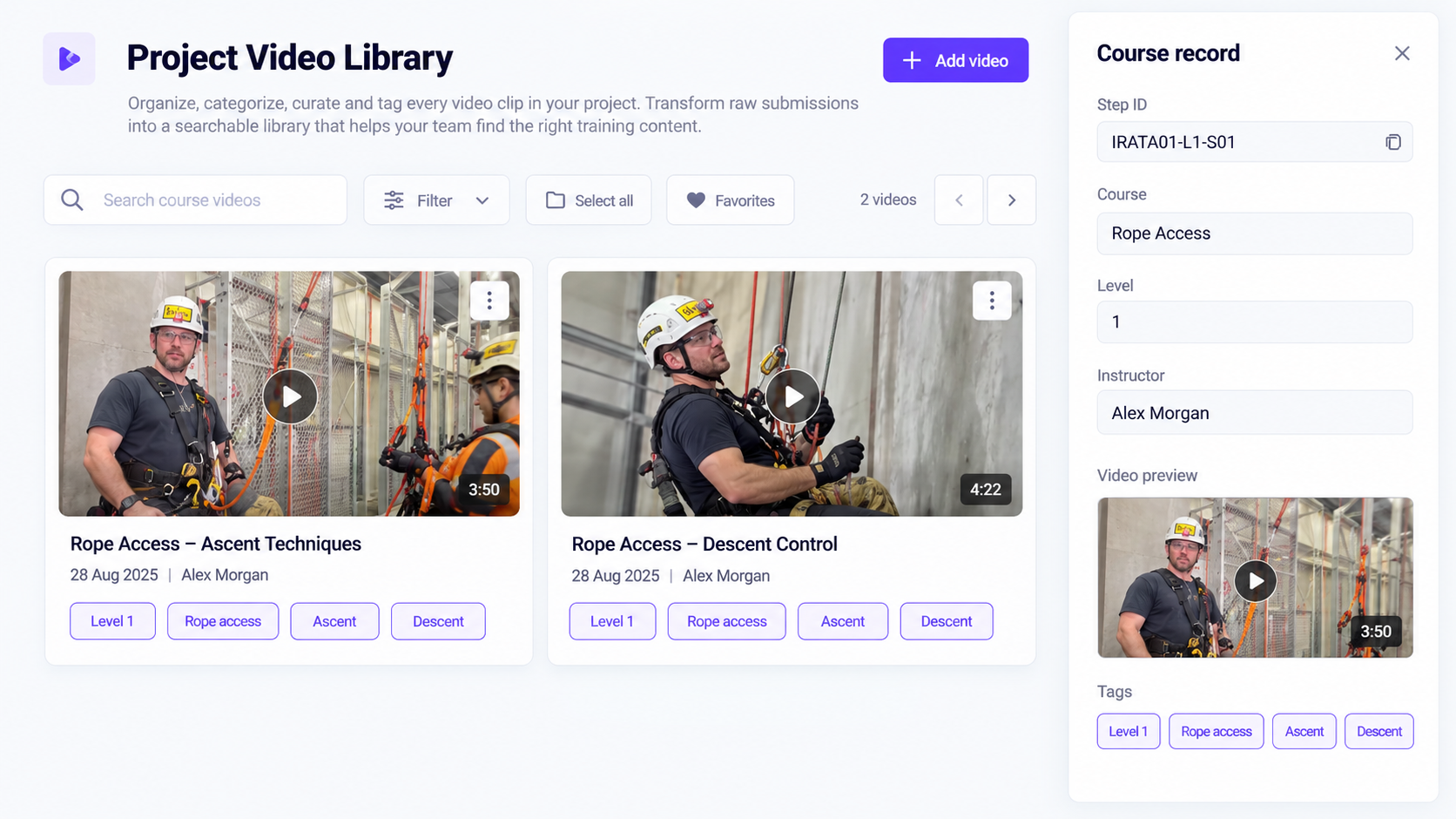
Specialist Height Access
A training-library proposal connecting instructor videos with course and step data. Smart templates turn those contributions into consistent training resources.
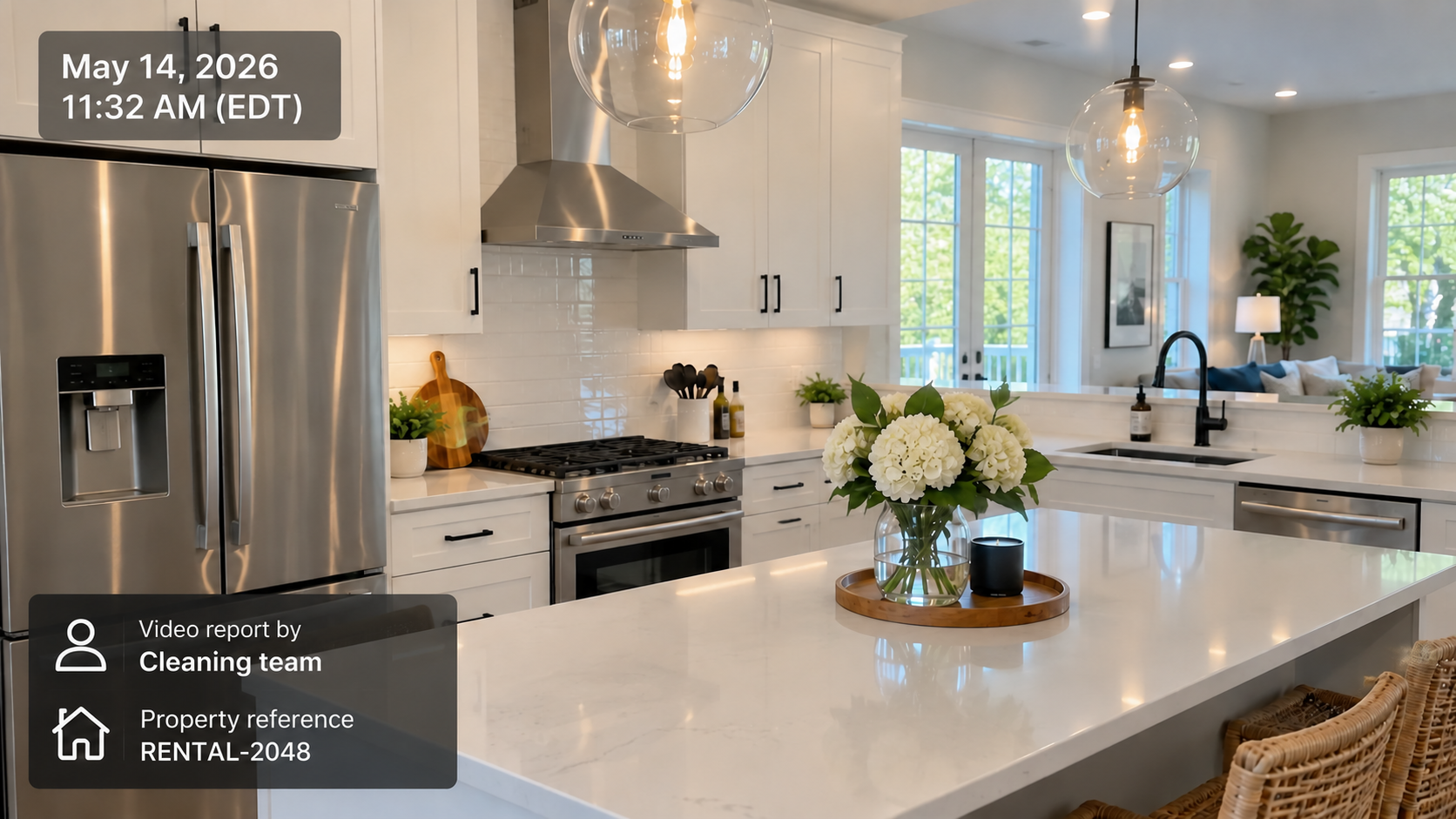
US short-term-rental cleaning company
A cleaning-workflow concept linking room-by-room videos to property references, timestamps and spoken observations. The resulting report gives teams a record of the condition at handover to consult if a dispute arises.
CONNECTED FEATURES
The tools behind this solution.
The starting point is footage from the people doing the work—not an editor’s timeline. Define the evidence requirements and report template once, then use a repeatable capture-to-report workflow across jobs and teams.
Explore Vloggi Collect →Explore Vloggi Context →Explore Vloggi Confirm →Explore Vloggi Compile →Explore Vloggi Connect →
RELATED INDUSTRIES
See the workflow in your sector.


YOUR QUESTIONS
Video evidence & job reports FAQs
What protects the record from changes or deletion?
Source checksums and version IDs allow integrity to be checked against the stored original. After a successful cloud upload, deleting a phone copy does not delete that cloud record. Protection against deletion within cloud storage depends on the configured retention policy and access controls; retention locks, where enabled, protect versions for their retention period. This is not a promise that every record is undeletable forever.
Is location captured automatically?
Timestamps and IP records are captured as part of the submission process. GPS location depends on device support and location permission. These signals help reviewers check context and inconsistencies; an IP address is not precise GPS, and location information alone does not prove that a scene is genuine.
Is Vloggi a video editor or a business collection platform?
Vloggi is a business video collection and reuse platform. It gathers footage from your contributors, keeps context and permissions connected, and supports review, automatic branded outputs and handover. Use it alongside your editing tools when a project needs detailed creative editing.
Is the During stage mandatory?
No. Before and After are required in the Before / During / After workflow; During is optional. The compilation follows the prescribed stage order.
Is every report compiled automatically?
The configured workflow decides. Meeting the conditions can trigger automatic compilation or enable the owner to create the report manually.
Does provenance prove everything shown in a scene?
Capture provenance and chain-of-custody records help establish how a file entered the system and how it was handled. They do not independently prove every event or claim visible in the scene. Review the supporting evidence in context.
Show the work. Keep the record.
Start with one clear brief. Build a repeatable video workflow around the result your team needs.