
Hear residents in their own words.
Give residents a direct way to show the issue, share an idea and see what they have agreed to. Vloggi brings citizen video, submission tracking and consent records together for your council.
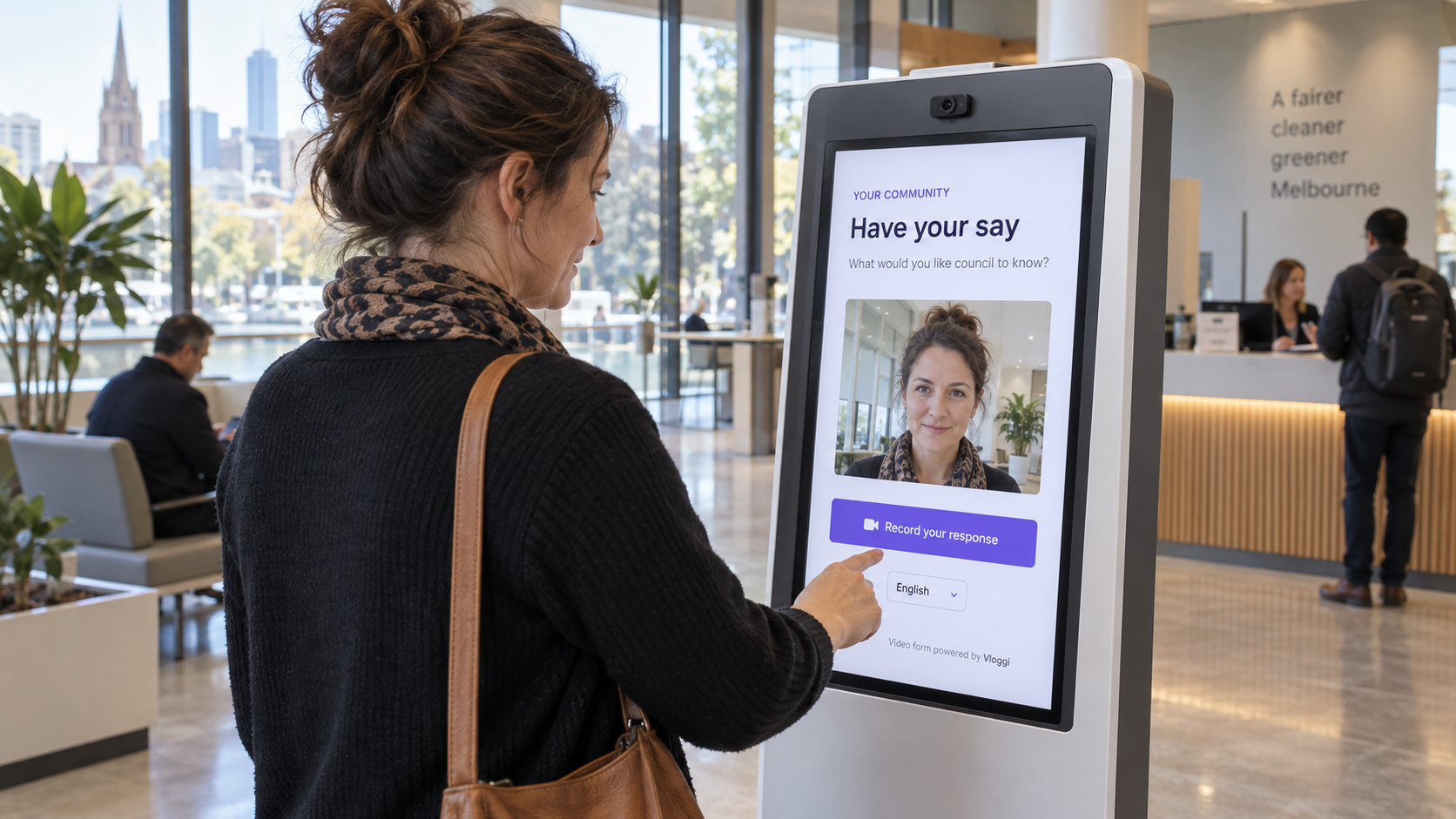
Collect from phones, council-office kiosks and field teams. Connect footage to locations and projects, then add tailored video analytics and integrations to turn observations into action.
On this page: Examples · Consent tracking · Case studies · FAQs
Organizations that have used Vloggi to collect citizen engagement videos
 DFAT used Vloggi to collect video contributions.
 City of Sydney used Vloggi to collect community video contributions.
 Sustainable Columbus used Vloggi to collect community video contributions.
 Fairfield City Council used Vloggi to collect citizen video contributions.
 Toronto Centre Projects collected resident feedback on downtown urban initiatives.
THE PROBLEM
Residents see the issue. Councils need the full picture.
A written report cannot always show a damaged footpath, explain a local concern or capture how a service feels. Phone calls and meetings matter, but scattered reports leave teams chasing footage, locations and permissions—and residents wondering what happened to their submission.
THE SOLUTION
See the issue. Keep the context. Make consent clear.
Vloggi adds verified video to your existing engagement channels. Residents show and explain; council teams receive footage, location details and rights together. Private submission records make consent transparent, while tailored analytics can help identify asset defects and prioritize follow-up.
USE CASES
Six ways to put citizen-generated video to work

Public consultation
Ask residents how a proposed project could affect their neighborhood. Focused questions and relevant reference fields help reviewers understand each contribution.

Non-emergency observations
Collect observations about facilities, public spaces or completed work. Explain response times and direct urgent hazards to the appropriate emergency or reporting service.
Community stories
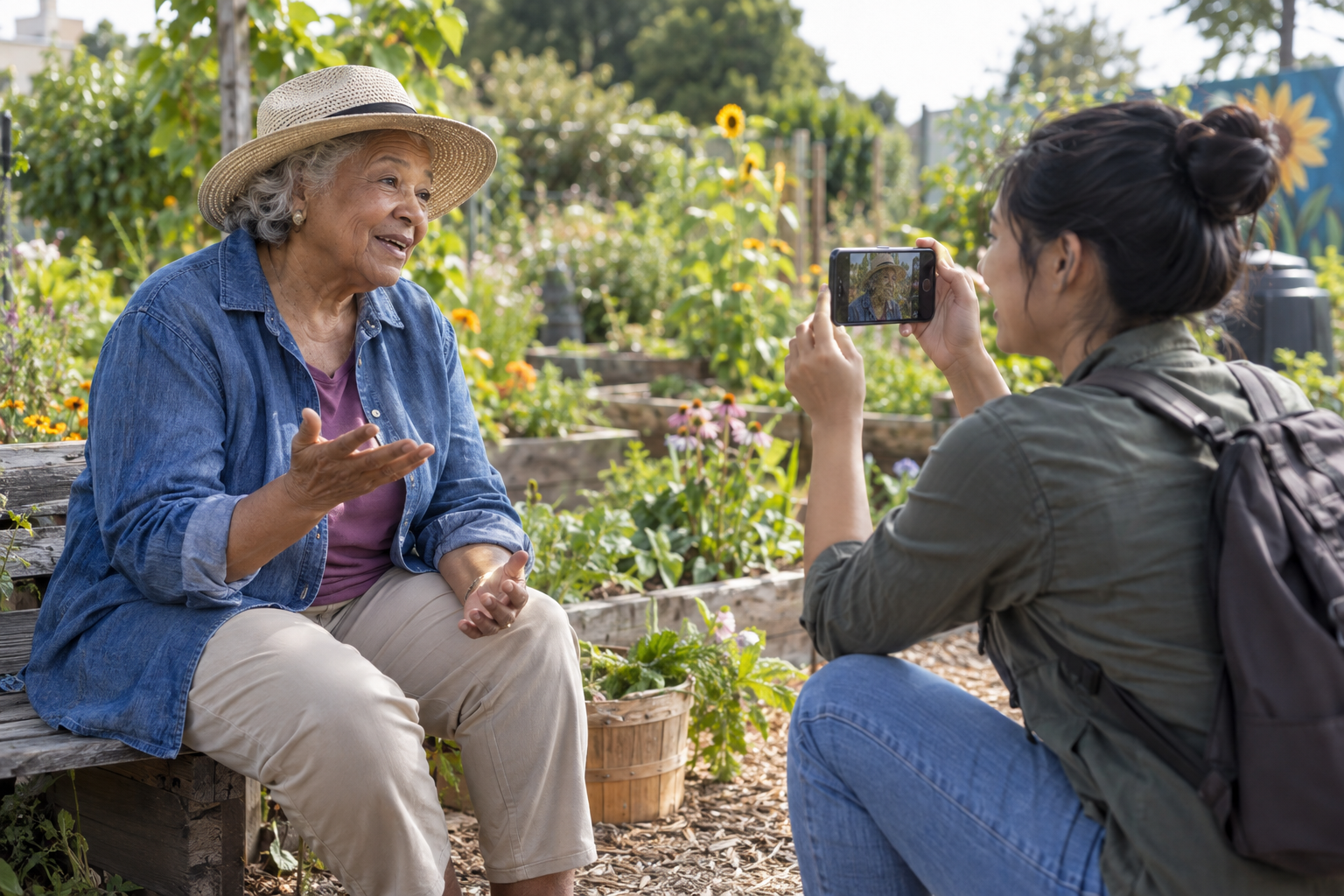
Invite local experiences, memories and perspectives. Explain the intended audience and confirm permission before publishing a clip or including it in a compilation.
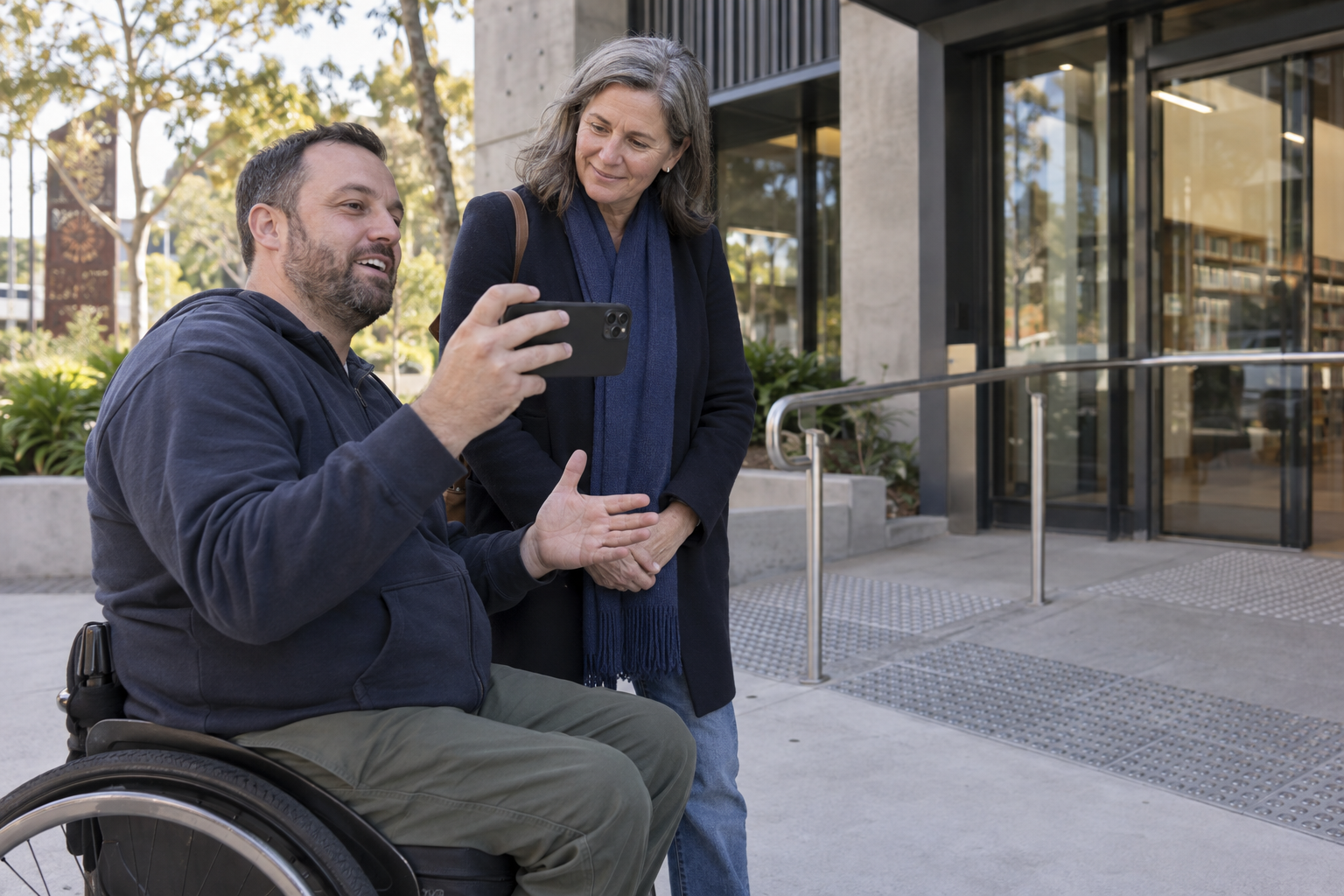
Accessibility feedback
Let residents show the entrance, route or facility they are describing. Video adds practical context to a written accessibility comment and helps the team ask useful follow-up questions.
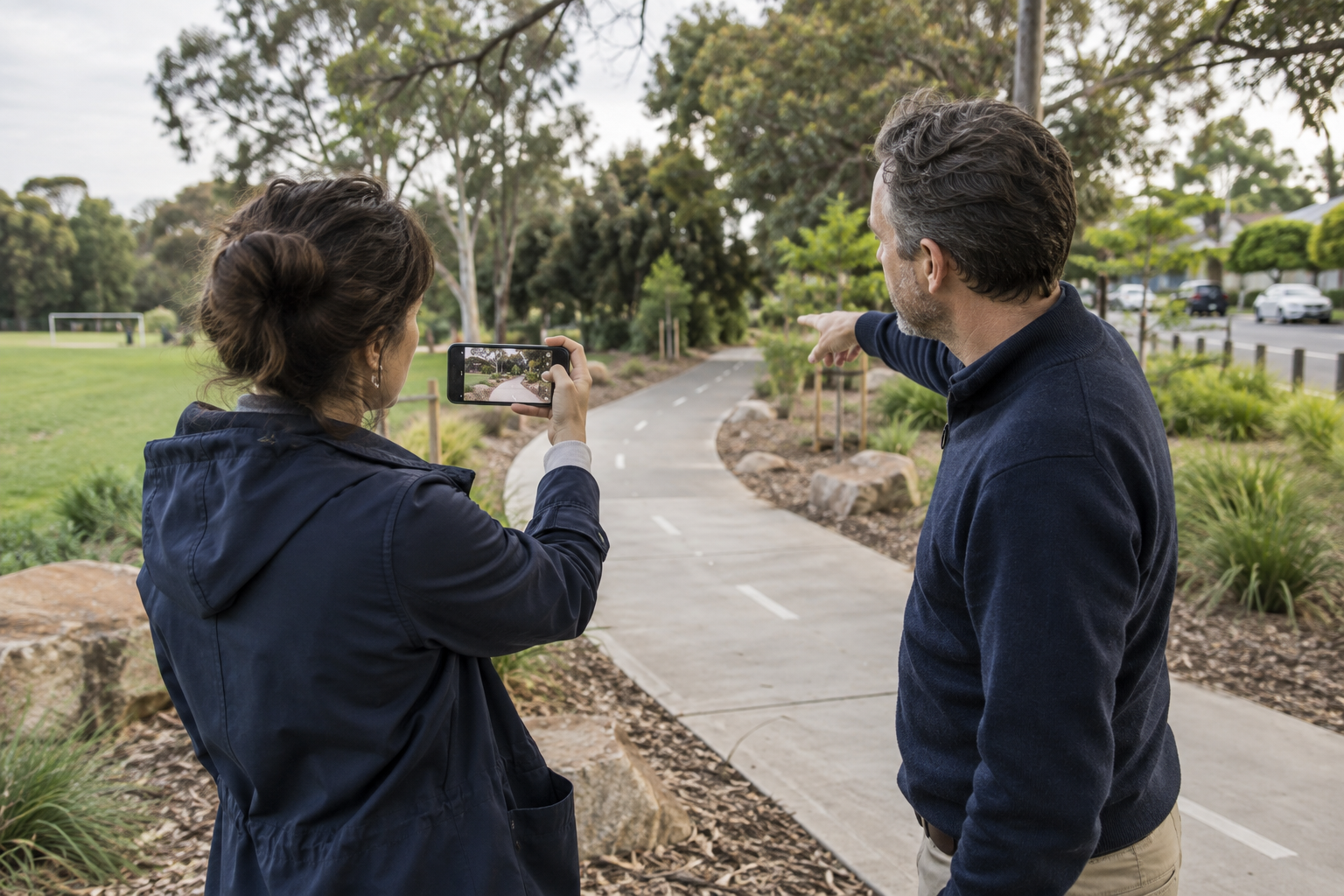
Neighborhood planning
Invite people to explain a proposed change from the place it affects. Collect the local perspective alongside the consultation topic, then review responses together.

Community project updates
Ask project organizers to show progress and explain what has changed. Build a record of local outcomes that can be reviewed before it is shared.
FEATURE SPOTLIGHT · CONSENT & SUBMISSION TRACKING
Consent citizens can see. Submissions councils can trace.
A resident should not have to wonder whether their video arrived—or what they gave permission for. Vloggi provides a private submission record that brings the video, receiving organization, consent details and tracking ID together.
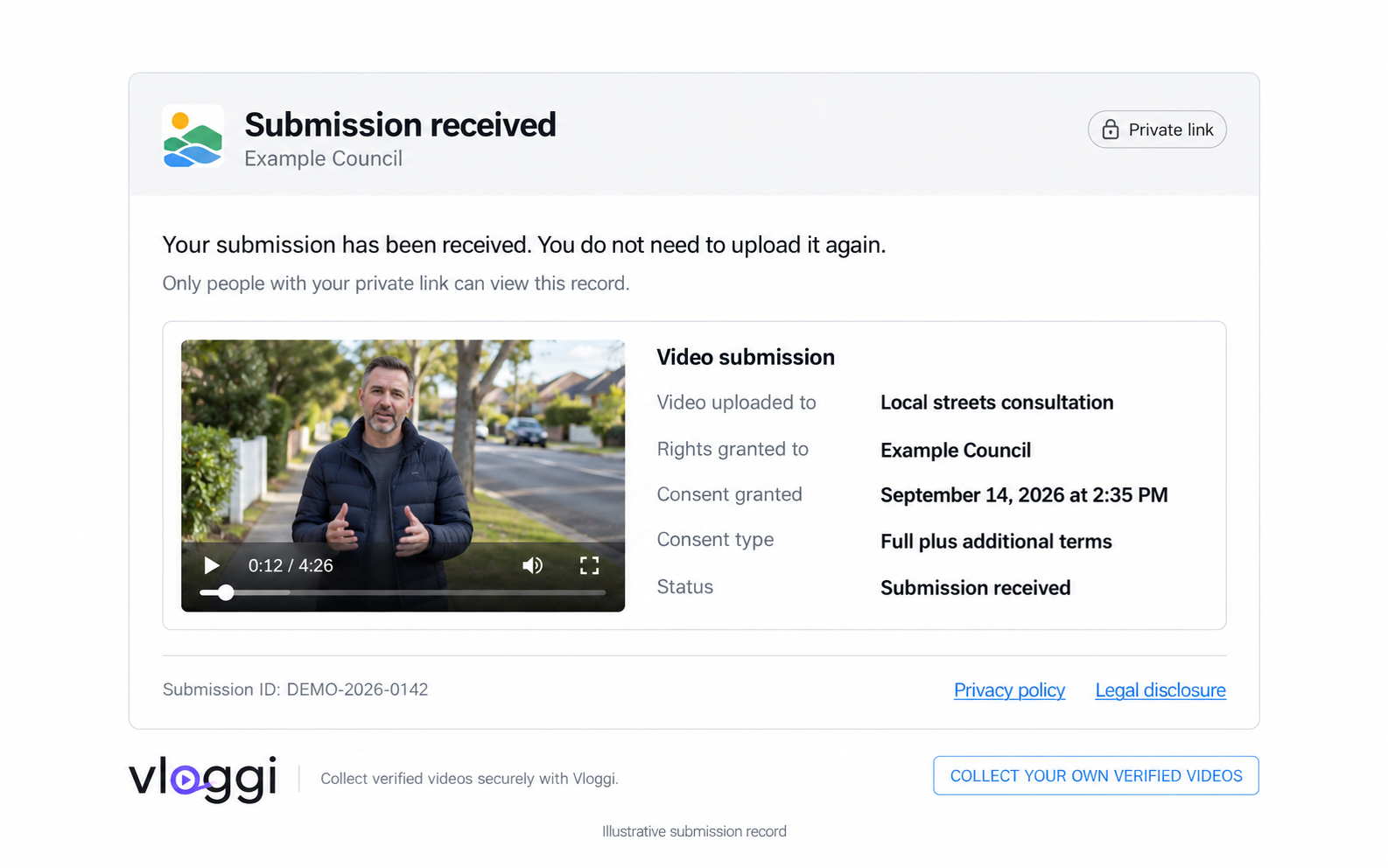
One record. Clear answers.
What did I submit? Replay the video and see the project it was uploaded to.
Who received the rights? See the organization named in the consent record, alongside the consent type and the date and time it was granted.
Did it arrive? Confirm the submission status and quote the unique submission ID when following up with the council.
Who can see this record? The receipt uses a private link. It is not a public gallery; residents should only share the link with people they want to see the record.
For council teams, the same connected record reduces repeat uploads and permission queries. Rights assignment and any additional project terms are captured with the submission, so the video and its consent context stay together.
EXAMPLE IN PRACTICE
Example: Vloggi adapted for Brimbank’s pavement inspections
Brimbank City Council in Melbourne, Australia commissioned a white label version of Vloggi, configured specifically for pavement-defect detection. The project was to have been funded by Australian Federal Government govtech innovation grants. It would have combined mobile video collection with analysis tailored to the council’s assets, turning field footage into identifiable defects and location-linked records.
The same approach can be configured for other assets—from road signs and street furniture to dumped rubbish and graffiti. The images below illustrate the applications; they are not photographs of deployment results.
1. Detect pavement defects
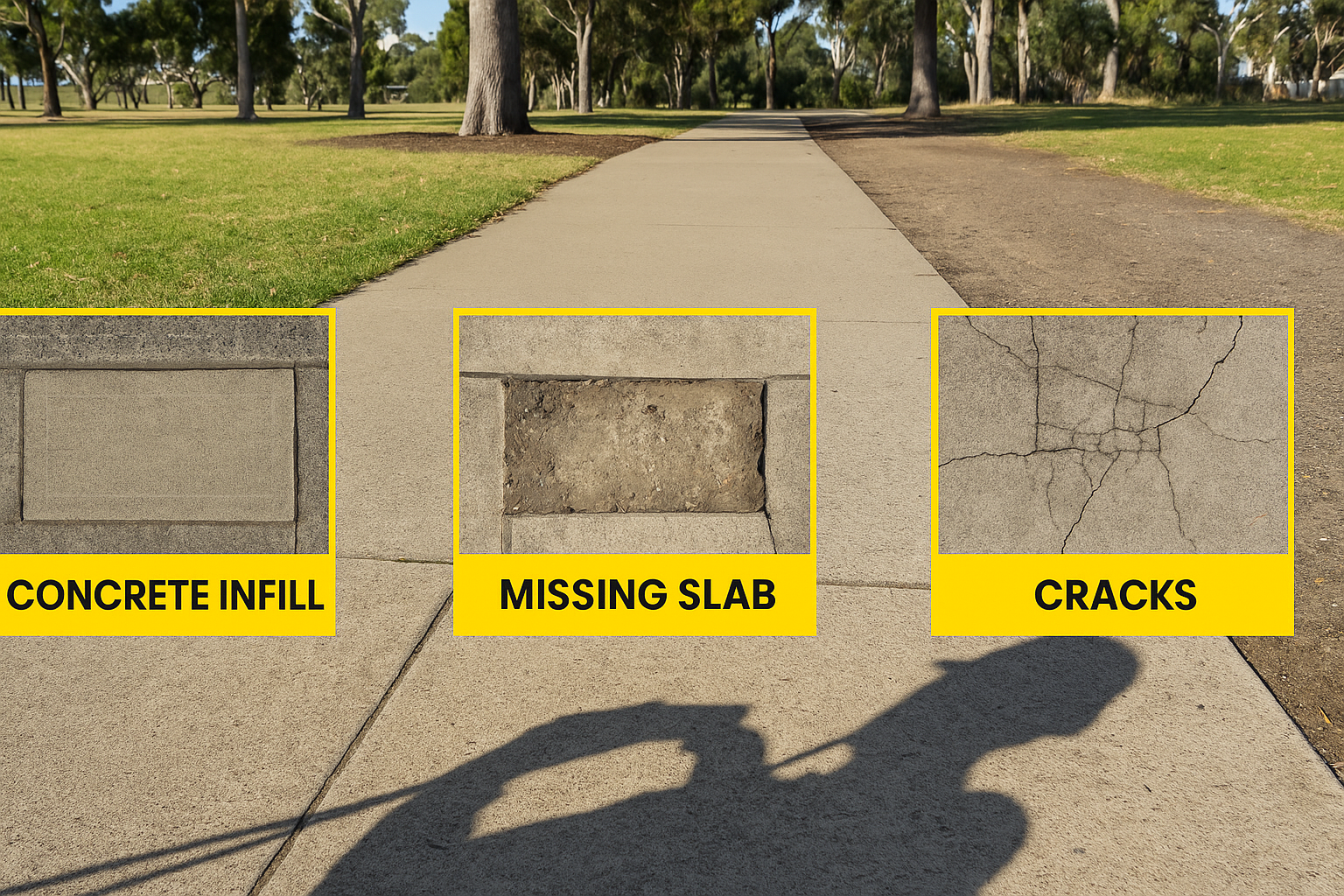
Tailor detection to concrete infill, missing slabs, cracks and other pavement conditions. Council staff review flagged footage and use the evidence to prioritize inspections and maintenance.
2. Survey in the field
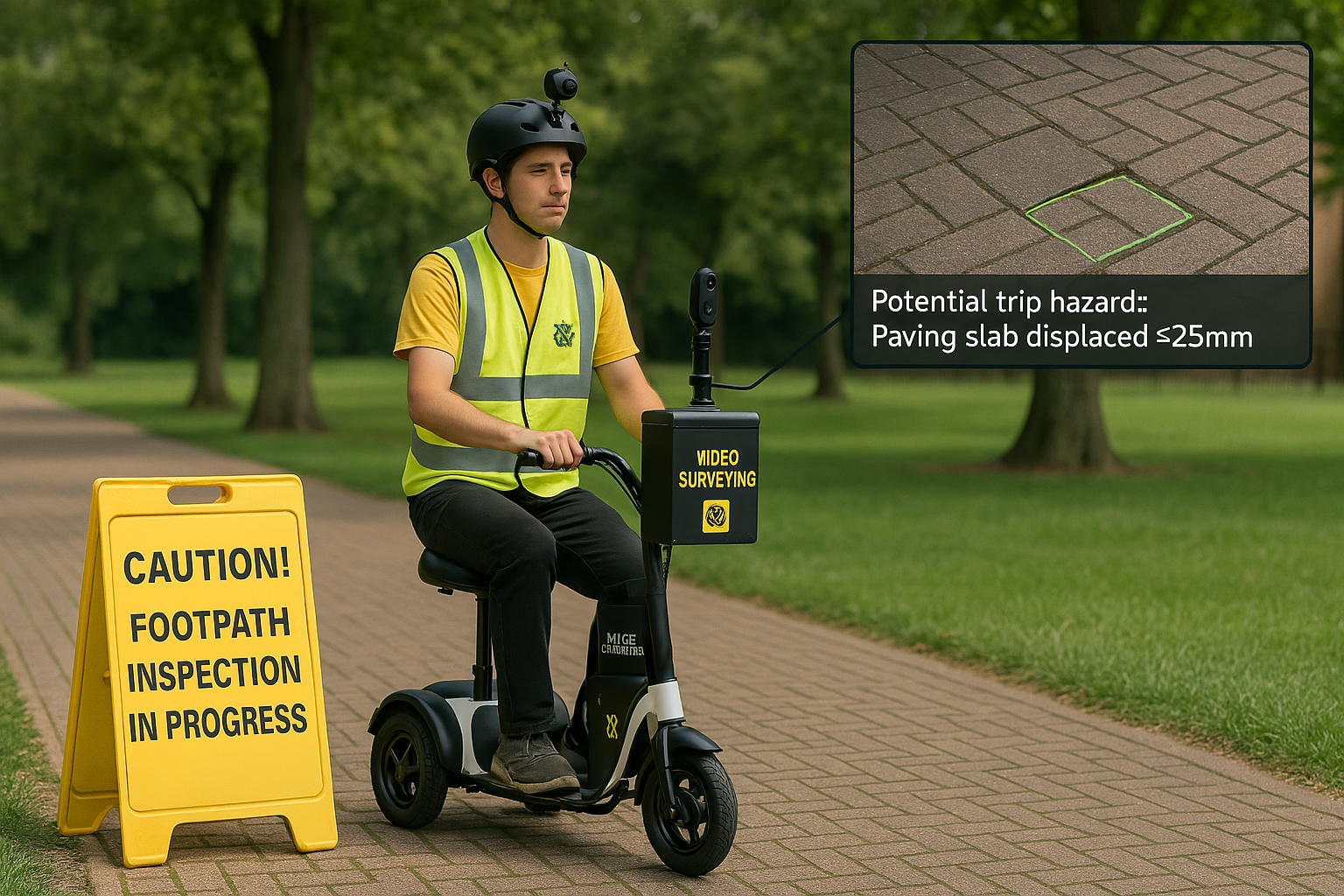
Use camera-equipped survey units or existing vehicles to collect footage along council routes. Keep video linked to location and asset records so teams can find the exact issue.
3. Extend to other assets

Configure additional detection for graffiti, signs, dumped rubbish or other asset conditions. Connect reviewed findings to council reports and asset-management systems through a tailored integration.
INDUSTRY TIPS
Tips for council video engagement
Make participation clear
Tell residents what to film, why you need it and how their contribution will be used. Ask only for the details your team needs, and make response times clear.
Vloggi captures rights assignment and project declarations with each submission. Your council controls access, retention and publication, with consent connected to the video.
Fit your council’s systems
Bring your hosting, access and retention requirements to the setup. We can shape the video workflow around your council’s data rules and connect submissions to the systems your team already uses.
Keep the evidence connected
Keep footage, locations and submission IDs together. Vloggi Verify adds provenance and integrity records to support a traceable chain of custody.
CASE STUDIES
Citizen engagement video submissions in practice
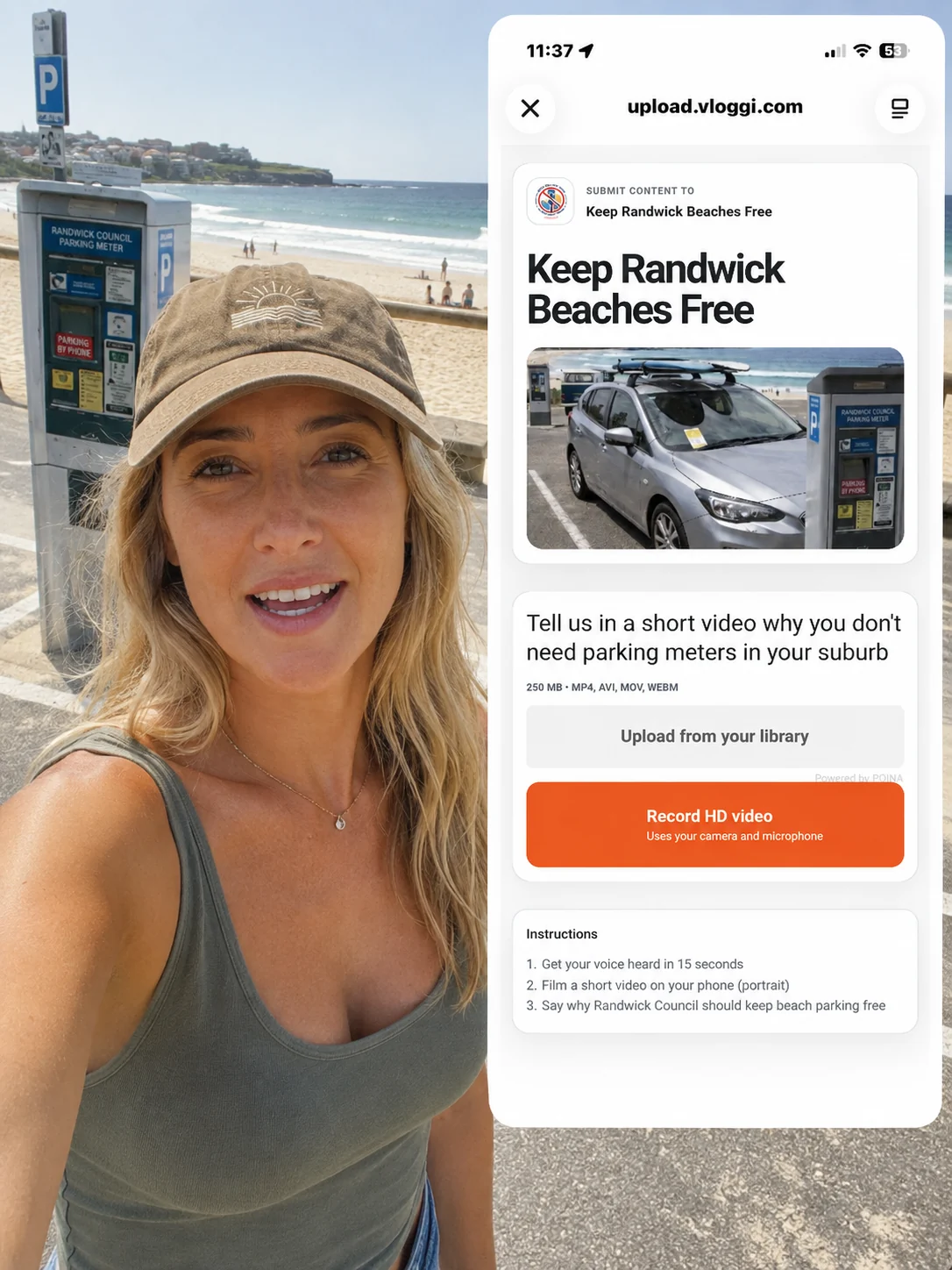
Randwick, Australia
Keep Randwick Beaches Free collected 78 video petitions opposing paid beach parking. Residents and beachgoers explained how the proposal would affect families, access and local life—bringing personal voices into a community-led campaign.
Telangana, India
The government of the Indian state of Telangana, has used Vloggi to collect video applications from remote residents for its grant programs. Applicants could explain their circumstances in their own words, adding personal context to the application process.
Toronto, Canada
Ward 13 (Toronto Centre Projects) of Toronto City Government has used Vloggi to gather residents’ feedback on new urban initiatives in its downtown neighborhoods. Video submissions gave people another way to share their views on changes affecting their community.
OUR GOVTECH PARTNER

Vloggi + 01Gov
We work with 01Gov to commercialize government technology concepts across the Middle East and Africa. Together, we turn citizen engagement ideas into practical video workflows, with local implementation expertise and integrations shaped around each government organization.
Vloggi recognized at the International Government Communications Awards
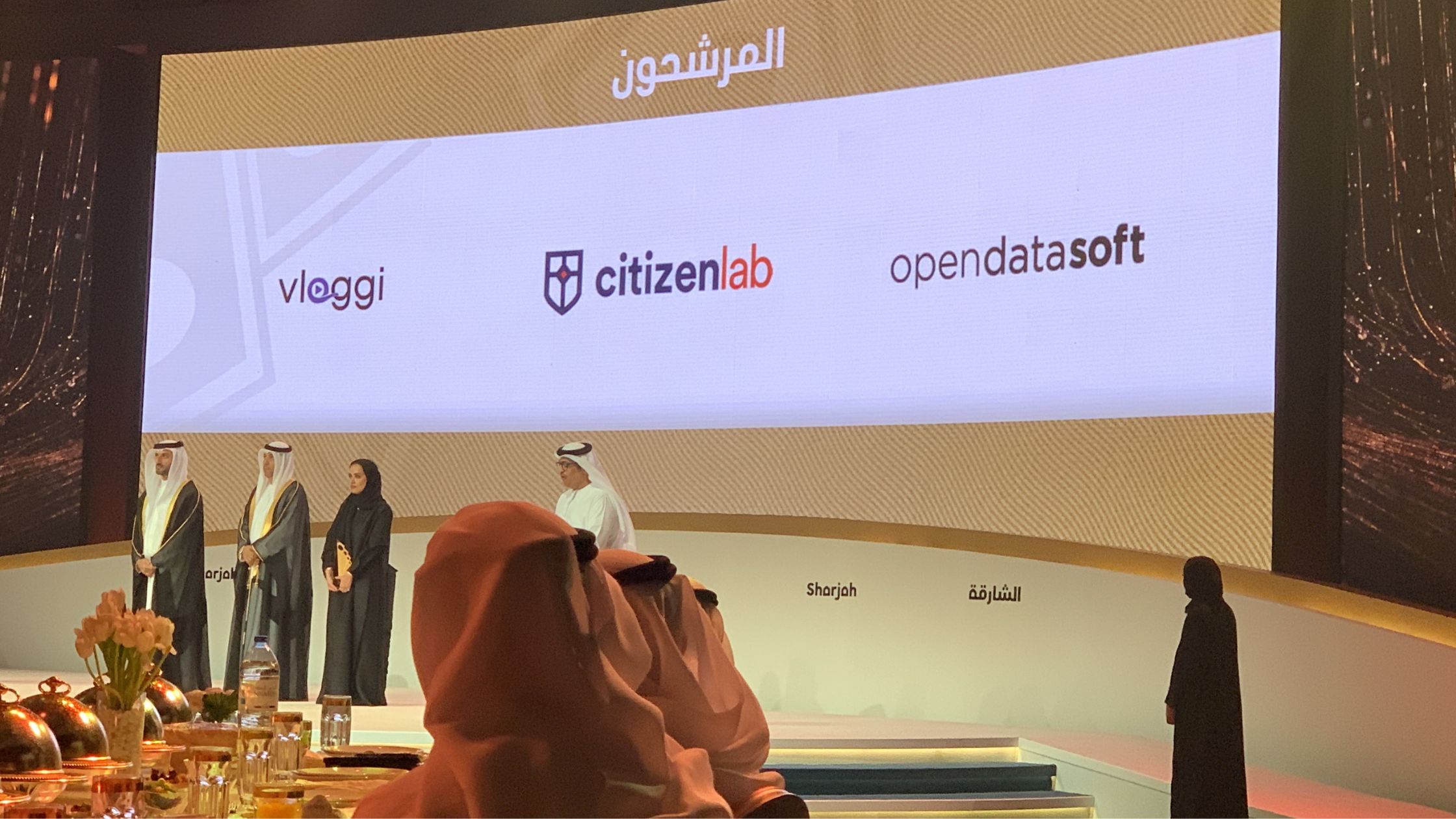
Vloggi was one of three finalists in the Best Innovation in Government Communication category at the 2022 International Government Communications Award in Sharjah, UAE.
Read the Sharjah media release →
This recognition was achieved in conjunction with 01Gov.
United Nations Global Marketplace (UNGM) vendor number: 1162627.
YOUR QUESTIONS
FAQs
Do residents need to install an app?
No app is needed. Residents open your branded video form in their browser and record or upload from a phone, tablet or computer. You can also offer a configured kiosk in a council office.
Should video replace other consultation channels?
Video adds another choice alongside phone calls, written forms and in-person conversations. Residents choose the channel that suits them, while your team gets richer context on the issues they raise.
Can contributions be published without review?
You control the publication workflow. Keep submissions private for internal review, approve clips for a public gallery, or work with our team on a custom publishing integration.
Does uploading automatically transfer all rights?
Yes. Contributors accept Vloggi’s Content Assignment Form as part of submission, assigning their video and associated intellectual-property rights to your organization. The consent record stays linked to the clip, so there is no separate rights-chasing exercise. You can add your own project-specific declarations and terms.
Can this be used for emergency reporting?
Vloggi can support incident and disaster-response workflows by collecting video evidence, location details and updates for your response team. We can help connect that collection to your established processes. For immediate danger, residents should still contact the relevant emergency service rather than wait for a video submission to be reviewed.
Where will videos and contributor data be stored?
We can work within your organization’s data-hosting rules. Our team can configure a hosting and integration arrangement around your required region, access controls, retention policies and existing systems. Your organization sets the policy; we help implement the video workflow to match.
Plan a more useful public participation workflow
Tell us who you need to hear from, what context should accompany each video and how your team will review the results.