
Vloggi Connect: the easiest way to download, share and work with user-generated videos.
DOWNLOADS & INTEGRATIONS
Select your footage. Put it to work.
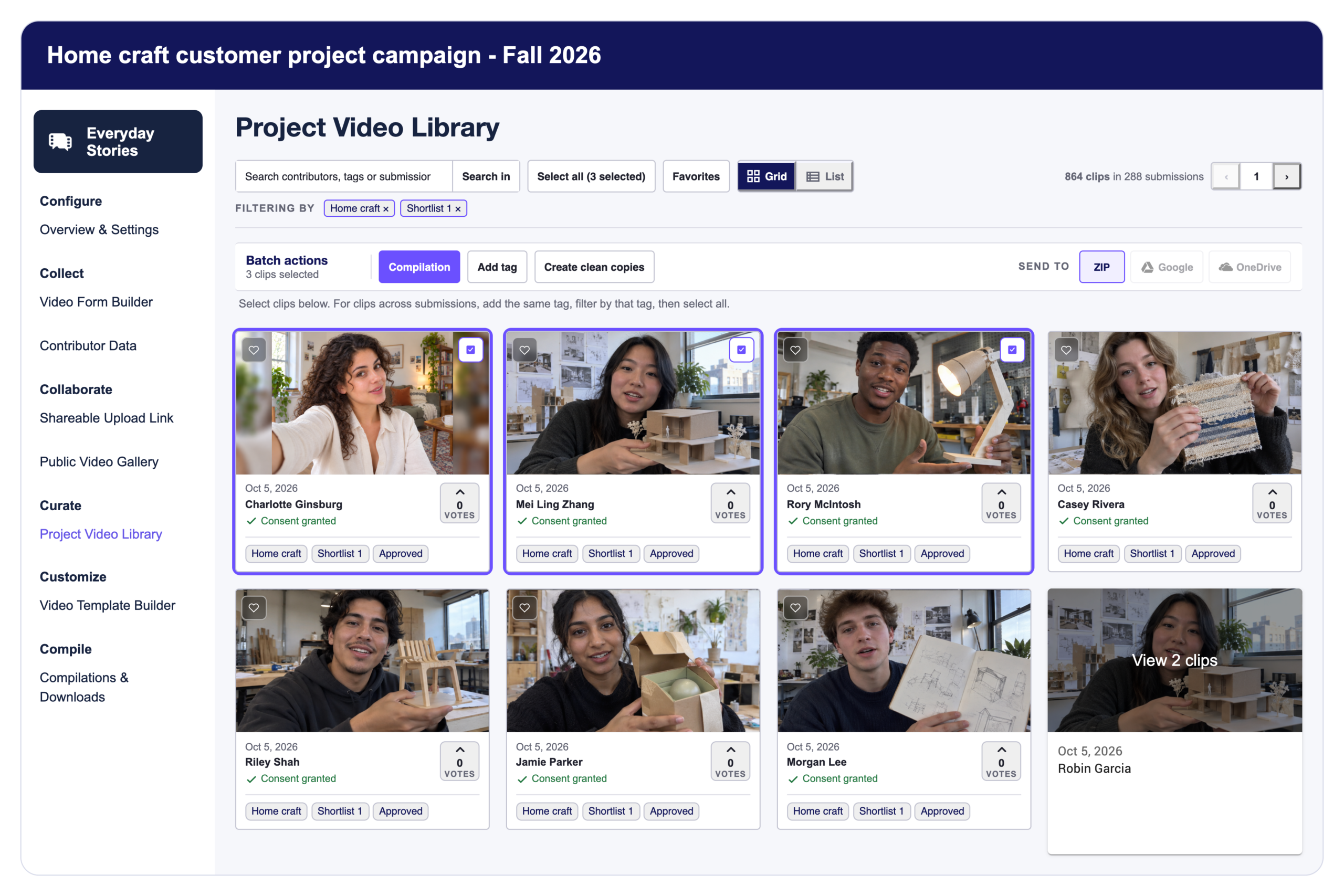
Bulk download selected footage as a ZIP, choose the right video version, or connect collection to your existing forms and business workflows. Keep your video library useful beyond Vloggi.
Less file chasing. Fewer disconnected records.
Your editor needs the footage. Your survey needs to know who submitted. Your team needs an organized handover—not another trail of attachments. Download files in batches and connect submissions using the references your systems already use.
BULK DOWNLOADS
Select the footage. Download the batch.
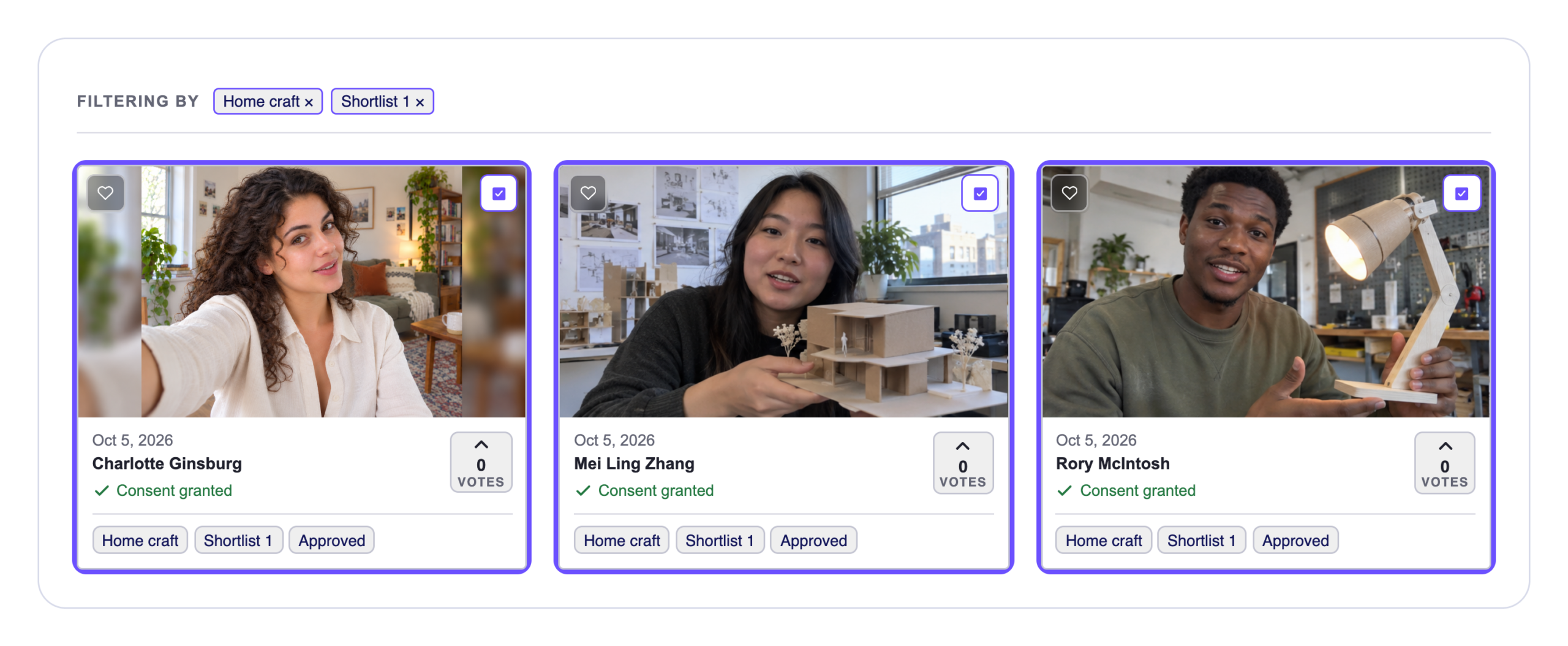
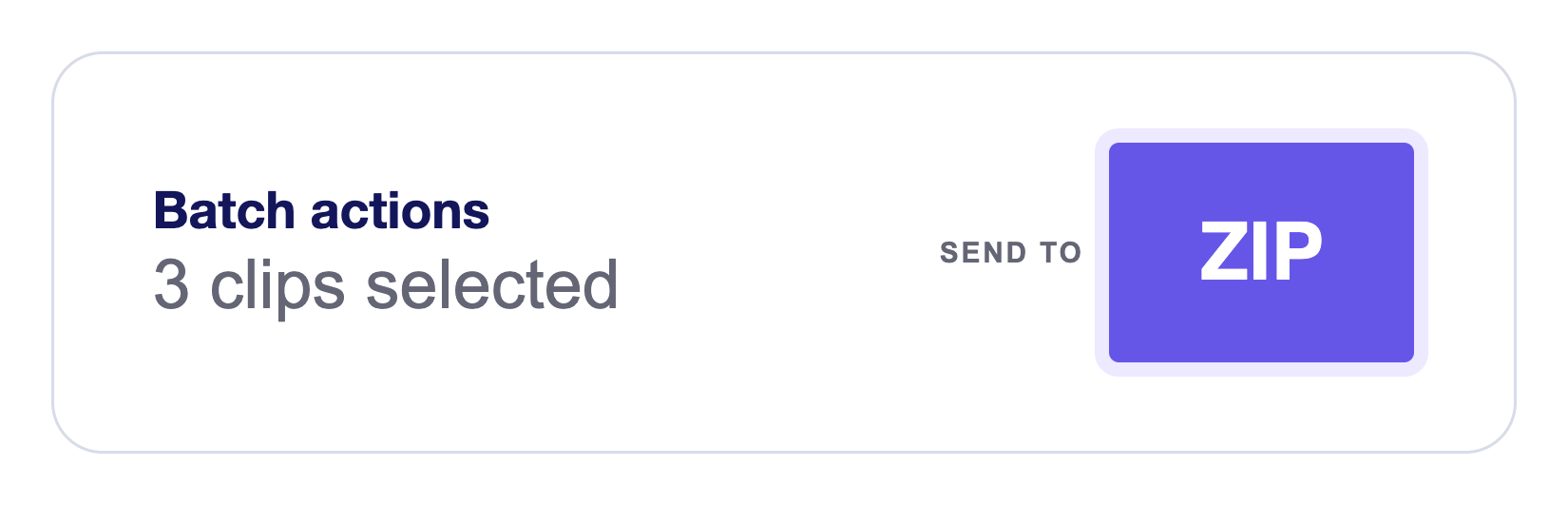
Search your Project Video Library, filter by tags or favorites, and select the clips you need. Choose ZIP under Batch actions to prepare an archive, then retrieve it from Compilations & Downloads.
A ZIP keeps multiple files together. It does not combine them into one video. For a finished video report, use automatic compilations.
For reliable ZIP downloads, the current interface recommends up to 25 clips per batch. Contact us for larger batches.
Use the right version for the job.
The same contribution, three useful versions: the original file, a clean 1080p production copy, and a fully branded video with automatic graphics.
Raw original

The file as submitted. In this example, a softer, darker 4:3 recording keeps its original size, quality and aspect ratio.
Clean

Upsampled and enhanced to standard 1080p, in landscape (16:9) or portrait (9:16). Echo fill adapts to the output: beside the footage in landscape, or above and below it in portrait—without stretching faces or cropping the original frame.
Branded

Your clean output, automatically branded. Turn contributor answers and supplied data into names, locations, timestamps, titles and other graphics using your video template.
Choose an available version in the individual clip viewer before downloading. Availability and alternate shapes depend on your plan and processing status. Download the Contributor Data & Consent Report separately when you need the accompanying records.
CONNECTED WORKFLOWS
Add video to the forms you already use.
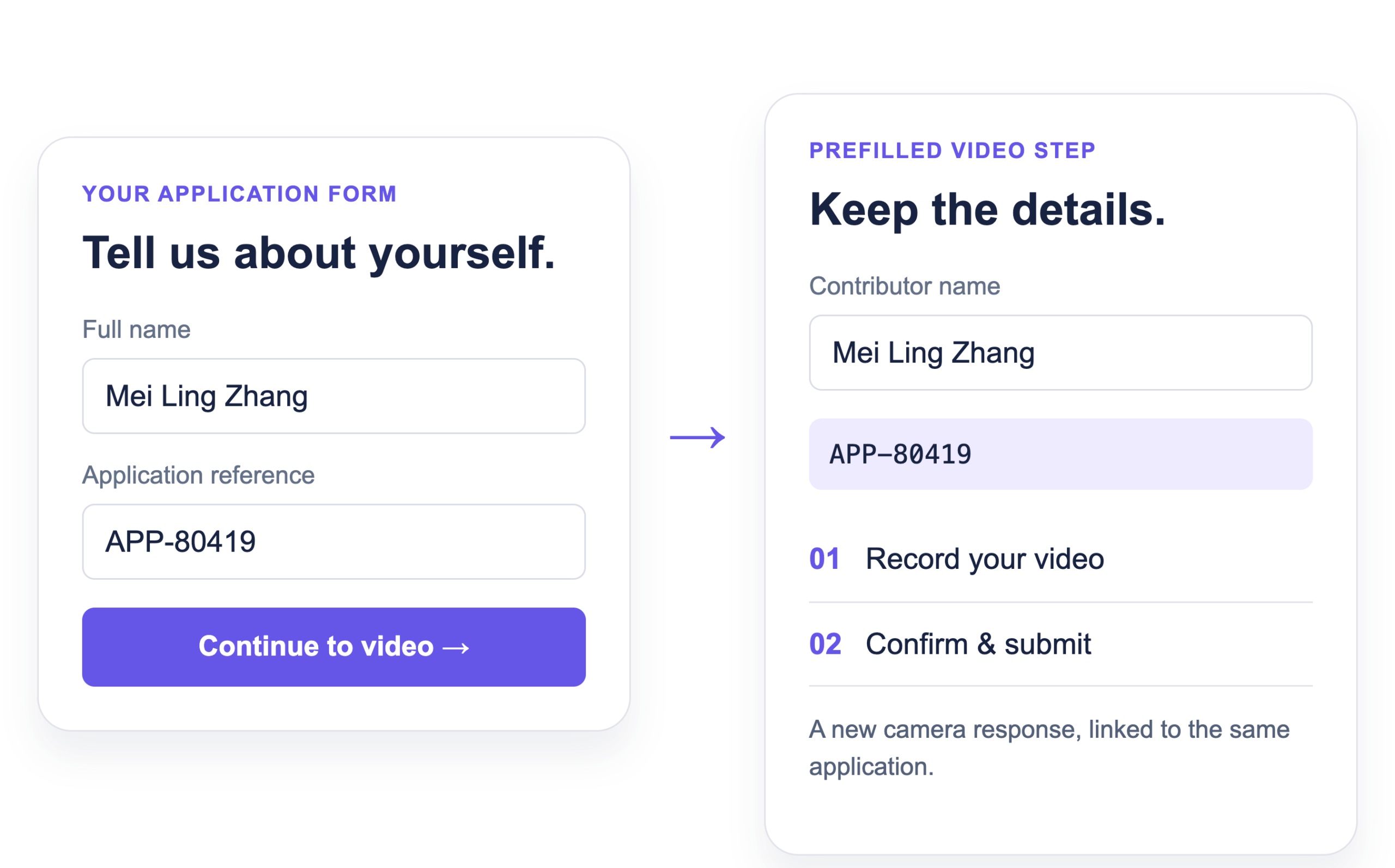
Add a verified-video step to your existing application, form or CRM workflow. Applicants enter their details once, then follow a prefilled link into Vloggi with their name and application reference already attached. Ask for a new device-camera recording when capture provenance matters, and retain the video, consent and supporting evidence with the submission.
When Vloggi accepts the submission, a signed webhook can notify your system. Use that event to update a record or start a follow-up workflow. The notification confirms receipt; it does not mean video processing has finished.
Bring them back. Keep the record connected.
After submission, send the contributor to your configured next-step page. Separately, use the signed submission webhook to match the application or customer reference in your system. Your integration can mark the video as submitted and stop further requests, while your team reviews the video and its evidence.
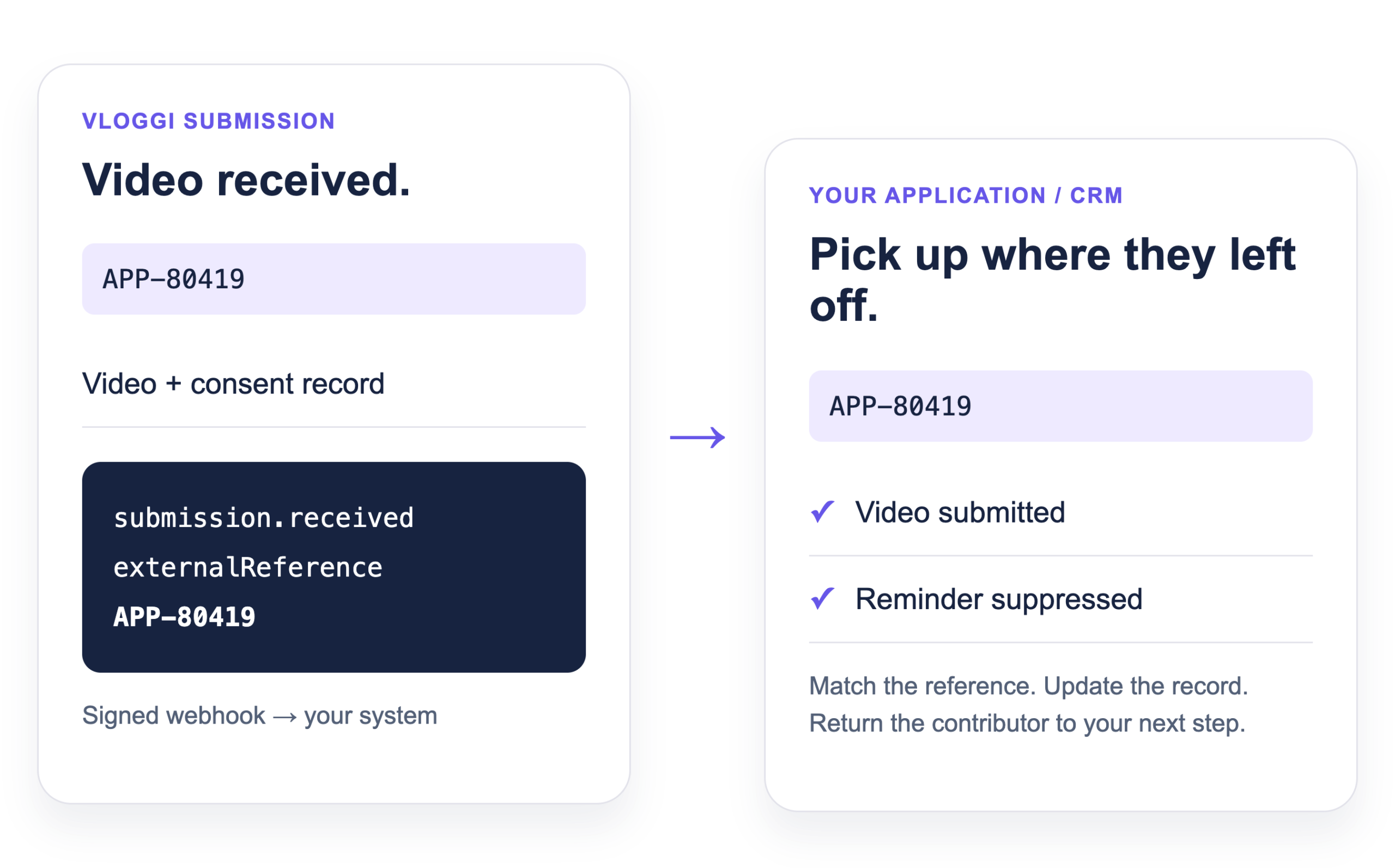
Useful for soft-KYC-style application workflows that need a human video response. This adds video evidence; it does not replace formal identity checks or your own approval process.
Submission accepted
Video + contributor details + consent
9f37a810-3e62-4b72-82f1-0d935caf0216Pass the references
submission.received
9f37a810-3e62-4b72-82f1-0d935caf0216Match the record
Your HTTPS endpoint · Make or Zapier webhook
9f37a810-3e62-4b72-82f1-0d935caf0216Illustrative references. A signed submission event carries IDs—not the video files or a processing-complete notification.
Connect the next step—not another silo.
Cloud storage
Connect Google Drive, OneDrive, Dropbox or Amazon S3 on a Custom plan. We configure the connection and security permissions with your team, so footage reaches the right storage destination with the appropriate access controls.
Automation & API
Use submission webhooks with a compatible automation platform or your own HTTPS endpoint. For a custom application or deeper workflow, request API access and agree the integration scope with Vloggi.
Make the invitation worth opening.
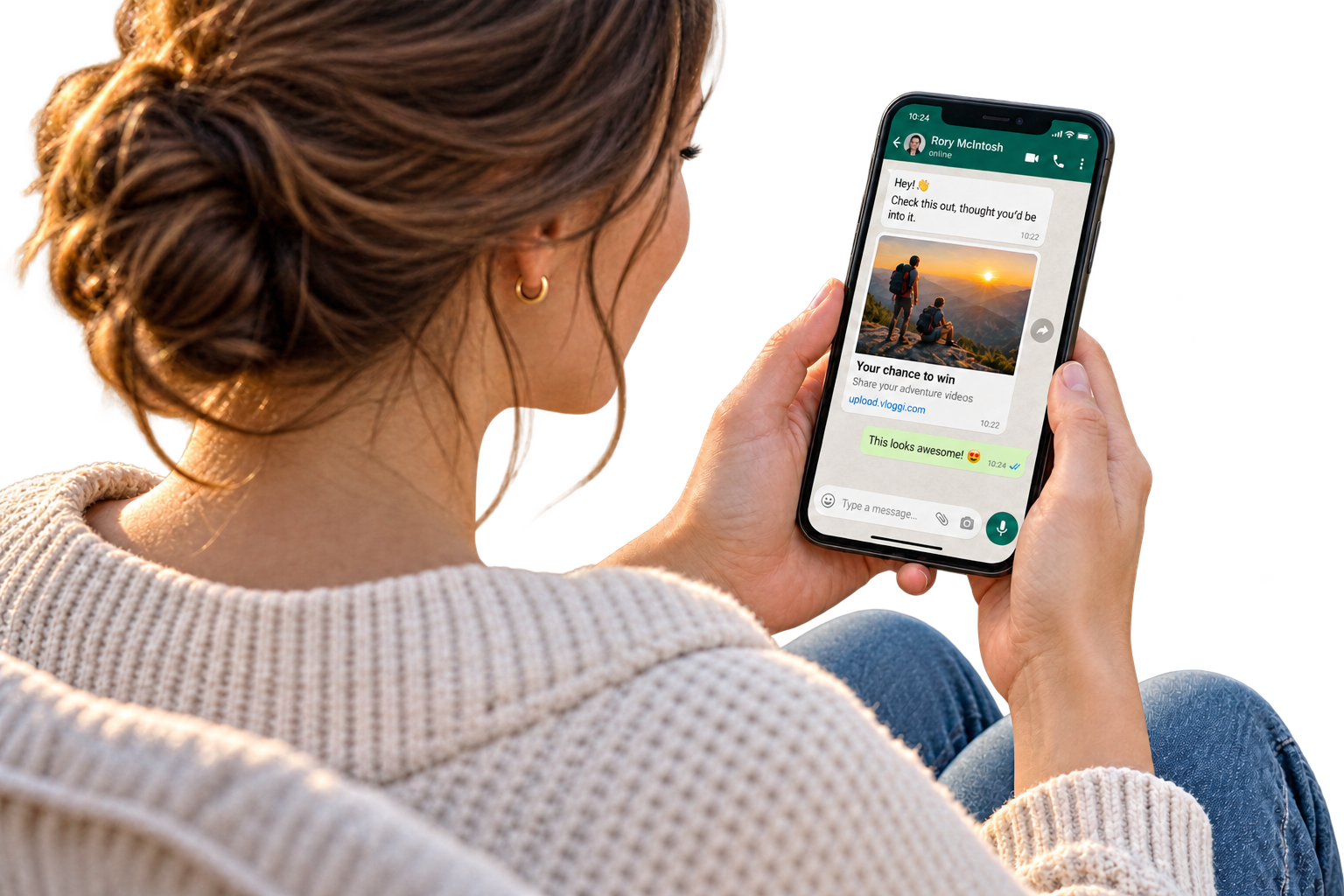
A shared contest link should show the prize and the opportunity—not just a bare URL. Vloggi uses Prerender to make your project’s hero image and invitation text available for rich link previews on Facebook and WhatsApp.
Give people a clear reason to take part, then send them straight to your branded video submission page. Preview appearance can vary by platform and its cached version of the link.
Use cases
Built for practical handovers.

Production teams
Bulk download raw originals for offline edit suites, giving editors the source footage they need.
Operations teams
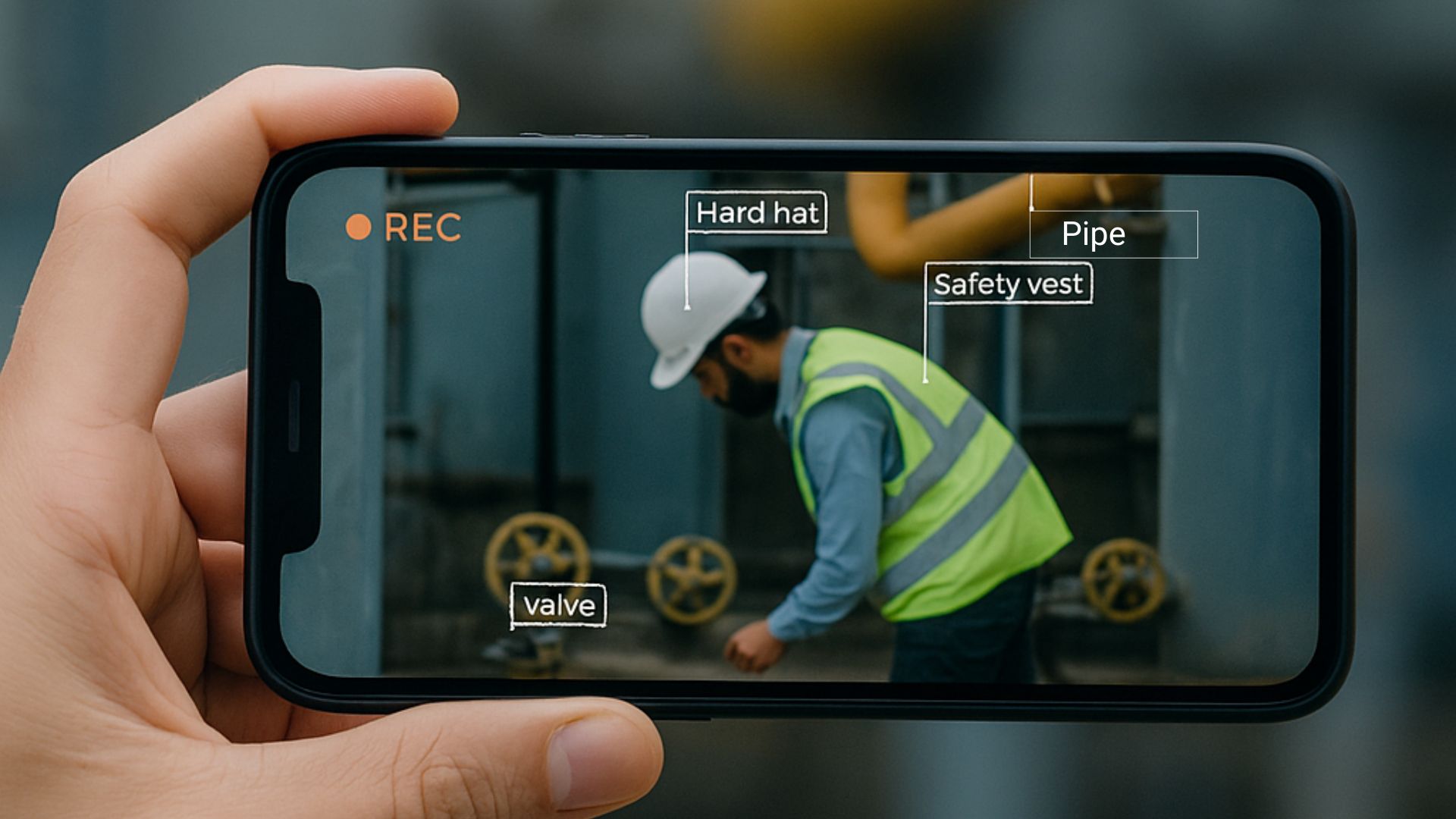
Export timestamped video versions alongside the project report and linked chain-of-custody records, keeping the evidence together for review.

Marketing teams
Link submissions to CRM customer records, see who has already contributed, and use your connected workflow to stop sending them further video requests.
Downloads & integrations FAQs
Can I download the whole library in one ZIP?
Use selected batches. The current interface recommends no more than 25 clips per ZIP for reliability; contact Vloggi for larger exports.
Does a ZIP include every video version and the consent report?
Do not assume every version or the report is packaged together. Choose a specific video version in the clip viewer when needed, and download the Contributor Data & Consent Report separately.
Can I connect my existing form software?
Yes, where it supports a link or redirect into Vloggi and the required record matching. Use prefilled links and a submission webhook. This is a configurable workflow, not a claim that every form provider has a native Vloggi connector.
Does the webhook send the video file?
The submission notification supplies references such as the submission ID, clip IDs and external reference. It is not the video file itself and is not an encoding-complete event.
How do we keep the handover secure?
Pass an opaque record reference rather than sensitive information in the URL. Keep credentials server-side, verify webhook signatures and handle duplicate events without repeating the downstream action. The linked Help guides cover setup.
Put your collected video to work.
Start with a ZIP download, or talk to us about connecting video collection to your existing systems.