
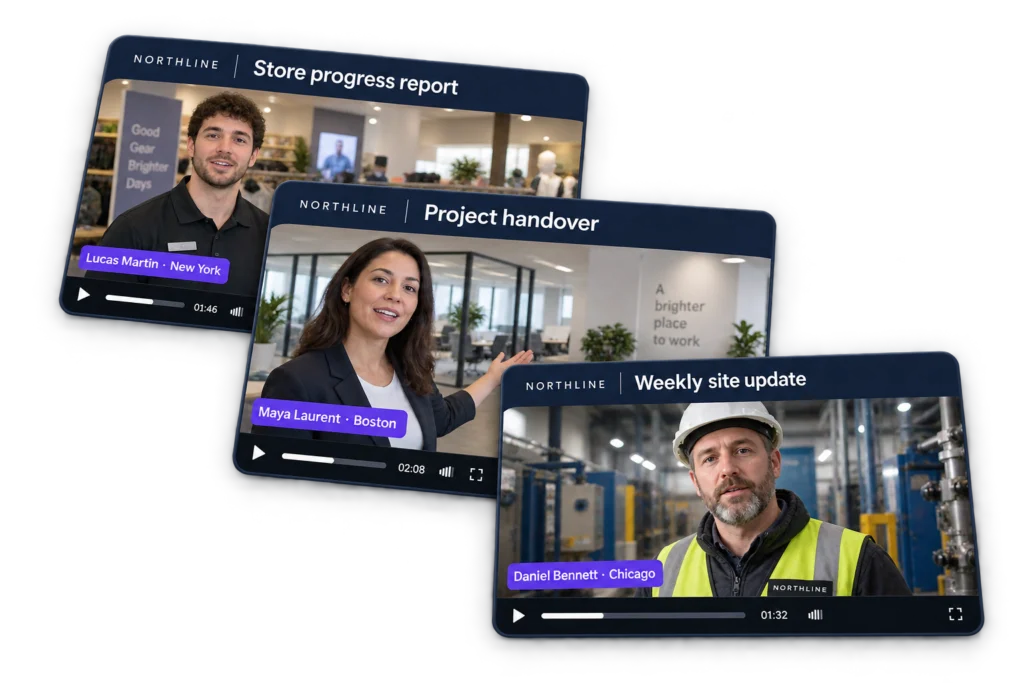
Templated video production applies a consistent design to footage using saved rules rather than manually designing each clip.
Configure your project template
Open Customize → Video Template Builder. Add the branding and overlays your output needs. Static text and artwork remain the same across clips; dynamic text uses information associated with each contributor or clip.
Collect the data you want to display
Configure fields in Collect → Contributor Data. A name, department or category can become an on-screen label when you add the appropriate dynamic element to the template. Collecting information does not mean it must appear in the video.
Keep outputs distinct
Branded versions use the project template. Clean versions provide processed footage without project overlays. Raw original is the unmodified supplied file.
Use the design consistently
Review the template with representative footage, check text readability and confirm that the selected fields contain the intended values. Use the project’s available compilation workflow when you want to assemble clips into a combined output.