
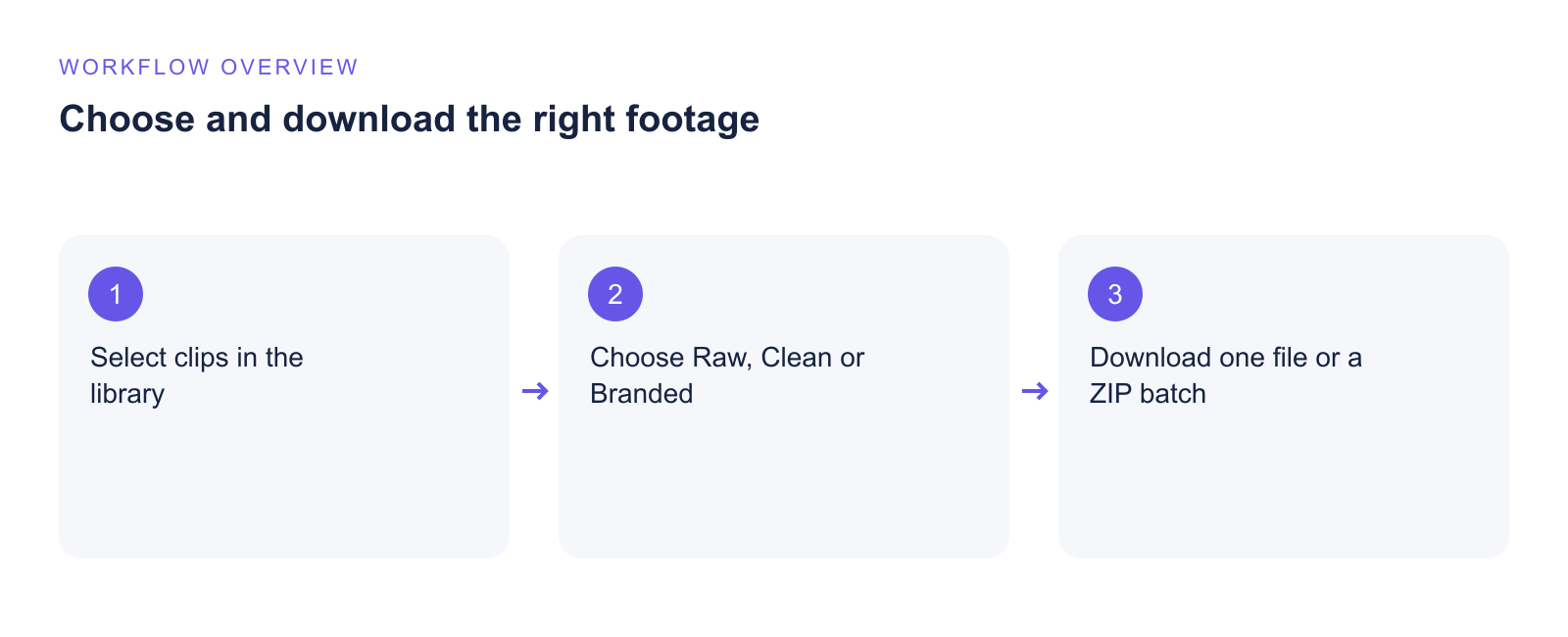
Vloggi prepares consistent video output from footage collected on different devices. The clip viewer separates processed video from the original file so you can choose the right version for your production.
Clean video
Clean is the processed 1080p version with consistent audio levels, without the project’s branding overlays. It is useful when you want standardized footage for an editor or a broadcast workflow. Clean does not mean raw: the file has been processed.
Branded video
Branded applies the project template, watermark and selected overlays. Configure those elements in Customize → Video Template Builder.
Original and preview versions
Raw original is the unmodified file supplied by the contributor, retaining its source format and resolution. Preview is optimized for watching in Studio rather than final production.
Widescreen, vertical and square
Choose the project canvas in Configure → Overview & Settings: 16:9 widescreen, 9:16 vertical or 1:1 square. The clip viewer also shows available alternate shapes, generation status and conversion allowances.
For portrait footage used on a widescreen canvas, an echo background fills the surrounding space. The library’s Create clean copies — Echo background action prepares clean MP4 copies on the project canvas.
Download your version
- Open Curate → Project Video Library.
- Open a clip and choose the required version below the player.
- Check that it is ready and select Download.
Available versions depend on processing status, source availability and your plan. Upscaling changes the output dimensions; it does not recreate detail missing from the original recording.