
A prize is not a promotion strategy. An upload link is not a campaign. If you want people to stop scrolling, pick up their phones and enter your video contest, you need an invitation worth acting on—and a plan to keep it in front of the right people.
The formula is simple: a specific audience, a desirable reward, an easy challenge and repeated reasons to act. These eight tips turn a quiet submission page into a campaign your audience wants to join.
1. Pick your people before you pick your prize
“Everyone” is an expensive audience. Start with the people whose videos would actually be useful: loyal customers, fans heading to an event, members of a local community or people with a shared interest. Ask what they care about, where they spend time and what would make this contest feel made for them.
Invite your most engaged supporters first. A personal email to a repeat customer or active member can give the campaign its first genuine entries. Tell them why their perspective matters: “You are part of this community. Help us show what makes it special.” Use a permissioned audience and respect their communication preferences.
2. Make the reward fit the story
A generic giveaway may attract people who only want the prize. A relevant reward gives your ideal entrant another reason to care. An outdoor brand could offer a cabin weekend; a music community could offer a recording session; a local club could offer a memorable behind-the-scenes experience.
Sell the experience, not just its price tag. “A weekend away for two” is something people can picture. Combine it with recognition: a chance to have their story featured, celebrate their community or inspire other customers. Never promise every entrant will be featured unless that is genuinely the plan.
Make the offer concrete: what is included, who can enter, when entries close and how the winner is chosen. Make the conditions easy to find. Reward an honest contribution, not a positive endorsement.
3. Write a hook people understand in seconds
Your headline should answer three questions: What do I do? Why should I care? What could I get? Do not lead with your software, campaign administration or internal objectives. Lead with their opportunity.
Forget: “We are running a user-generated content initiative.”
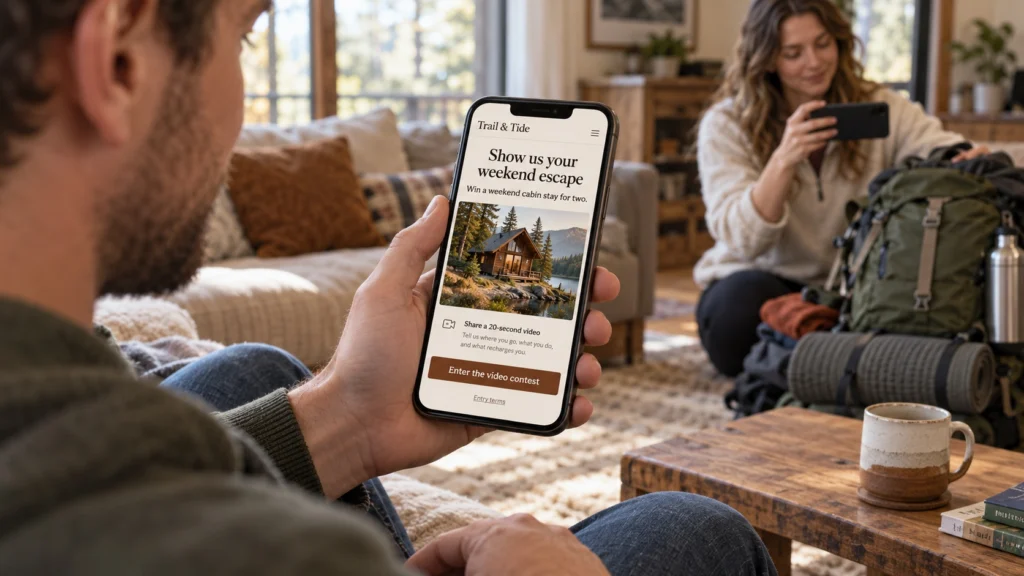
Try: “Show us your weekend escape. You could win a cabin stay for two.”
Then make the brief small enough to act on: “Record a 20-second video showing your favorite place to switch off and tell us why you love it.” One prompt. One clear entry button. One destination. Keep the same promise in the advert, email and submission page.
4. Make entering feel easier than putting it off
Every extra instruction is another chance to lose someone. Ask for a short video and only the information you need. Do not turn a simple contest into a production assignment with scripts, editing, special equipment and several unrelated questions.
In Collect → Video Form Builder, explain the challenge, suggested length, deadline and how entries will be used. Match the invitation to the selected workflow: record a response in the form, or upload an existing clip. Let people know they can use their phone and speak naturally.
Walk through the whole entry journey on a phone before launch. Check the button, form, recording or upload flow, required permissions and confirmation. If the campaign needs lots of explanation, simplify the challenge before buying more traffic.
5. Show the standard—and make it achievable
Camera nerves can stop a good entry before it starts. A short welcome video and an ordinary, believable example answer the unspoken question: “Is my video good enough?” Show the kind of response you want without making people think they need a film crew.
In Curate → Project Video Library, open a suitable clip and use Feature clip in its clip information to make it an example. Only feature footage you have permission to show. Label a demonstration as a demonstration; do not pass it off as a real contest entry.
As genuine entries arrive, share selected highlights with permission. Celebrate the people and their ideas. Avoid invented entry counts, fabricated testimonials or claims that “everyone is entering.” Read how to use a welcome video for more ideas.
6. Launch a promotion plan, not one lonely post
Copy your link from Collaborate → Shareable Upload Link. Build a short campaign around it rather than posting once and hoping the algorithm does the work.
- Launch: personally invite engaged supporters, email your relevant audience and publish a clear announcement.
- Reach: give partners, clubs, retailers or creators ready-to-share copy and the correct entry link. Add QR codes where people encounter the brand in person.
- Test paid promotion: try a small set of adverts aimed at relevant audiences. For location-led campaigns, use the geographic controls your ad platform supports; these target delivery, not access to the upload page.
- Build momentum: answer common questions, show an achievable example and share approved entries. Refresh the reason to enter instead of repeating the same poster.
For a multi-event campaign, early entries can become the creative for later invitations—provided the permissions cover that advertising use. Match language and local context to each audience. See where to promote your video submission link for a practical channel plan.
7. Give people a real deadline—and a timely nudge
“I will do it later” is the competitor you need to beat. Put a clear closing date, time and time zone in the invitation and on the form. Check the project expiry date in Configure → Overview & Settings so the campaign and the submission window agree.
Plan a useful reminder midway through the campaign and a final invitation before it closes. Give each message a job: remove a worry, show an example or remind people what they could win. Use genuine urgency, not fake scarcity or a deadline that resets every day.
Use your email platform to schedule the sequence and suppress contributors who have already submitted. Connect confirmed submission data where supported, or reconcile your entrant list before sending. A click is not a completed entry. Our video campaign email sequence includes ready-to-adapt invitations, reminders and a thank-you.
If your contest includes public voting, make the voting deadline and its role in selecting a winner explicit. The entry link and viewer gallery serve different purposes. Read how contest voting works before promoting the vote.
8. Measure entries, not applause
Likes can look encouraging while your entry folder stays empty. Track the outcome you actually want: completed entries that meet the brief and have the permissions needed for your intended use.
- Plenty of impressions, few visits? Test a clearer hook, a more relevant audience or a more compelling offer.
- Plenty of visits, few entries? Review the mobile journey, requested effort, clarity of the brief and the reward.
- Plenty of entries, poor fit? Tighten the targeting, example and eligibility message.
- Paid promotion? Compare spend with valid submissions, not just cheap clicks. Include other campaign costs when assessing the overall return.
Change one thing at a time so you can learn what helped. Do not invent a conversion rate from page visits and entry counts gathered over different periods or populations. Where your tools support it, use consistent campaign tracking and reconcile the results with actual submissions.
Close the contest. Keep the relationship.
Thank contributors, deliver the promised prize and announce the result as described in the rules. Show people what their participation helped create. With the right permissions, the campaign can leave you with a useful library of customer stories, community moments and future advertising—not just a winner’s name.
Your launch checklist: the right people, a relevant prize, one irresistible prompt, a tested mobile entry page, a promotion schedule, a real deadline and a plan to thank everyone. Get those working together before you increase the budget.
Ready to set it up? Follow How to launch a video contest in Vloggi.