
Contributors can submit one file or a batch of up to eight files, depending on your project’s submission workflow and plan. Choose the limit to suit what you need: one contest entry, several clips from an event, or a set of supporting videos.
The project type sets the submission experience
Contribution: one uploaded or recorded video per submission. This is a simple choice when you want one entry or one story from each person.
Collection: multiple files together in one submission. Set the number of files you want to accept, up to eight where your plan supports it. Contributors provide their shared details once rather than starting again for every clip.
Capture: one recorded response to an on-screen prompt.
Conversation: a video questionnaire, with one recorded response per question. A questionnaire can contain up to eight prompts; this is different from selecting eight existing files for a batch upload.
Compliance: a structured evidence workflow for grouped records, such as before, during and after work. Its submission requirements follow the selected workflow.
Choose how many files to accept
Open your project in Studio and go to Configure → Overview & Settings. Review the submission workflow, then find Files per Submission in the format settings. For file-upload projects, one file is a Contribution; two or more make a Collection. Select the limit available on your plan and save.
If the field is locked at one file, check the selected workflow and whether your subscription includes batch uploads. For a Conversation, change the number of prompts rather than treating the setting as a batch-upload limit.
What contributors see
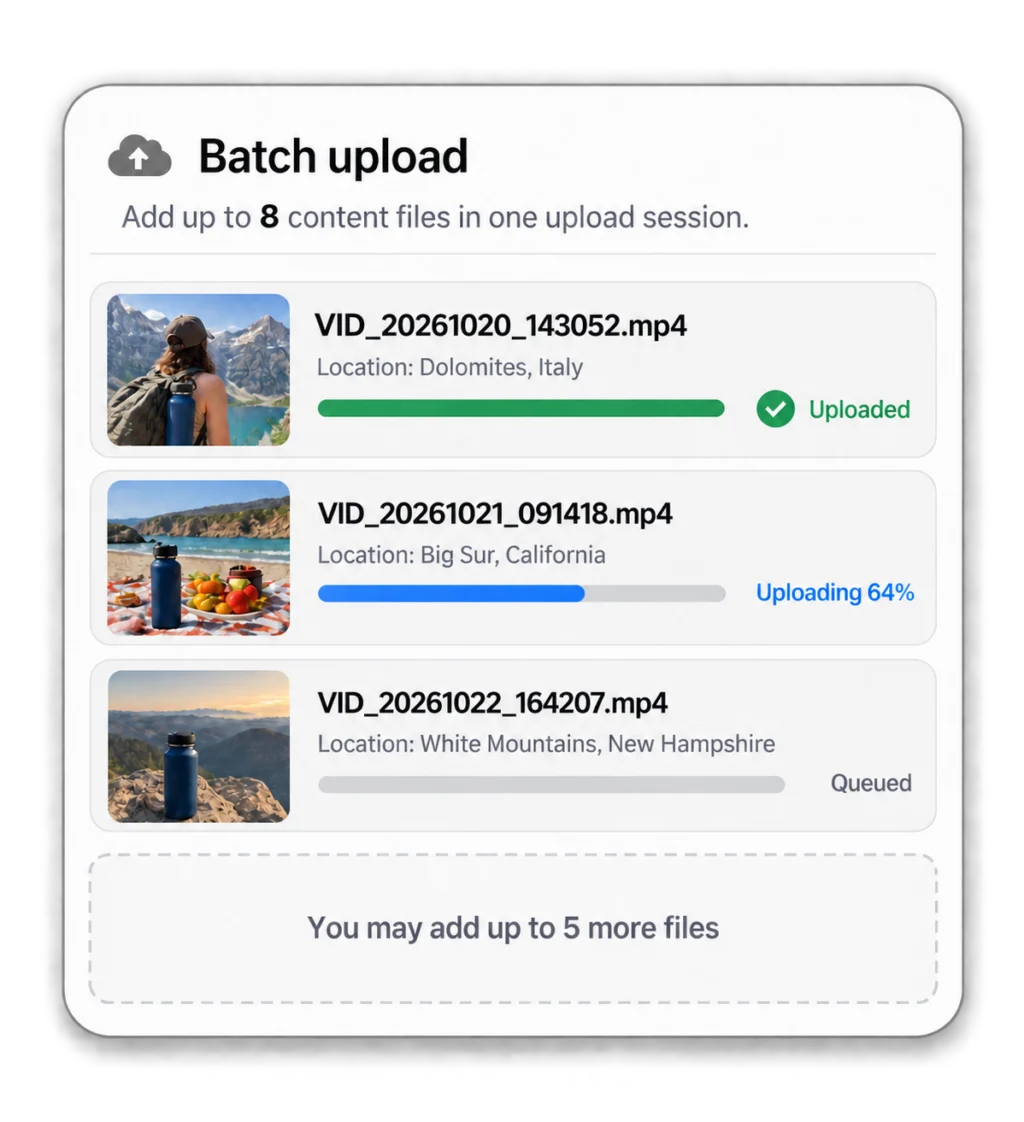
The upload page shows the permitted number of files. Contributors select their videos, review the selection and follow the upload progress. In the example above, three files have been selected for an eight-file submission, leaving room for five more.
Original camera filenames are fine. For example, an Android phone may name a video VID_20261020_143052.mp4; naming varies by device and camera app. Contributors do not need to rename their videos just to submit them.
File count is not file size—or a contest entry limit
The number of files per submission is separate from the maximum size of each file, the accepted formats, your monthly collection allowance and your storage. The upload form shows the applicable requirements. Test it on a phone before sharing your link.
An eight-file submission does not automatically mean eight separate contest entries. Explain in your contest rules whether several files form one entry, and how many entries each person may submit.