
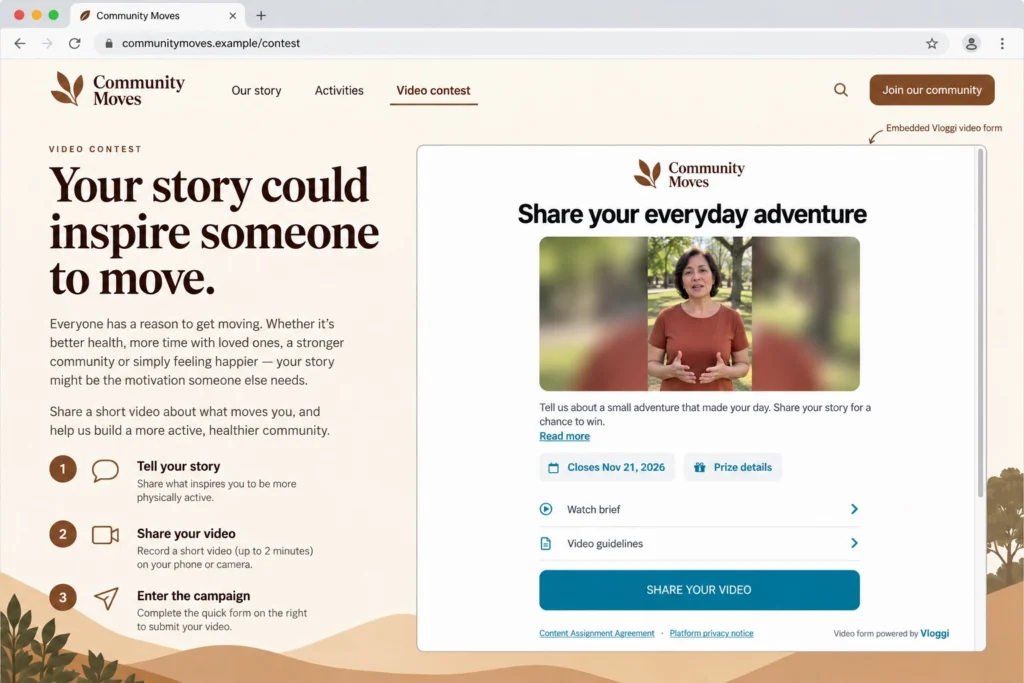
Embed your project’s video form in your website so contributors can respond without opening a separate landing page.
Copy the project embed code
- Open the project in Vloggi Studio.
- Go to Collaborate → Shareable Upload Link.
- Under By embedding on your website, select Copy code.
- Paste the supplied snippet into an HTML or embed block in your website editor.
- Publish the website page and check that the form displays at a usable height on desktop and mobile.
Use the code from your project
The generated code points to your live submission form on upload.vloggi.com. Use that code rather than an old staging-domain example or another project’s ID.
Camera and microphone access
For recording workflows, retain the permissions included in the embed snippet. Contributors still control their browser’s camera and microphone permission prompts. Your website’s security policy must allow the embedded form and the permissions needed by its recording flow.
Offer a direct link too
Add a clearly labeled link to the same submission form below the embed. This gives contributors a straightforward way to open the form directly.
Review the submission experience
Configure the brief in Video Form Builder, questions in the relevant builder, contributor fields in Contributor Data and the confirmation in Thank You Page Builder. The embed uses the project’s configured workflow.