
Vloggi connects submitted video with the contributor’s acceptance record, so your team can collect footage and its reuse permissions in the same workflow.
How the assignment works
The Content Assignment Agreement sets out the rights assigned to the Project Owner and the contributor’s confirmations about their authority to submit the content. Vloggi supplies the platform; the Project Owner is the organization receiving those rights. Read the full agreement for its scope and conditions.
Set the correct organization
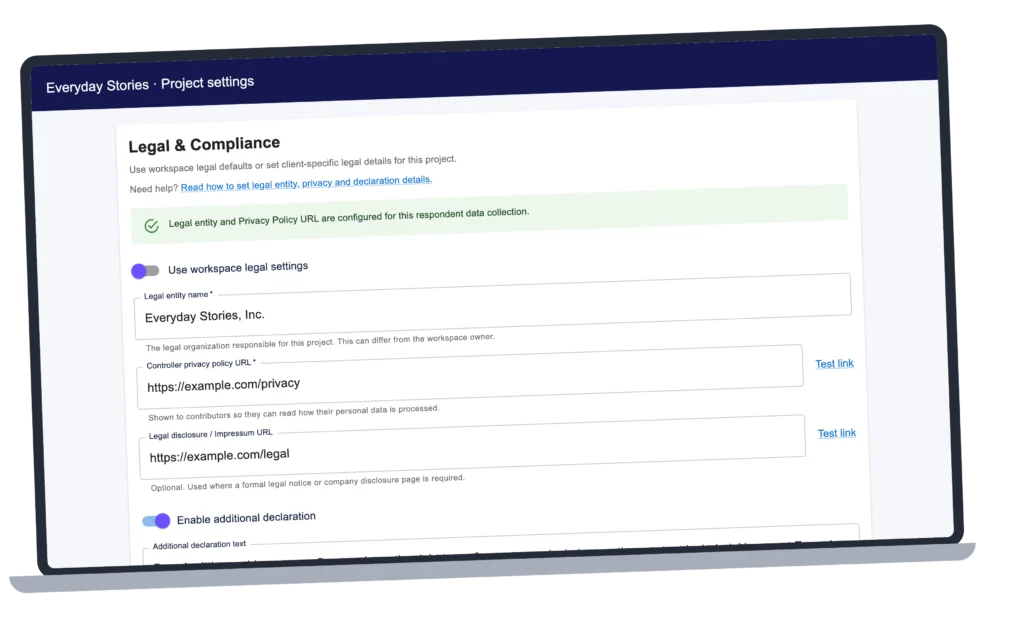
Open Collect → Contributor Data and review Legal & Compliance. Use the workspace legal settings or configure the project for the organization that will own and use the content. A public brand name and legal entity may be different.
Add project-specific declarations
Use the project’s additional legal settings for any extra declaration or linked terms required by your campaign. Explain the intended use in the brief. Your legal team can help tailor arrangements for minors, featured people, third-party material or specialist uses.
Review the acceptance record
Open a clip in Curate → Project Video Library. In Clip information → Contributor data, review the consent status and available consent details. Keep the submission and consent identifiers with your records. Older submissions may not expose the same detailed records as newer ones.
Before reuse
Check the footage against the brief and permissions you collected. The contributor’s given name, IP address and signed consent together demonstrate reasonable steps to obtain and record their name for attribution. Resolve any specific rights concern before publication.
For configuration steps, see legal entity, privacy and declaration settings.