
Video provenance workflow is the process of preserving evidence about who contributed a video, how it was captured, what happened to the file and which assessment method reviewed it. Vloggi Confirm combines that workflow evidence with technical media signals so compliance teams can make a documented decision instead of relying on appearance alone.
Follow the five-step workflow · Interpret HOCS · Handle existing files · Open Vloggi Confirm
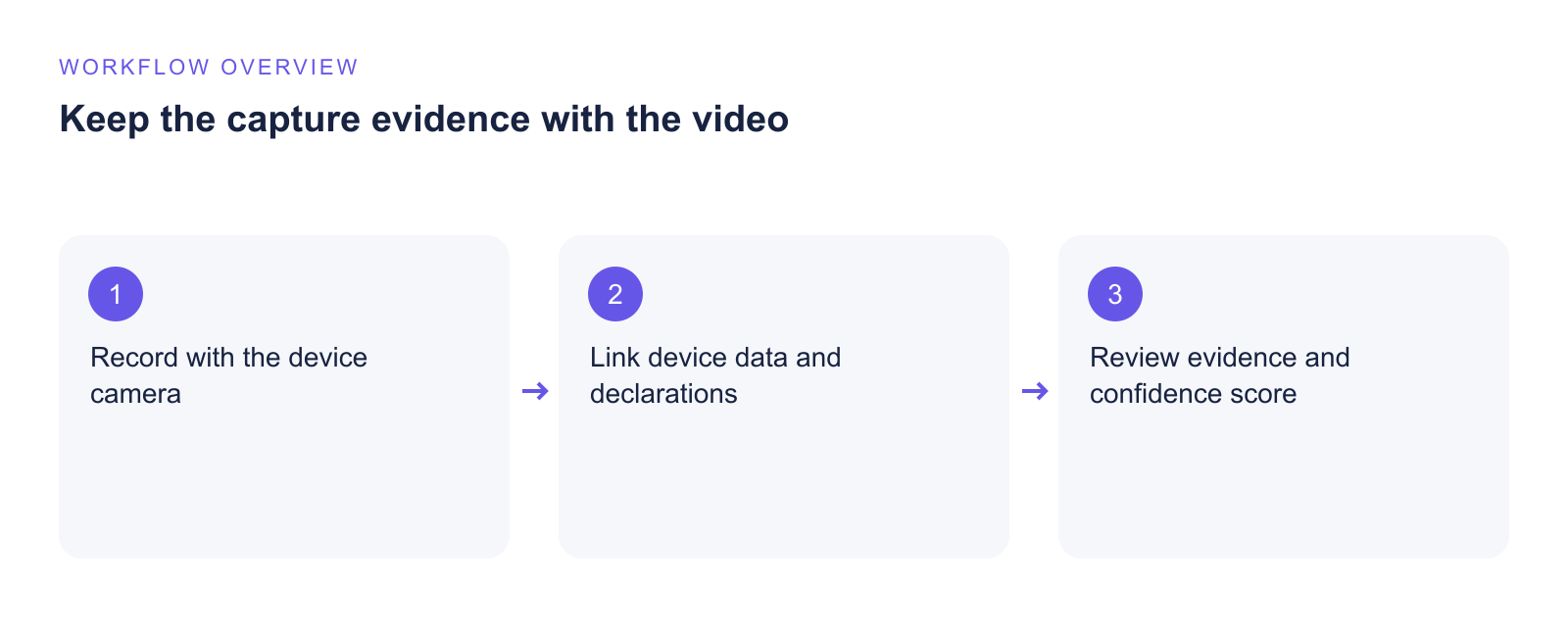
When to use a video provenance workflow
Use a documented workflow whenever a video may support a compliance decision, customer claim, inspection, research record, licence, audit or public communication. The aim is not merely to decide whether footage looks convincing. It is to retain enough connected evidence for another authorised reviewer to understand where the media came from and how the decision was reached.
- New footage: begin with Vloggi Capture so consent, prompts, session continuity and submission records are collected at source.
- Existing footage: assess the earliest available file with Vloggi Confirm and record any gaps that cannot be reconstructed.
- Edited derivatives: keep every exported version linked to the original submission and its cryptographic fingerprint.
- High-impact decisions: require human review of the evidence explanation, not just the headline HOCS result.
Video provenance workflow: five practical steps
1. Configure the project before collecting video
Define why the video is being collected, who may access it, the required retention period and whether contributors may upload existing footage. For stronger evidence, enable direct device-camera capture and clearly explain how the recording will be assessed. Configure the consent wording, contributor fields and permitted reuse before distributing the collection link.
A Vloggi Conversations project can request a single response or several linked responses. Multiple randomised prompts tied to one submission create more continuity evidence than an isolated file because the contributor must respond within the same controlled workflow.
Detailed instructions: enable camera responses in Vloggi Conversations.
2. Capture consent and human participation
Ask the contributor to accept the project’s consent terms before submission. In a prompted Vloggi Capture session, collect privacy-minimised interaction information, response timing and session continuity alongside the video. These signals support the conclusion that a person participated in the submission process; they are different from technical claims about every pixel or the truth of every event shown.
Where the project permits existing files, preserve the contributor’s declaration about ownership and origin. An assertion is useful accountability evidence, but it should be evaluated together with capture, device, file and provenance signals.
3. Preserve the original submission
Keep the original submission reference, consent record, capture context and contributor attribution connected. Do not treat a renamed download or edited export as the complete evidence record. If a file moves to another approved system, retain the Vloggi reference and the SHA-256 fingerprint used to identify the exact assessed file.
Each new edit or export should be treated as a new media object. Record its relationship to the source and assess it separately when required. This avoids presenting conclusions about one version as though they automatically apply to another.
Related guidance: video reuse permission and copyright · submission webhooks.
4. Assess the available evidence with Vloggi Confirm
Vloggi Confirm can inspect camera and device markers, media structure, codecs, frame timing, duration, audio, timestamps, editor or export markers and supported C2PA Content Credentials. Managed Vloggi capture can add consent, prompt, interaction and chain-of-custody evidence that an arbitrary upload cannot recreate after the event.
No single signal proves human origin by itself. A native-looking filename can be copied, metadata can be removed or forged, and a realistic face can be synthetically generated. Confirm therefore combines independent strands of evidence and records the model version used for the assessment.
5. Review, export and retain the decision record
Review what strengthened the assessment, what reduced confidence and which evidence was unavailable. Download the assessment report and retain it with the correct media fingerprint, model version and project record. If the decision is material, record the reviewer, date, outcome and any additional checks performed.
How HOCS fits into the workflow
The Human-Origin Confidence Score (HOCS) summarizes how strongly the available evidence supports human-origin capture and participation. A higher score means the model found stronger supporting evidence; a lower score means evidence was weak, missing or contradictory. Always read the evidence explanation and confidence band with the number.
HOCS does not independently establish the identity of every person shown or guarantee that the depicted event is true. It also does not make results from different model versions directly interchangeable. Keep the assessment’s model version so the method remains traceable and repeatable.
Video provenance workflow for existing files
For an existing video, obtain the earliest available version and avoid sending it through messaging, social or editing services before assessment. Ask where it came from, whether it was edited and who can attest to its origin. Then use Vloggi Confirm to assess the file evidence that remains.
A genuine imported video can receive a lower result because it lacks consent, contributor identity, session continuity or capture-chain evidence. Missing evidence is a gap, not automatic proof of fabrication. When provenance is important and the original evidence is insufficient, request a new prompted recording through Vloggi Capture.
Follow the companion guide: how to check that a video is real with Vloggi Confirm.
Governance checklist
- The collection purpose and lawful basis are documented.
- Contributors receive clear consent and reuse information.
- Capture requirements match the risk of the decision.
- Original submissions and derived versions remain linked.
- Assessment reports retain the file fingerprint and model version.
- A person reviews cautions and contradictory evidence.
- Retention and deletion follow the organisation’s policy.
Start a stronger provenance record
Open Vloggi Confirm to assess an existing file, or talk to Vloggi about configuring Vloggi Capture, consent and chain of custody for a managed workflow.