
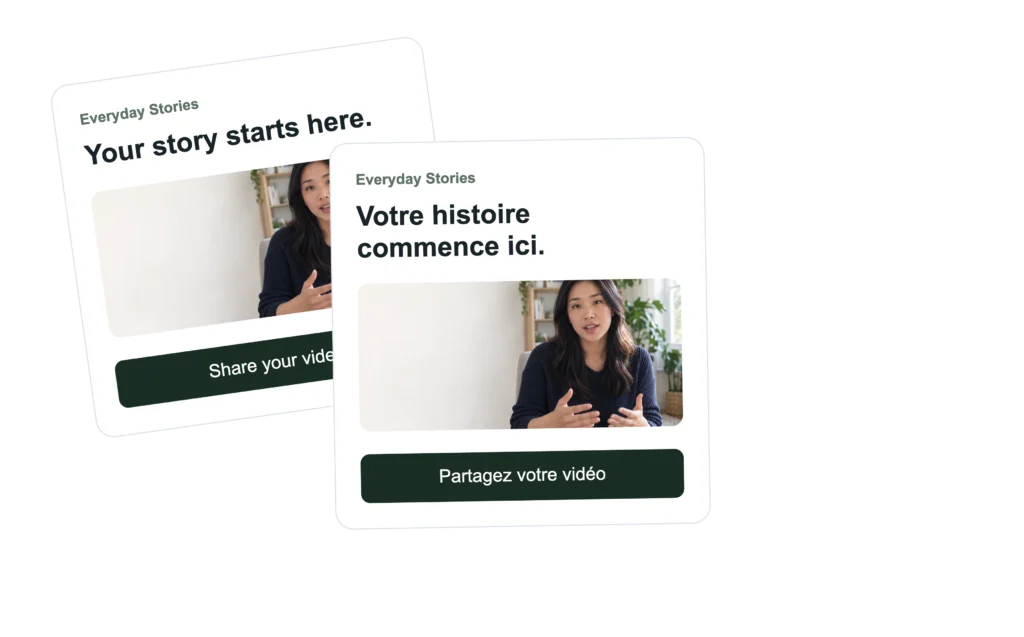
How to Create Multilingual Upload Pages and Contests in Vloggi
Vloggi makes it easy to run upload campaigns and public contests in multiple languages, helping contributors feel comfortable participating in their own language.
Currently supported languages include:
- English
- French
- German
- Spanish
- Portuguese (Brazil)
- Dutch
- Italian
More languages may be added over time.
Changing the Project Language #
You can change the contributor language for any upload page or contest by updating the Locale setting inside the project.

To do this:
- Open your project in Vloggi Studio
- Go to Overview & Settings
- Find the Locale dropdown
- Select your preferred language
- Click Save changes
Once selected, Vloggi will automatically update:
- buttons
- upload prompts
- contributor messages
- legal labels
- privacy policy links
- contest voting labels

The locale setting also adjusts regional formatting preferences automatically, including:
- 12-hour vs 24-hour time display
- date formatting
- number formatting
- metric vs US customary measurements (where relevant)
For example:
- US English uses a 12-hour clock and US formatting conventions
- Most European languages use 24-hour time and local formatting standards
This helps create a more natural experience for contributors in each region.
Read how a major US union uses multilingual forms to gather videos in multiple languages.
What gets translated automatically? #
When a contributor changes language, Vloggi automatically translates the contributor interface, including:
- Buttons
- Upload prompts
- Submission messages
- Error messages
- Webcam prompts
- Contest voting prompts
- Privacy Policy links
- Legal labels
For example:
- “Upload”
- “Submit”
- “Record video”
- “Privacy Policy”
- “Submission received”
all update automatically.
What do I still need to translate myself? #
Your campaign content remains exactly as you write it.
This includes:
- Campaign descriptions
- Instructions
- Filming tips
- Competition rules
- Questions and prompts
- Titles and headings
For multilingual campaigns, most customers use tools like:
to create translated versions of their campaign copy.
A good approach is to:
- Write your campaign in English
- Translate it into your target languages
- Paste the translated copy into the relevant fields
Privacy Policies and legal information #
When contributors switch language, Vloggi can also display the Privacy Policy in the relevant language.
This is particularly important for campaigns running in Europe or collecting personal information from contributors.
Upload pages include:
- Privacy Policy (in project language)
- Platform Terms (in English)
- Contributor consent agreement (in English)
- Data controller information (in English)
Public contests include:
- Privacy Policy (in project language)
- Platform Terms (in English)
- Legal disclosure / hosting information (in English)
Tips for a better multilingual experience #
Keep language simple #
Short, clear instructions translate much better than long marketing copy.
Avoid slang #
Regional slang and idioms often translate poorly.
Use native examples #
For example:
- French contributors expect more formal wording
- Brazilian Portuguese is generally more conversational
Test the full contributor flow #
Before launching:
- switch languages
- upload a test video
- check buttons, dates and legal links
Current limitations #
A few webcam recording prompts may still appear in English on some devices. These come from a third-party recording component and are being progressively updated.
Recommended workflow #
For upload campaigns #
Translate:
- headline
- instructions
- filming tips
- questions
The interface itself will handle the rest.
For contests #
Translate:
- contest description
- voting instructions
- category names
The voting and commenting interface will update automatically.
Why this matters #
People are significantly more likely to contribute content when:
- they understand the instructions clearly
- legal information is presented in their language
- the experience feels local and trustworthy
A properly localised upload page can dramatically improve completion rates and reduce contributor confusion — especially across Europe and Latin America.