
Share your Vloggi video submission link wherever the right people are already paying attention: email, social media, targeted adverts, partner websites or a QR code at an event. Give them a reason to respond, a simple recording prompt and a clear deadline. A good invitation does more than generate clicks—it brings back useful videos.
1. Copy your project’s upload link
- Open your project in Vloggi Studio.
- Go to Collaborate → Shareable Upload Link.
- Select Copy link.
- Open the link on a phone and test the invitation, recording or upload steps, required information and permissions before promoting it.
This is the link for collecting videos—not a link to a finished compilation or a public voting gallery. Contributors follow your project’s submission workflow, and their footage arrives in Curate → Project Video Library.
2. Make the invitation worth opening
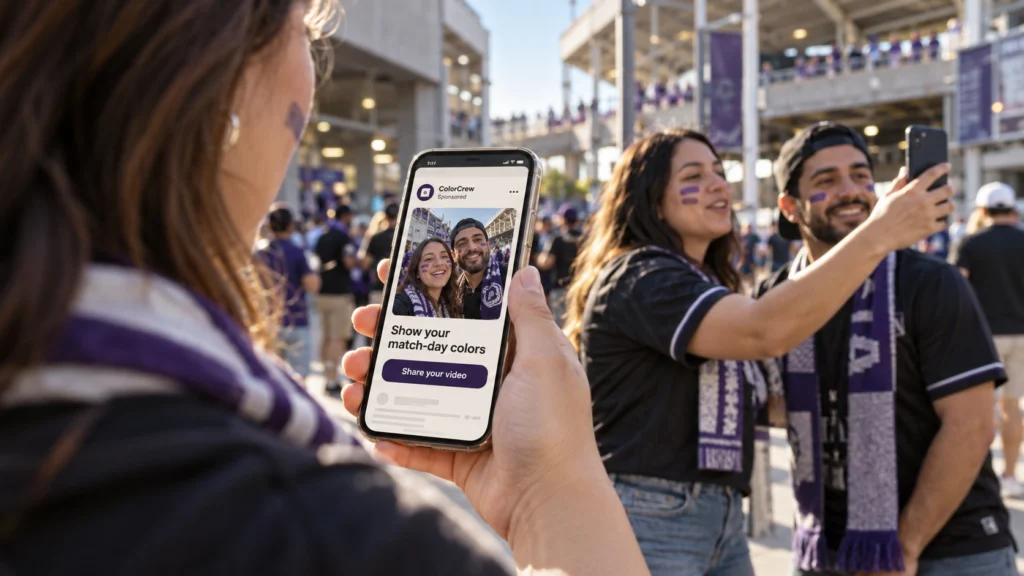
Tell people what to film, why their voice matters and what happens to their video. Keep the request specific: “Show us your match-day colors in a 15-second video” is easier to act on than “Send us some content.” Add the closing date and explain any incentive, such as a prize, a chance to be featured or helping a community project.
Match the wording on your advert, email and upload page. If you want permission to use submissions in later advertising, explain that purpose in the project rules and collect the appropriate permissions before reuse. Make any eligibility and prize conditions easy to find. See how to launch a video contest for a fuller campaign checklist.
3. Start with your own audience and partners
- Email and direct messages: invite customers, colleagues, members or supporters personally. Follow up with a useful example and a deadline reminder.
- Social posts: use Facebook posts, relevant community groups, Instagram profile links and Story links. A short demonstration can show people exactly what to record. Respect each community’s promotion rules.
- Partner channels: ask retailers, clubs, event organizers, creators or local community partners to share the invitation with their audiences. Give them ready-to-use copy and the correct upload link.
- Your website: add a prominent “Share your video” button or embed the submission form on a campaign landing page.
4. Reach new contributors with targeted social ads
Paid campaigns on Facebook and Instagram can put your invitation in front of people beyond your existing followers. Build each advert around one audience, one prompt and one action: open the upload page and send a video. Set up and fund the advertising in your chosen ad platform; Vloggi handles the video collection, context and permissions.
For an event campaign, organize adverts around the relevant cities or areas, the event schedule and the languages your audience uses. Where the advertising platform offers suitable location controls, use them to focus spend near venues, fan zones or participating shops. Check the targeting options actually available in your account rather than assuming a precise stadium boundary is supported.
Geotargeting is not geoblocking. Location targeting helps decide who sees an advert; it is not proof that someone is inside a venue and does not stop someone elsewhere opening a shared link. If entries must come from particular places, state that in your rules, request the relevant location information and review eligibility. Do not describe the campaign as location-restricted unless a separate access restriction is actually in place.
Start with a modest test budget and compare messages, audiences and languages. Review completed, usable submissions alongside advertising costs—not just impressions or clicks. Advertising settings and location accuracy vary by provider; Google’s location-targeting guidance explains why location signals are not a guarantee of physical presence.
5. Build a rolling match-day campaign
Imagine a fictional face-paint brand collecting supporter videos across a multi-city football tournament. Rather than launch one broad appeal and wait, it could run a sequence of small campaigns:
- Before each match: promote a clear invitation in the host city, with creative and language versions relevant to the supporters attending.
- During the event: reinforce the message through partner posts, fan-zone signs and QR codes. Ask fans to show their face paint and share a short message for their team.
- Organize the submissions: collect team, city and language information in the form so the archive is useful after match day.
- Review and reuse: select suitable early contributions, check permissions cover paid advertising, and use approved highlights to invite fans at later matches.
- Build lasting value: keep the cleared footage organized for future social campaigns, retailer presentations and customer stories.
The same approach works for league fixtures, festivals, conferences and store launches. Adapt the message to each place and moment while keeping a consistent submission experience. Use only event names, branding and footage you have permission to use; do not imply an official partnership without authorization.
6. Put QR codes where the moment happens
Under Collaborate → Shareable Upload Link, select Download QR Code. Put it on event signage, packaging, receipts, presentation slides or counter displays. Pair it with a short instruction such as “Scan to share your match-day video,” and test it at the distance people will actually scan from. Give people enough time and space to record safely.
7. Keep promotion and public viewing separate
Your submission link collects footage. It does not automatically publish your video library. If you want people to watch approved entries or vote, configure Collaborate → Public Video Gallery separately and share the gallery’s viewer link for that purpose. Read how public galleries and contest voting work.
A quick checklist before you share
- The invitation explains what to record, why and by when.
- The form works on a phone and asks only for useful information.
- Languages, eligibility rules and permissions match the campaign.
- Every partner and advert points to the correct submission link.
- Someone is responsible for reviewing entries, answering questions and keeping the campaign moving.